
To ensure timely registration and prompt payment from your participants, edoobox offers two features: MustPay and Countdown. Both can be used individually or in combination to best meet your needs. When MustPay is active MustPay , participants are only added to the final list of attendees for an event after payment has been completed, and Countdown ensures that the booked spot remains reserved for the specified period.
MustPay
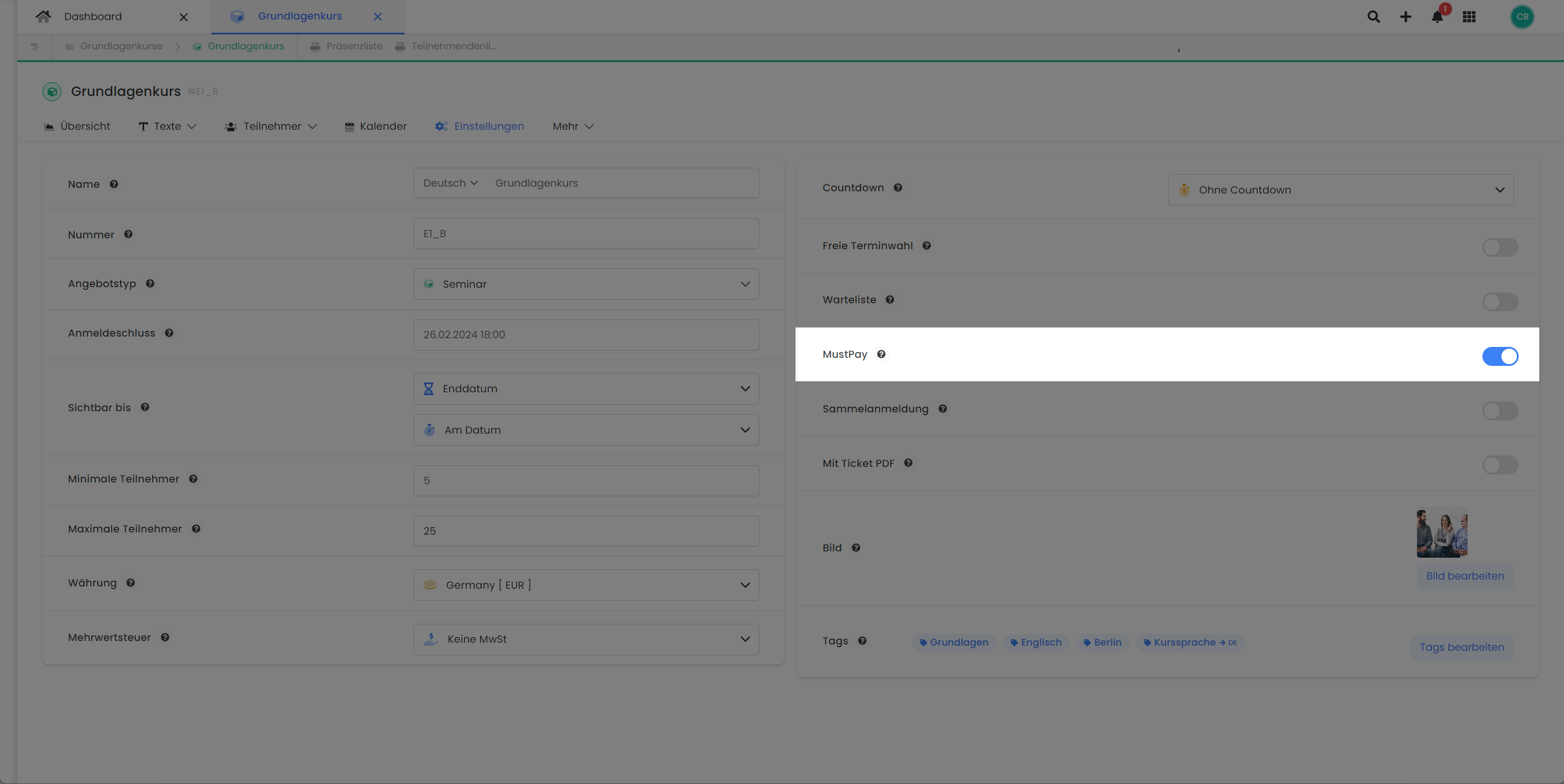
MustPay ensures financial reliability for you as a provider. When participants book an offer, they are only moved to the definitive participant list after successful payment and then receive their definitive booking confirmation. You can activate MustPay per offer in its settings; this setting is deactivated by default.
The booking process with MustPay does not differ significantly from that without MustPay. However, for a MustPay booking, clicking on «Paid Registration» always displays the payment page. Here, the booking individual can select from the payment options you provide and pay directly. If payment is not made immediately, a reminder email with a payment request (email template: Complete MustPay Registration) will be sent approximately 10 minutes after booking completion. This email is sent automatically if no payment has been made or no SEPA payment has been initiated in the interim.
It is important to note that a booking with MustPay is only considered valid once payment is completed. Until then, the booking individual is provisionally placed on the offer's waiting list and marked with the status «MustPay». After successful payment, and if sufficient places are still available for the offer, this person will be added to the definitive participant list. The definitive booking confirmation email is only sent upon receipt of payment.
Tips and Notes on MustPay
-
Online Payment Systems: For seamless MustPay implementation, it is recommended to activate an online payment system such as Stripe, Sofortüberweisung, or PayPal. This allows participants to pay immediately and secure their spot instantly.
-
Waitlist Inquiry: If the waitlist inquiry email is sent for an offer and an individual completes the booking for the offer via the link contained therein, the MustPay function is bypassed. This means that participants on the waitlist can complete the booking without paying in advance and are then managed as participants with a negative balance.
-
Booking Types: MustPay is exclusively triggered for bookings made via the frontend. For bookings made by administrators or via the API, MustPay is not activated.
-
Registration Type: The MustPay function is only available for the registration type «Normal Registration». A combination with the «Free Date Selection» option is not possible.
Payment method: Invoices (for business customers only):
Add the following code to the footer as a script. This will display "Invoice" as a payment option for customers who select a billing address.
document.addEventListener('DOMContentLoaded', function() {
    // Prüfe das Formular-Attribut
    const paymentForm = document.querySelector('.payment_options_form');
    if (paymentForm && paymentForm.dataset.invoiceaddressexist === '0') {

        // Finde den Rechnung-Accordion-Button über das data-bs-target-Attribut
        const rechnungAccordionButton = document.querySelector(
            'button[data-bs-target="#collapse_rechnung"]'
        );

        // Entferne das gesamte accordion-item, falls gefunden
        if (rechnungAccordionButton) {
            const accordionItem = rechnungAccordionButton.closest('.accordion-item');
            if (accordionItem) {
                accordionItem.remove();
            }
        }
    }
});
Countdown
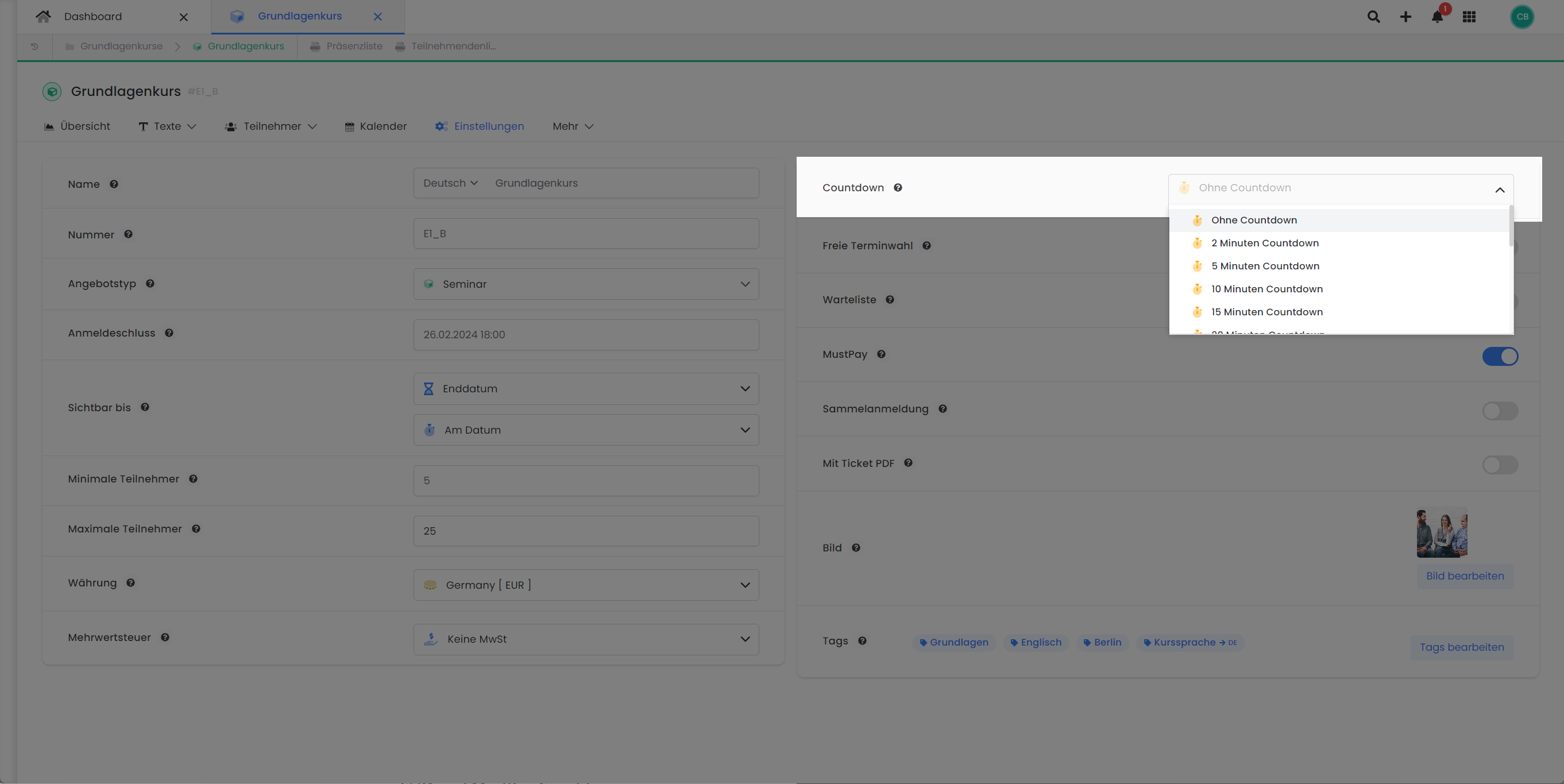
The countdown feature in edoobox is designed to actively reserve a spot for the person making the booking for a specified duration. The available time periods range from 2 minutes to 7 days, and this feature is disabled by default (no countdown).
If no countdown is set, reserved spots are released after 10–20 minutes.
Tips and Notes on Countdown
-
Choose a Balanced Timeframe: When setting the Countdown, a balanced timeframe is crucial. If it is too short, you risk customers abandoning booking processes and losing these customers as potential participants. An optimally chosen timeframe gives customers sufficient time to successfully complete their booking.
-
Minimize Unused Spots: An excessively long Countdown duration can lead to spots being blocked for an extended period without a final booking occurring. This prevents genuinely interested customers from booking these spots. It is advisable to adjust the duration so that customers have sufficient time for the booking process, and spots are not unnecessarily blocked for too long.
Combination of MustPay and Countdown
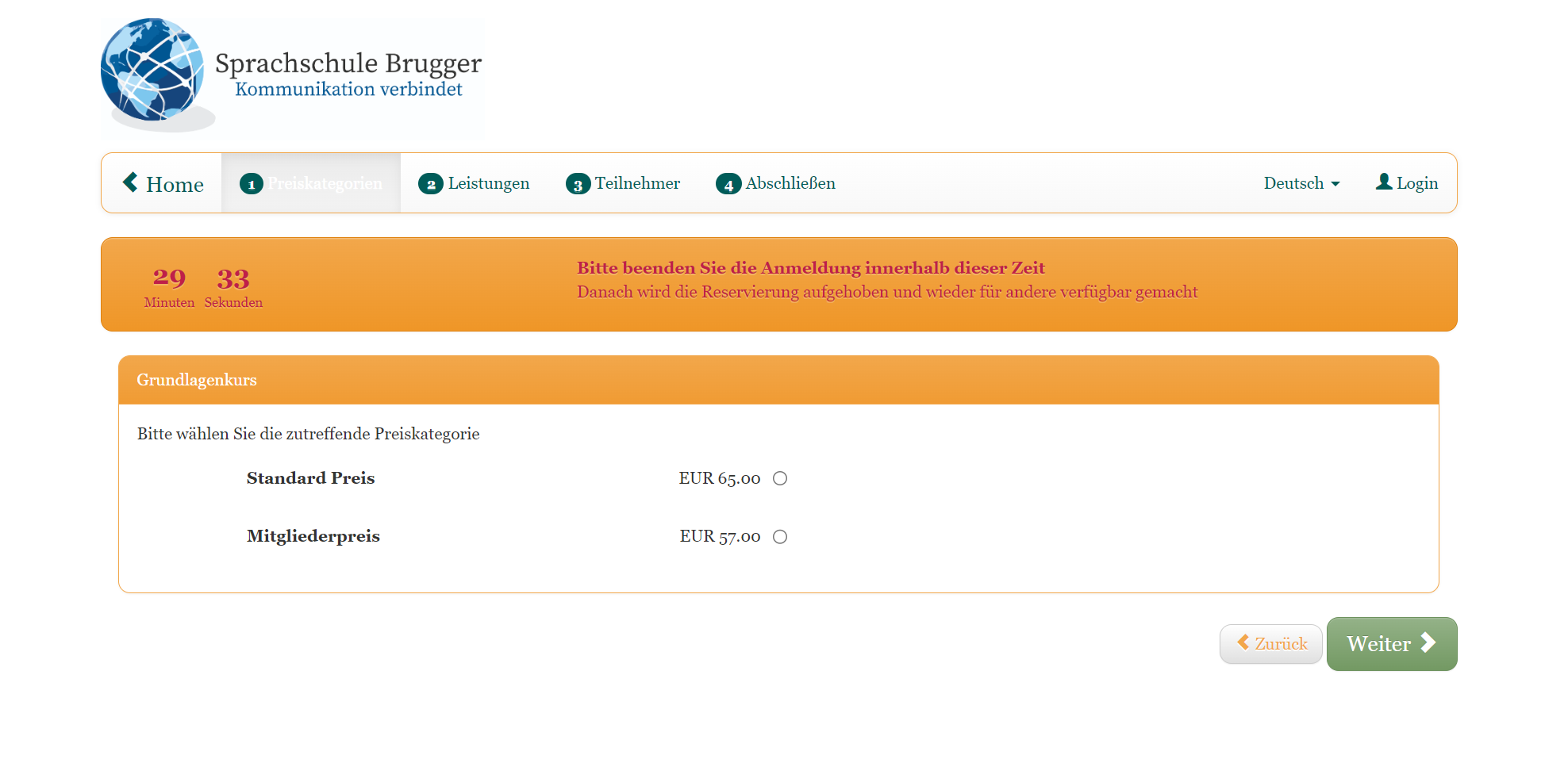
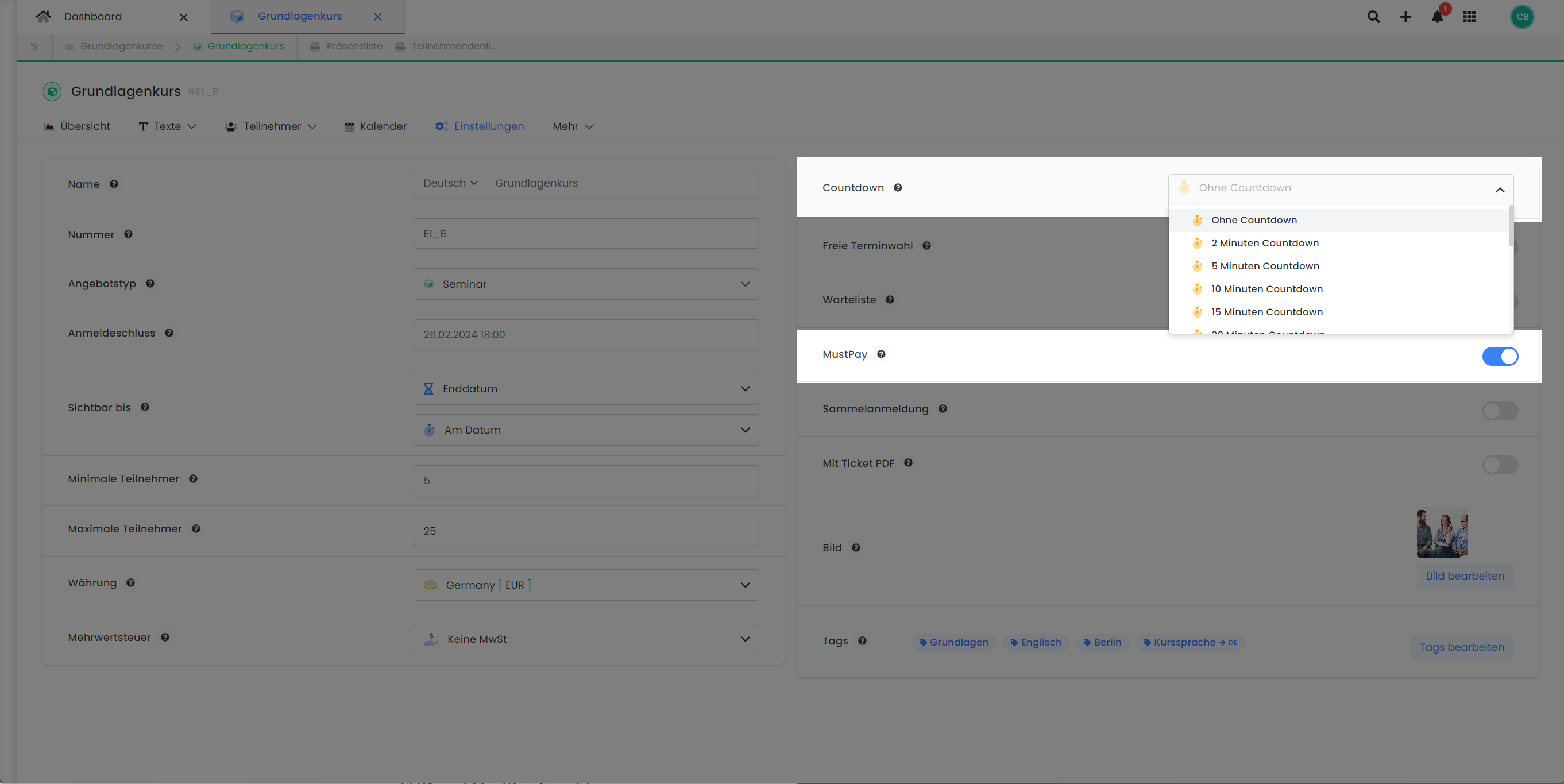
The combination of MustPay and Countdown offers an optimal method to reserve a booking slot for a specified duration. Once both functions are active, the booking and payment must be completed within the defined countdown period. The countdown is also displayed on the Payment Page, to which the booker is directed after clicking 'Paid Registration'. If payment is not made within this timeframe, the MustPay automatism is aborted. Consequently, the booker remains on the waiting list, and their waiting list status changes from 'MustPay' to 'Waiting List'. Any subsequent payments will be credited to the participant's account but will not result in automatic transfer to the definitive participant list. Therefore, the booking confirmation email will not be sent, and the transfer and dispatch would have to be performed manually by an administrator.
Tips and advice on combining MustPay and countdown
-
Timeframe and Payment System: To effectively combine MustPay and the Countdown, the countdown's timeframe should be carefully selected and adapted to the active payment systems. This ensures participants have sufficient time for booking and payment. We particularly recommend using online payment systems such as Stripe, Sofortüberweisung, or PayPal to ensure a swift payment and booking process.
-
Payment by Invoice/Bank Transfer: If you allow participants to settle their MustPay booking via invoice/bank transfer, using the Countdown is not ideal. Due to the longer processing time for bank transfers, the countdown may expire, thereby disrupting the MustPay automatism. In such a scenario, although the payment is registered, the participant concerned remains on the waiting list and is not moved to the definitive participant list. Without an active countdown, however, there is a possibility that the offer might be fully booked before the payment arrives, and the participant would not secure a spot despite successful payment.
-
Payment by SEPA Direct Debit: When using SEPA Direct Debit in combination with MustPay, we advise against using the Countdown. Due to the longer processing time for SEPA payments, the countdown may expire, thereby disrupting the MustPay automatism. In such a scenario, although the payment is registered, the participant concerned remains on the waiting list and is not moved to the definitive participant list. Without an active countdown, however, there is a possibility that the offer might be fully booked before the payment arrives, and the participant would not secure a spot despite successful payment.
Key Questions Summarized
The following list presents some fundamental questions that may arise regarding MustPay and the Countdown.
Configuration Recommendations
Standard Booking
For a conventional offer that remains bookable over an extended period. Payment can be made at any time.
-
MustPay: Disabled
-
Countdown: Disabled
-
Payment Options: Activate desired payment systems
Bookings Exclusively with Prepayment
You only want to admit participants who have paid for the offer in advance:
-
MustPay: Enabled
-
Countdown: Disabled
-
Payment Options: Activate at least one online payment system.
Time-Sensitive Bookings with Prepayment
You anticipate a high volume of bookings within a short timeframe. The offer is expected to be fully booked quickly:
-
MustPay: Enabled
-
Countdown: Enabled. Select a short but sufficient timeframe for payment.
-
Payment Options: Activate at least one online payment system.
Related Guides
Keywords for this guide
MustPay ¦ Countdown ¦ Payment ¦ Prepayment ¦ Booking Confirmation ¦ Payment