
In edoobox, you can insert videos into offer or category descriptions, as well as into text blocks within the Design Manager. These are particularly suitable for visually enhancing your offer, for example, through explainer videos, course previews, or testimonials.
Insert Videos into Offer or Category Descriptions
You can either upload videos directly via the File Manager in the description editor or embed them using an embed code (e.g., from YouTube or Vimeo).
Procedure:
-
Open the description editor (offer or category).
-
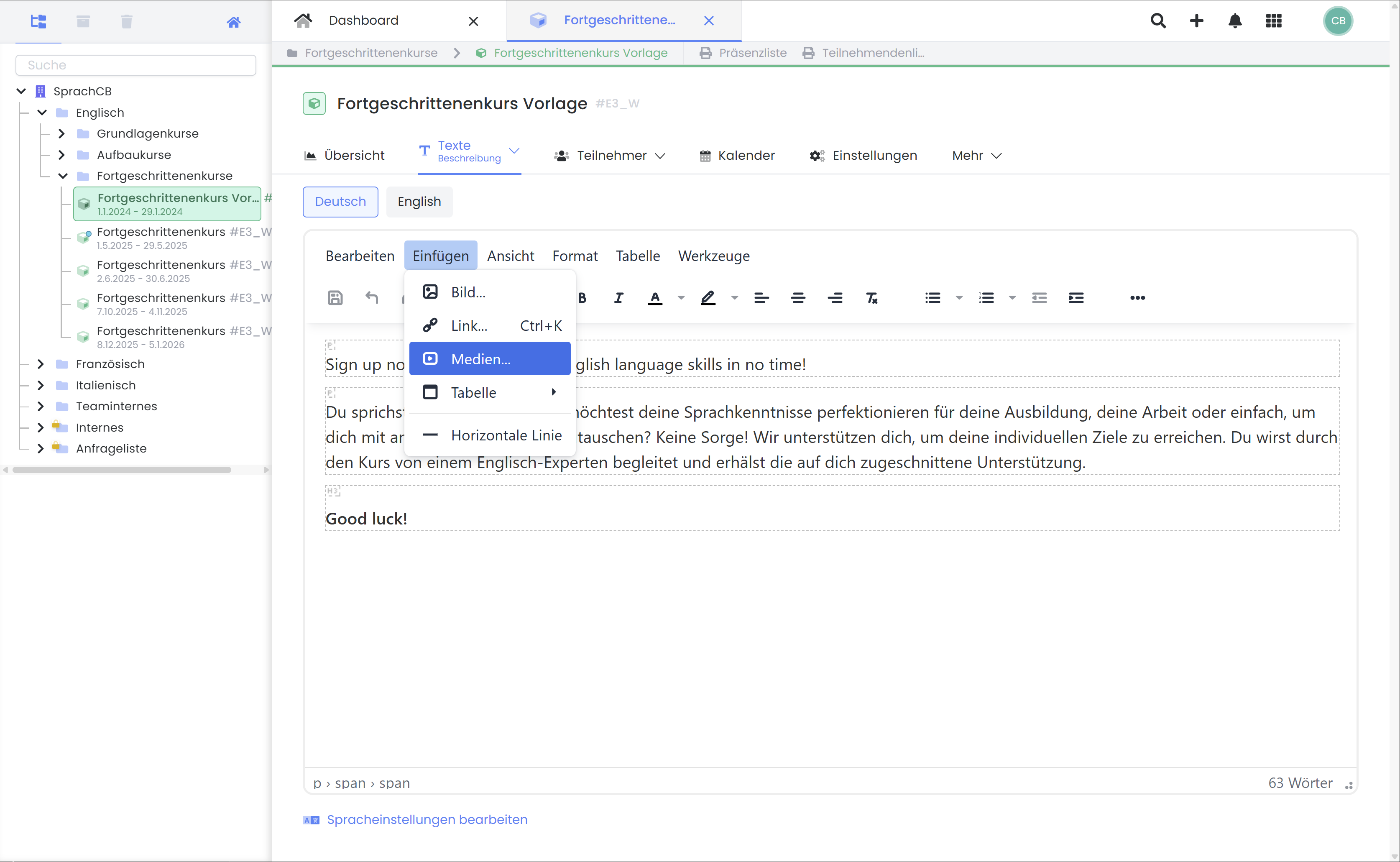
In the editor, click Insert, then Media, or directly click the Media icon.
-
Select:
-
Select File to upload a video from the File Manager.
-
Embed to insert an iFrame code (e.g., from YouTube).
-
Insert Videos into the Design
Videos can also be embedded in Text Block widgets within the Design Manager – for example, on overview pages, landing pages, or detail views.
Procedure:
-
Open the desired template in the Design Manager.
-
Drag and drop a Text Block Widget.
-
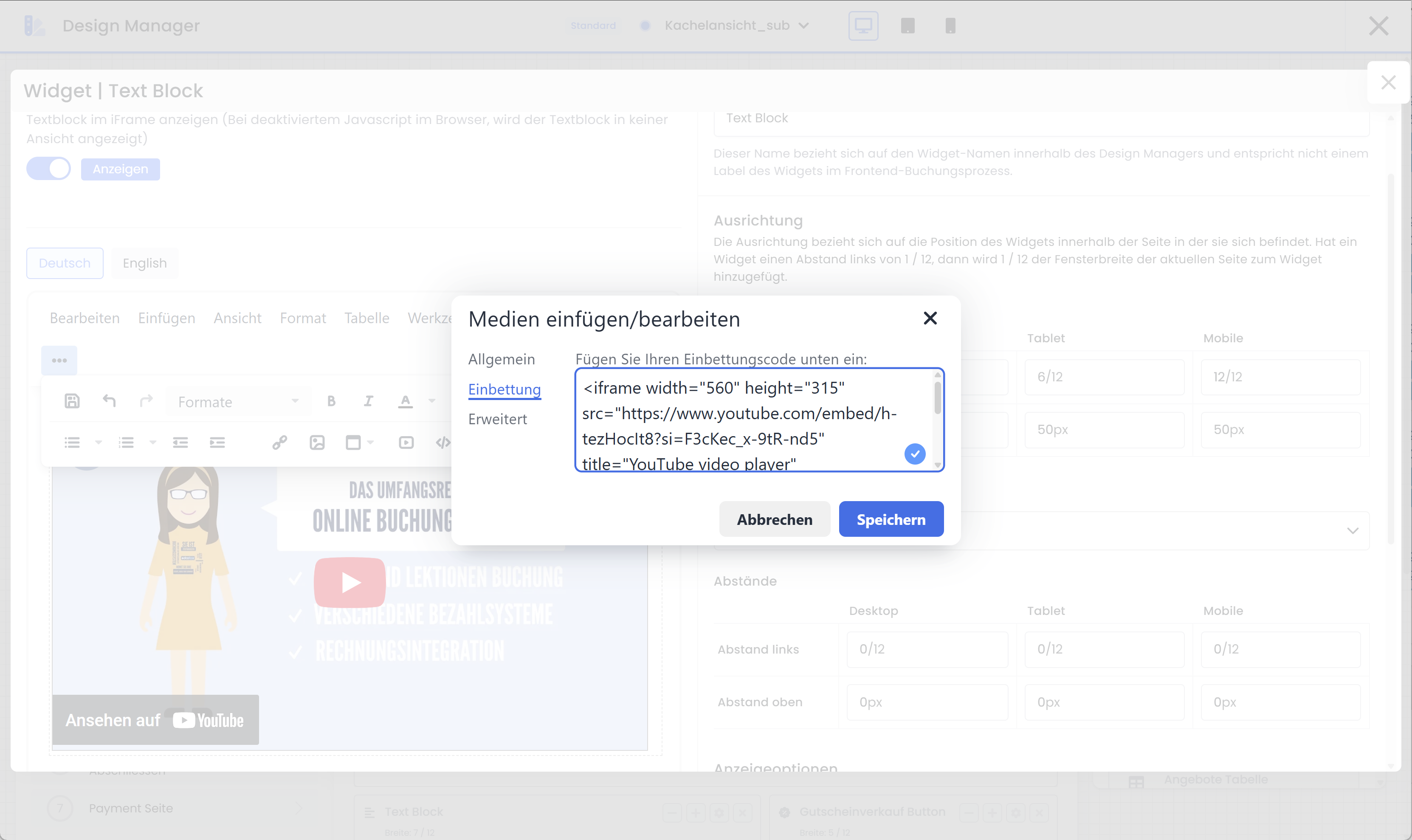
Click the Video icon and select Embed.
-
Insert the copied iFrame code (e.g., from YouTube under "Share > Embed").
Tip: Efficiently Integrate Larger Videos
Where possible, use platforms like YouTube or Vimeo for your videos. The edoobox File Manager only supports files up to 10 MB and is not optimized for video streaming.
Related Guides
Keywords for this guide
Video ¦ Media ¦ Description