

edoobox is an official Stripe SCA-Ready Partner
Stripe users in Europe and the USA can accept direct debit payments via Debit Direct within the Single Euro Payments Area. Payment via SEPA Direct Debit is only enabled for EUR currency.
Please note: Activating SEPA Direct Debit Payments
Before you can accept SEPA Direct Debit payments, your Stripe account must have regularly processed card payments for 30 days. SEPA Direct Debit payments are also subject to processing volume limits, and payments may fail if you exceed these limits. If you are a new customer or plan to process a high transaction volume, please contact Stripe to request a review. This process can also be expedited by providing proof of past payments directly to Stripe.
Info: Stripe Documentation
You can find the documentation for Stripe (card payments) at the following link. https://docs.edoobox.com/knowledge-base/stripe-kreditkarten-integrieren/
Connect Stripe Account with edoobox
-
Go to "Settings" and select "Payment Systems" A, then click "Connect" B next to Stripe.
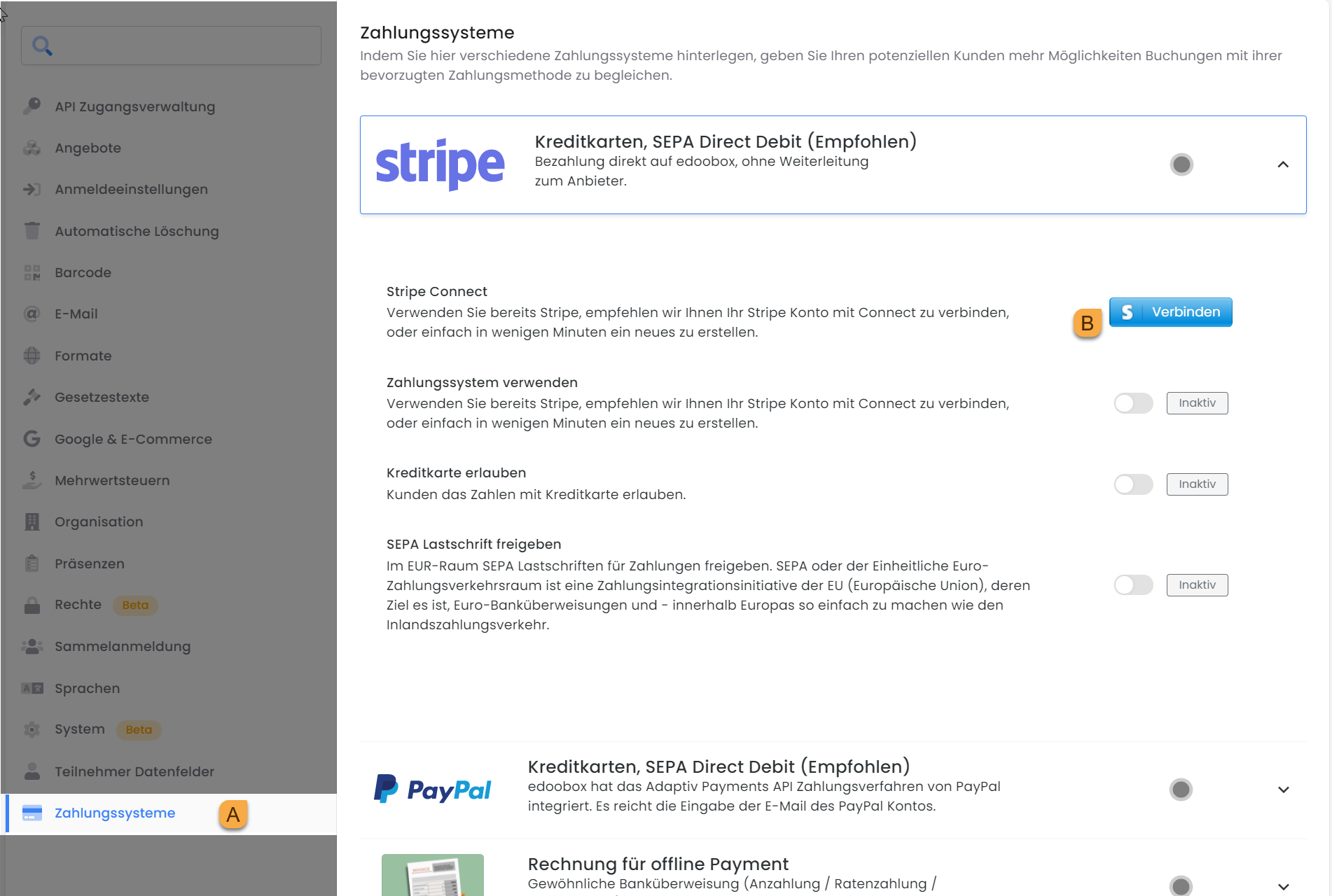
Connect Stripe
-
If you already have a Stripe account, you can log in with your email address. Otherwise, enter your email address and click «Continue».
-
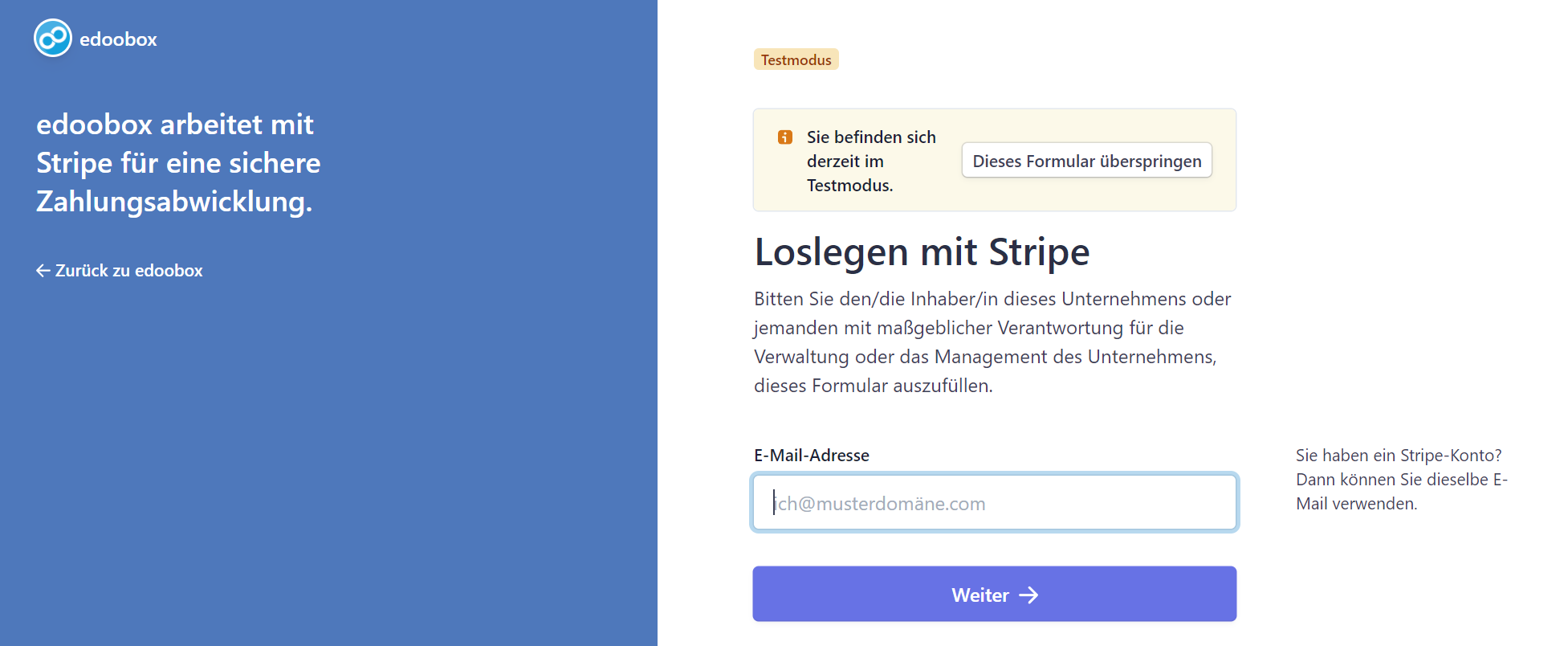
-
You can now connect edoobox with your Stripe account, or cancel and return to the previous step.
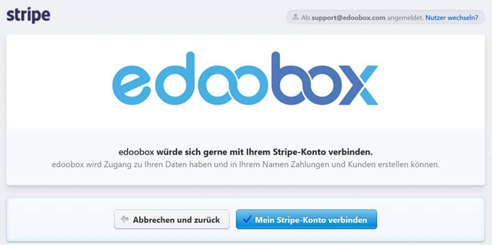
-
Afterwards, you will receive confirmation that your account has been successfully connected.
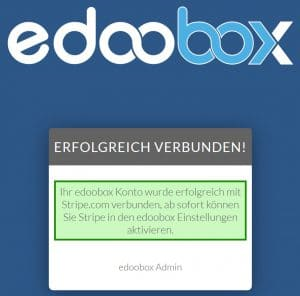
To activate SEPA Direct Debit on Stripe, proceed as follows.
-
The prerequisite is that you have already linked an active Stripe account with edoobox. Instructions on how to integrate Stripe into edoobox.
-
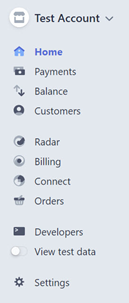
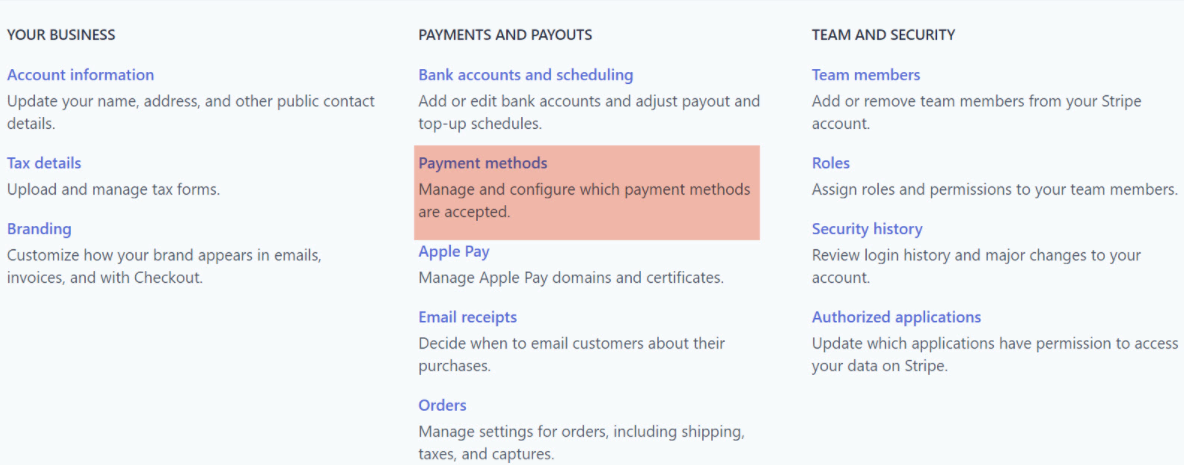
In your Stripe account, navigate to «Settings» and select «Payment methods».
-
Next, you need to have SEPA Direct Debit activated. Once you've submitted the request, you'll receive an email confirming that your request has been received, and the status will change to " Invite requested."

-
Stripe will review your application; the following requirements must be met:
Your Stripe account must have processed card payments regularly for 30 days.
If you have already accepted SEPA Direct Debit payments through another provider, the process can be expedited by providing proof of past payments directly to Stripe. In this case, please contact Stripe. -
Once SEPA Direct Debit has been accepted by Stripe, it must then be activated within edoobox under the payment systems.
Related Guides
Keywords for this guide
Stripe ¦ SEPA ¦ SEPA Direct Debit ¦ Payments ¦ Credit Card