
With our new PayPal Checkout integration, you gain the ability to offer country-specific features such as «PayLater» (for installment payments) and direct credit card payments. Additionally, a refund function has been implemented directly within edoobox V2, streamlining your entire PayPal payment process.
If you do not yet have a PayPal account and wish to offer this payment method to your customers, you can create a PayPal account directly on the PayPal website . Subsequently, you can link this PayPal account with edoobox in just a few steps.
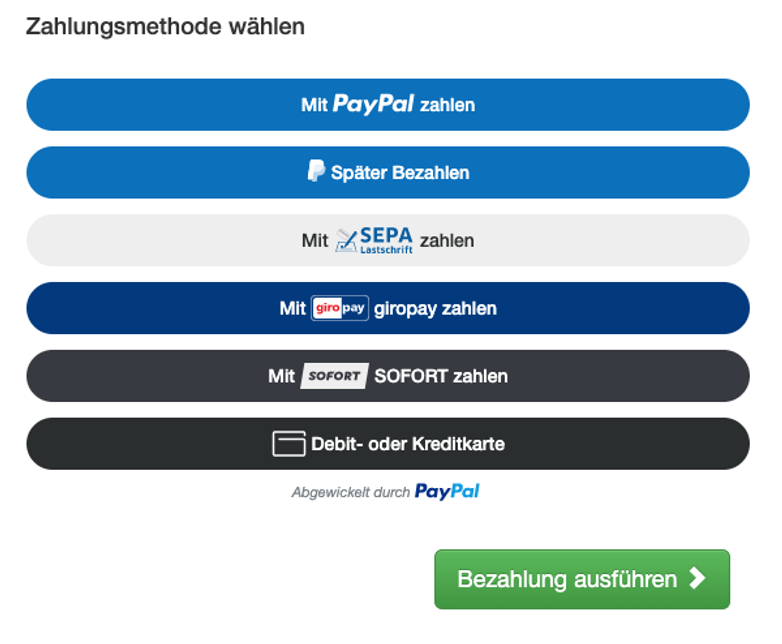
Example of available payment methods in Germany:
All the benefits of PayPal Checkout at a glance:
-
You utilize the most advanced interface to PayPal.
-
You gain access to country-specific features such as PayLater, SEPA Direct Debit, Giropay, SOFORT payments, and debit and credit card payments
-
Within the DesignManager, you have the option to define individual payment methods per design.
-
Refunds can be processed directly from edoobox V2.
Connect PayPal Checkout
To utilize the new PayPal Checkout integration, proceed as follows:
-
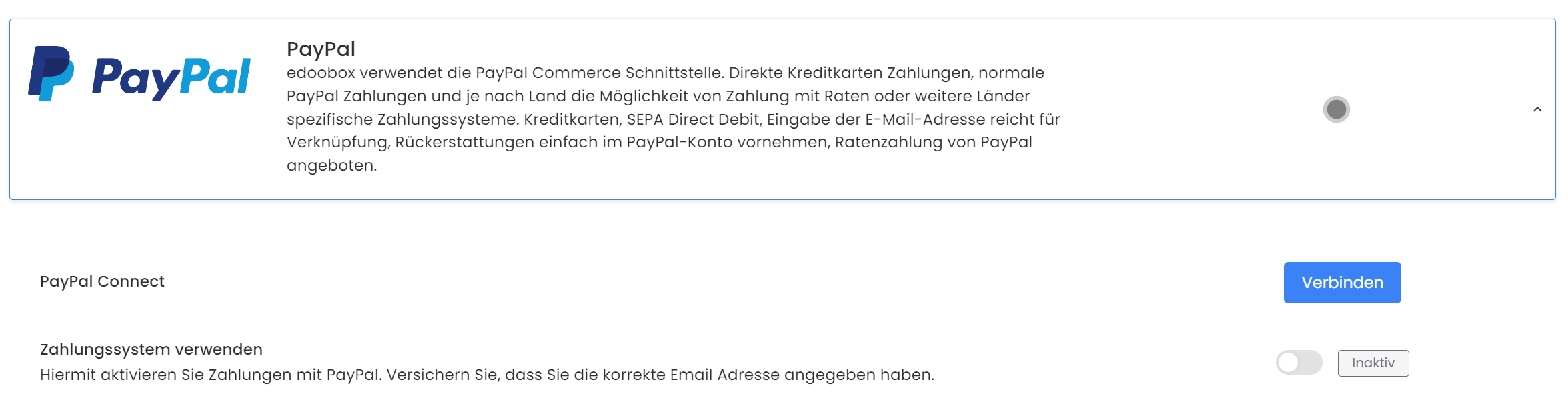
Log in to your edoobox account and navigate to Payment Systems within the edoobox Settings (App Menu > Settings > Payment Systems).
-
Connect your PayPal account there by clicking «Connect». You will then be prompted to log in to your PayPal account.
Connect PayPal Checkout -
Once you have linked your PayPal account, PayPal will review your account and approve it for use with edoobox. This process may take a few minutes. During this time, the following message will appear:“The merchant onboarding process has not yet been completed or has failed. Please try again later.
PayPal Account ID: *Your ID*” -
To verify if the onboarding process is complete, click the «Refresh» button.
-
Once the onboarding process is complete, PayPal Checkout can be activated as a payment system.
Conditions
By activating PayPal, you accept that the following fees will be charged per transaction by PayPal and edoobox:
|
PayPal |
edoobox |
|---|---|
|
The percentage varies by country. |
edoobox does not charge a percentage. |
|
The transaction fee varies by country. |
edoobox charges a system usage fee of 0.50 in the transaction's currency per transaction. |
PayPal's terms and conditions vary based on the country, number and type of transactions, and generated revenue. Fees range between 1.5% + €0.35 and 3.4% + €/CHF 0.55.
PayPal and edoobox fees are directly deducted from the total transaction amount. If a 100% refund is issued, all fees are directly reimbursed to the customer. The customer does not incur any charges.
Refund
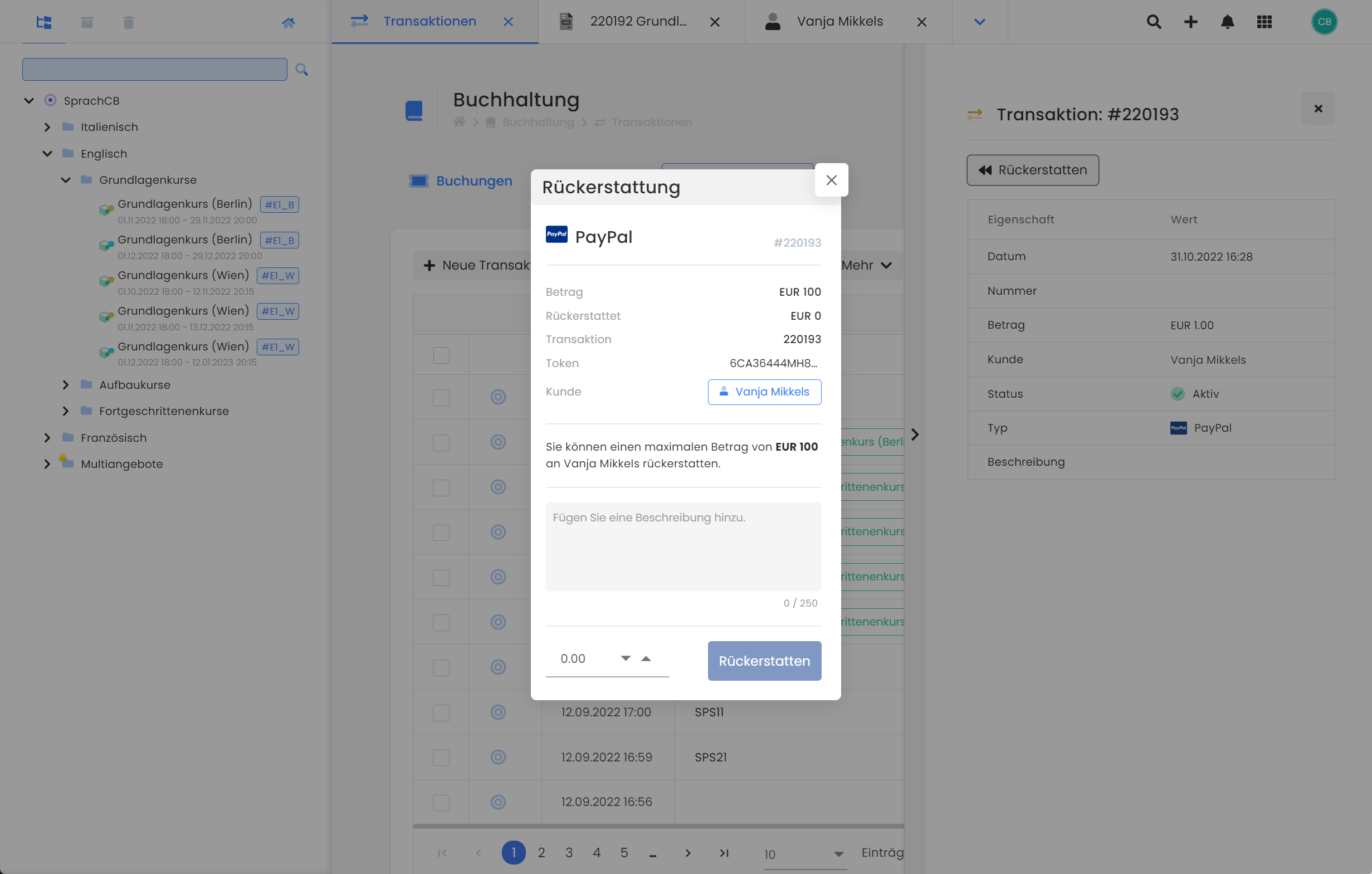
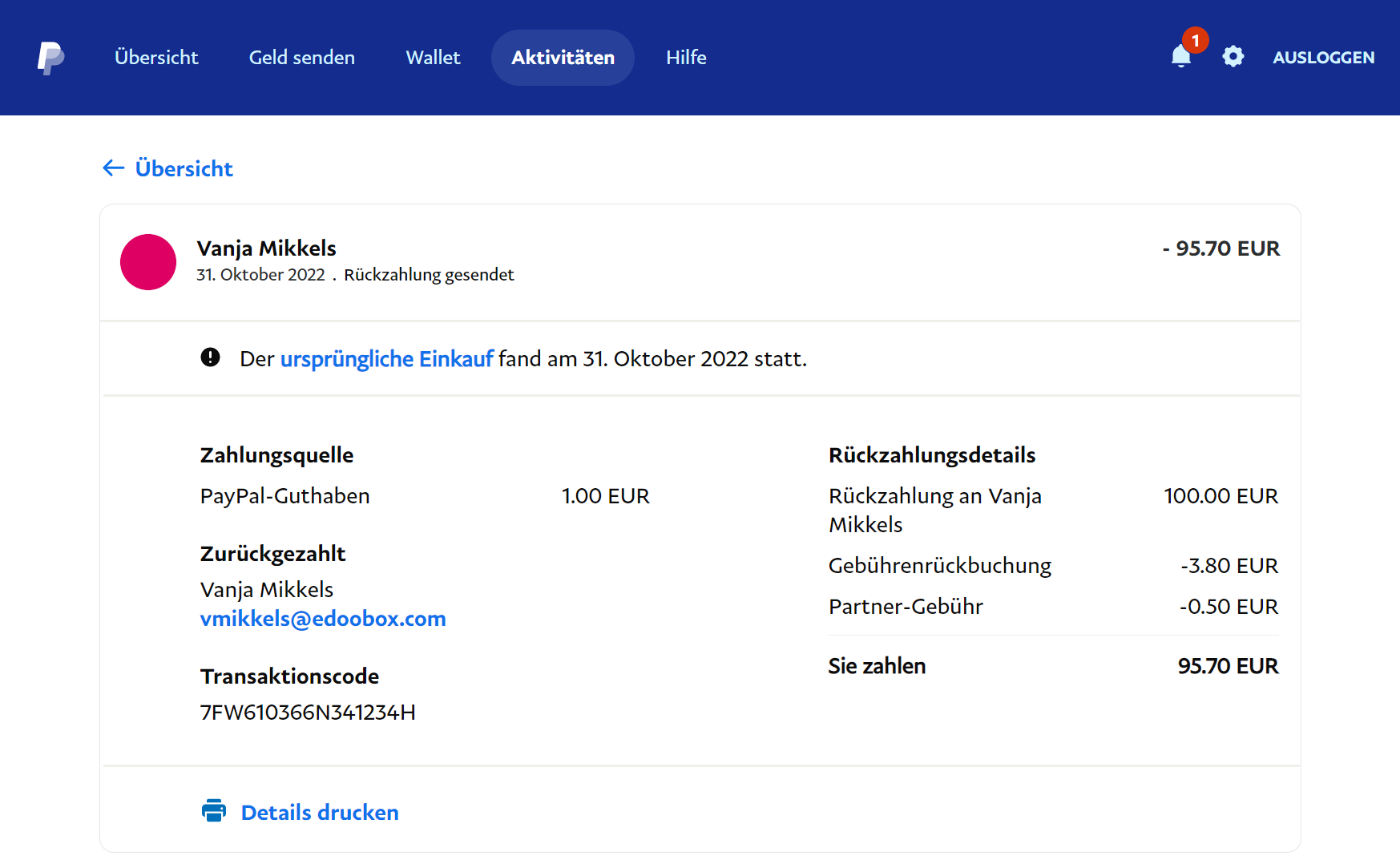
With the newly implemented refund function in edoobox V2, refunds can be processed quickly and easily directly from your edoobox account. The refund button is directly linked to the transaction; therefore, to initiate a refund, navigate to the 'Transactions' section via the app menu and click on the desired transaction. The details of the selected transaction, including the refund button, will open in the dynamic sidebar.
PayPal Support
For issues with payments or other inquiries regarding your PayPal account, we recommend consulting the PayPal documentation or submitting a support request directly to PayPal.
Related Guides
Keywords for this guide
PayPal Checkout ¦ Payment ¦ Payment System ¦ PayLater ¦ Giropay ¦ Credit Card ¦ SEPA Direct Debit ¦ SOFORT ¦ Debit or Credit Cards