Have product descriptions created and designed using AI
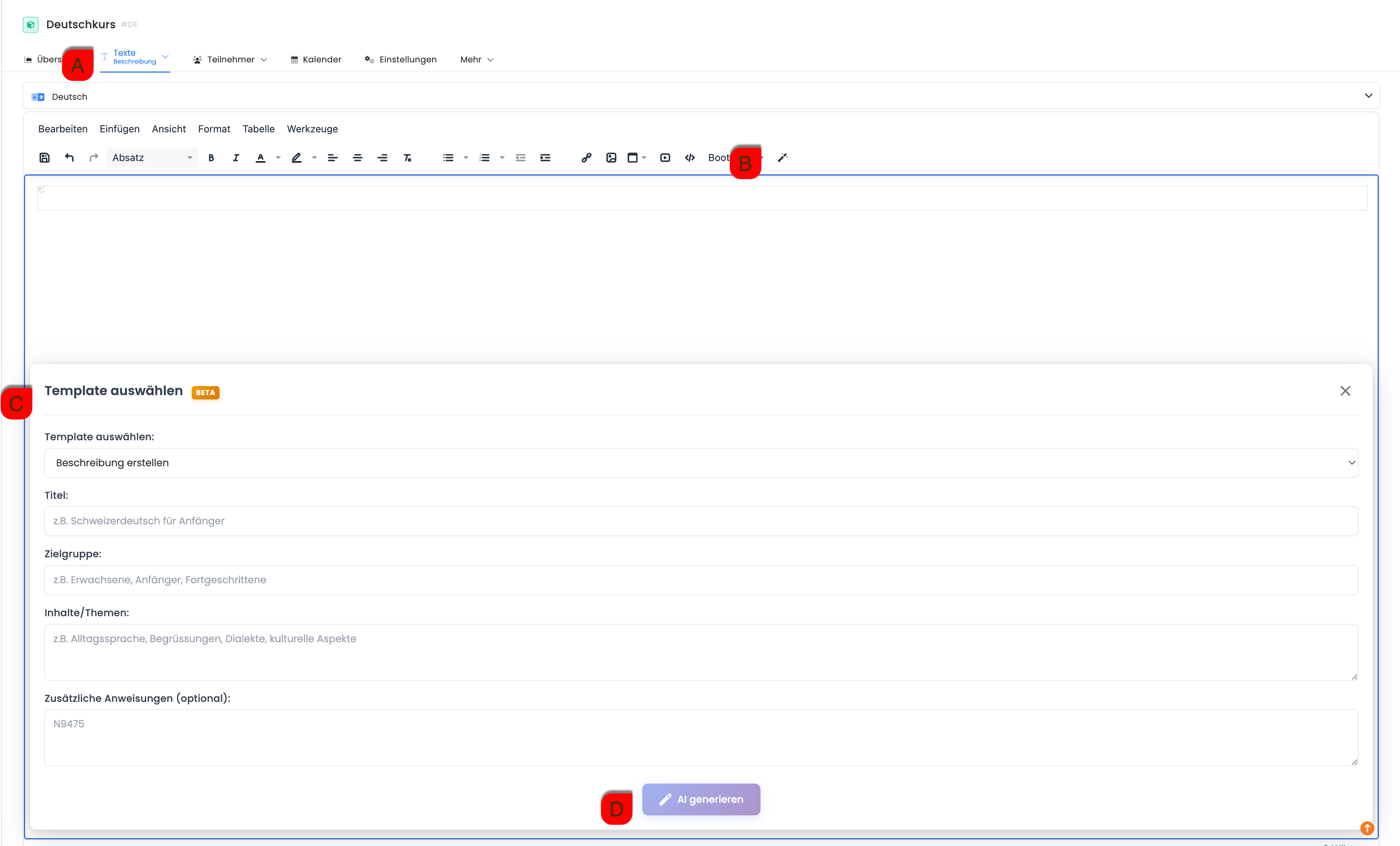
To create a new description, select the desired quote in the quote tree and open the "Description" tab A. The text editor will appear.
The icon for the AI assistant (“Magic Pen”) B is located in the upper-right corner of the editor. Clicking this icon opens the assistant.
An input window C appears at the bottom. This is where you enter the relevant details for the quote:
-
Title
-
Target audience
-
Content and Topics
-
Additional notes (optional)
After entering the data , you can click the "Generate AI" button to create a descriptive text. This text is inserted into the editor and can then be edited.
Tip: Various templates
If you already have a description and would like to optimize it in terms of text or design, select the desired action under "Select Template C."
Automated translation of quotes using AI
Depending on the status of the quote, automated translation can be initiated in two ways.
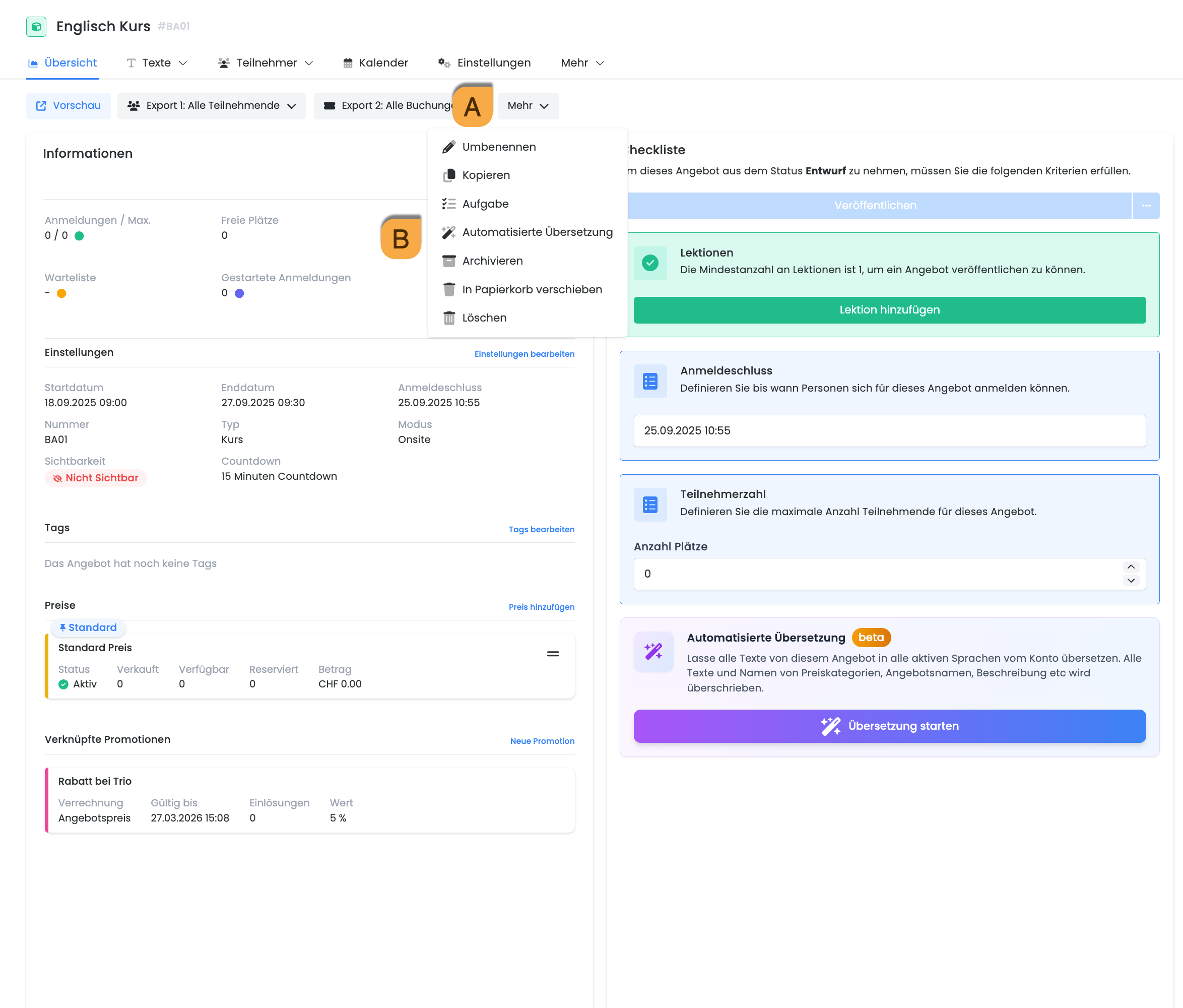
As long as the quote is in draft form, the "Start Translation" button will be available at the bottom of the page. Clicking this button will initiate the translation of the current quote.
After publication, you can access it via the "More" menu A. There, you can select the "Automated Translation" option B.
In both cases, the same function is performed and applies exclusively to the currently open listing. All relevant content, such as titles, descriptions, and other text, is translated into the account’s active languages.