
Overview of Registration Types
edoobox provides two different registration types. The registration type can be individually defined for each offer.
|
|
Standard Registration |
Flexible Date Selection |
|---|---|---|
|
Participant Minimum/Maximum |
|
|
|
|
|
|
|
|
|
|
|
|
|
|
|
Single Module Booking |
|
|
|
|
|
|
|
Offer Status extensively usable |
|
|
Standard Registration
With Standard Registration , the entire offer, meaning all dates, is always booked. Additionally, there is the option to join the waitlist and activate the MustPay function. Group registrations are also possible.
Use of Standard Registration
-
Seminars and courses that are conducted as a complete package.
-
Events (lecture, workshop, camp, meeting) with one or more dates.
Flexible Date Selection
For example, if you have daily, weekly, or monthly recurring courses with exactly the same content, the Flexible Date Choice registration type would be ideal to save you time and effort. Instead of creating a separate offer for each week, it is sufficient to create a single offer where you record various lessons/modules. With this registration type, the registrant can select individual lessons from the offer, and group registrations are also possible. The Flexible Date Choice can be activated from the Limited 2 subscription.
Please note: Price and number of participants
With the "Open Enrollment"registration type ,all lessons/modules in a course havethe same price and the same maximum number of participants.
(With "Open Enrollment," for example, you can book sessions on June 21 and July 12.)
Used for Flexible scheduling
-
Seminars and courses with multiple dates/modules where participants can select which dates/modules they wish to book.
-
Events that are conducted multiple times on the same topic, where participants can book a suitable date.
-
Series of appointments that you offer for booking for one or more persons.
Clear display for registrants
The available spots are displayed for each date/module.
Info: Pricing
With the "Free Date Selection " option, participants are charged the price they entered per module. For example: A customer books two modules at a price of 20 euros each. The total price is therefore 40 euros.
With " Standard Registration," all modules together cost 20 euros.
Change registration type
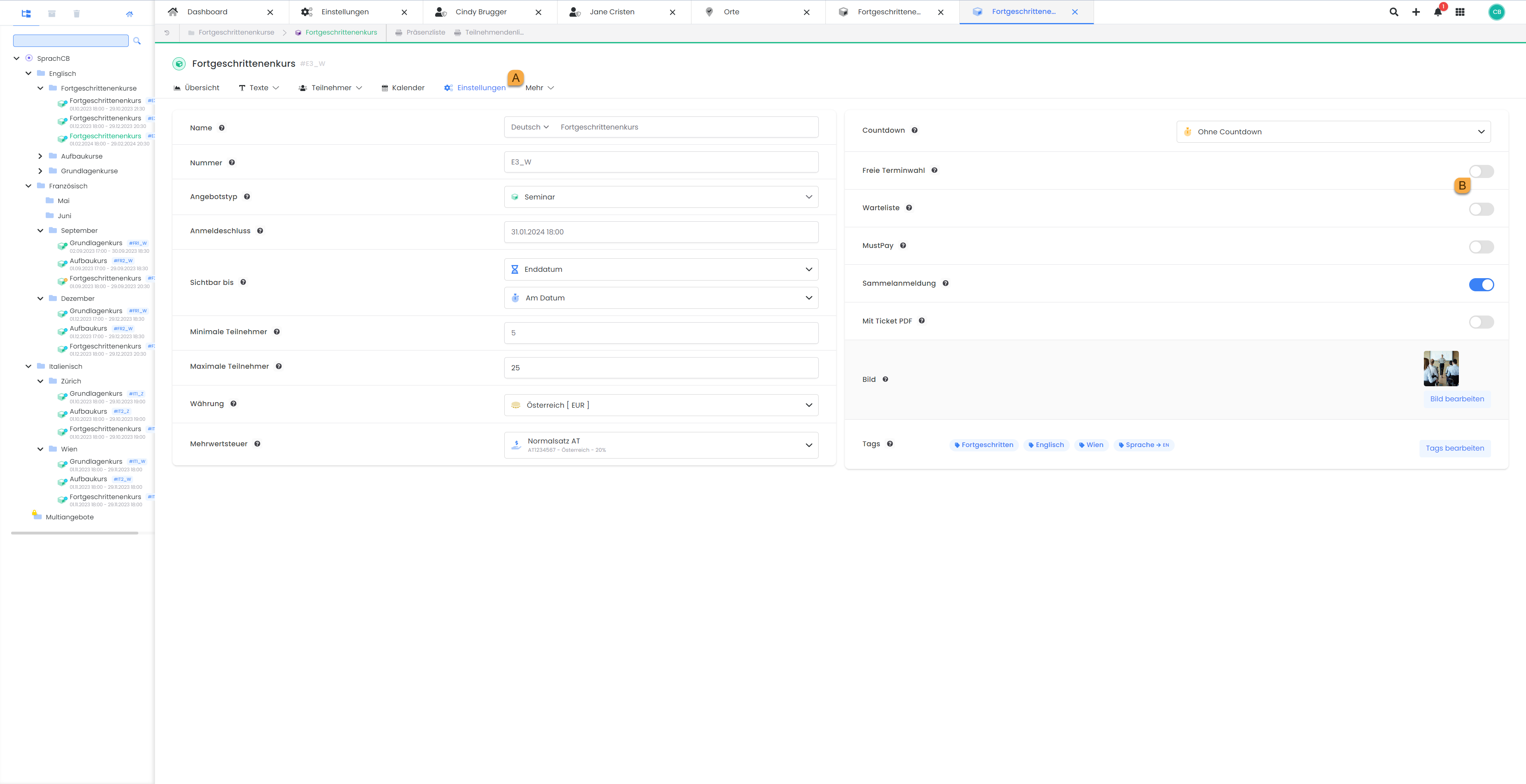
To change the registration type for an existing offer, click "Settings" in the offer. A. Under "Open scheduling," you can enable the feature by clicking or swiping the button. B.
Related Guides
Keywords for this guide
Participants ¦ Flexible Lesson Selection ¦ Standard Registration ¦ Booking Type ¦ Booking Type