
Expand the reach of your courses, seminars, and events by utilizing e-learning platforms such as Zoom, Microsoft Teams, alfaview, and GoToMeeting. This guide demonstrates how to seamlessly integrate the access credentials for these platforms into your event communications.
By expanding your delivery modes, you can offer your services not only on-site but also online, enabling interactive learning experiences both in-person and digitally. Integrate access links to e-learning platforms directly into emails such as booking confirmations, reminder emails, or even into the ICS file sent with the booking confirmation, thereby simplifying access to your webinars for participants.
Integrate Access Link into the Additional Text
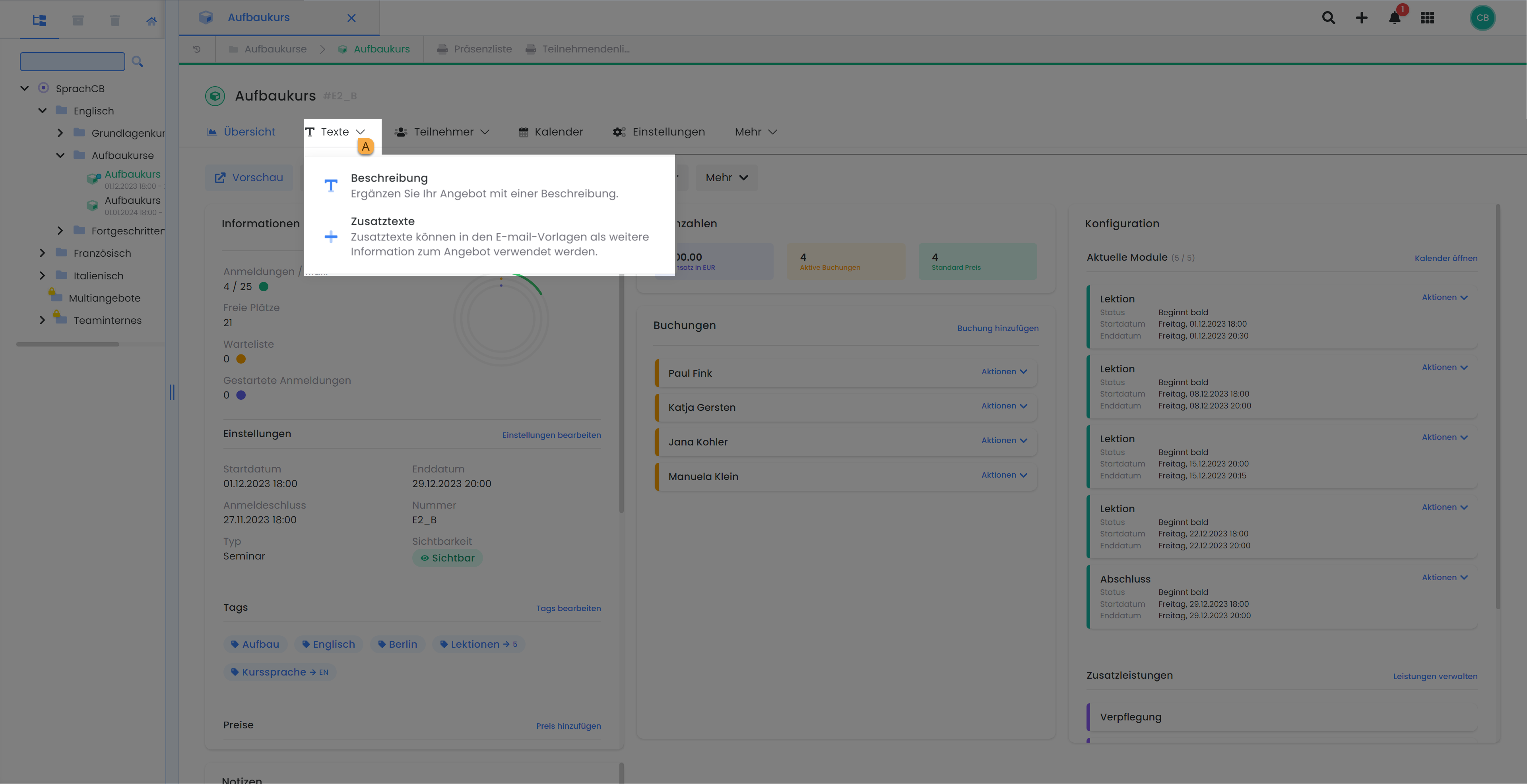
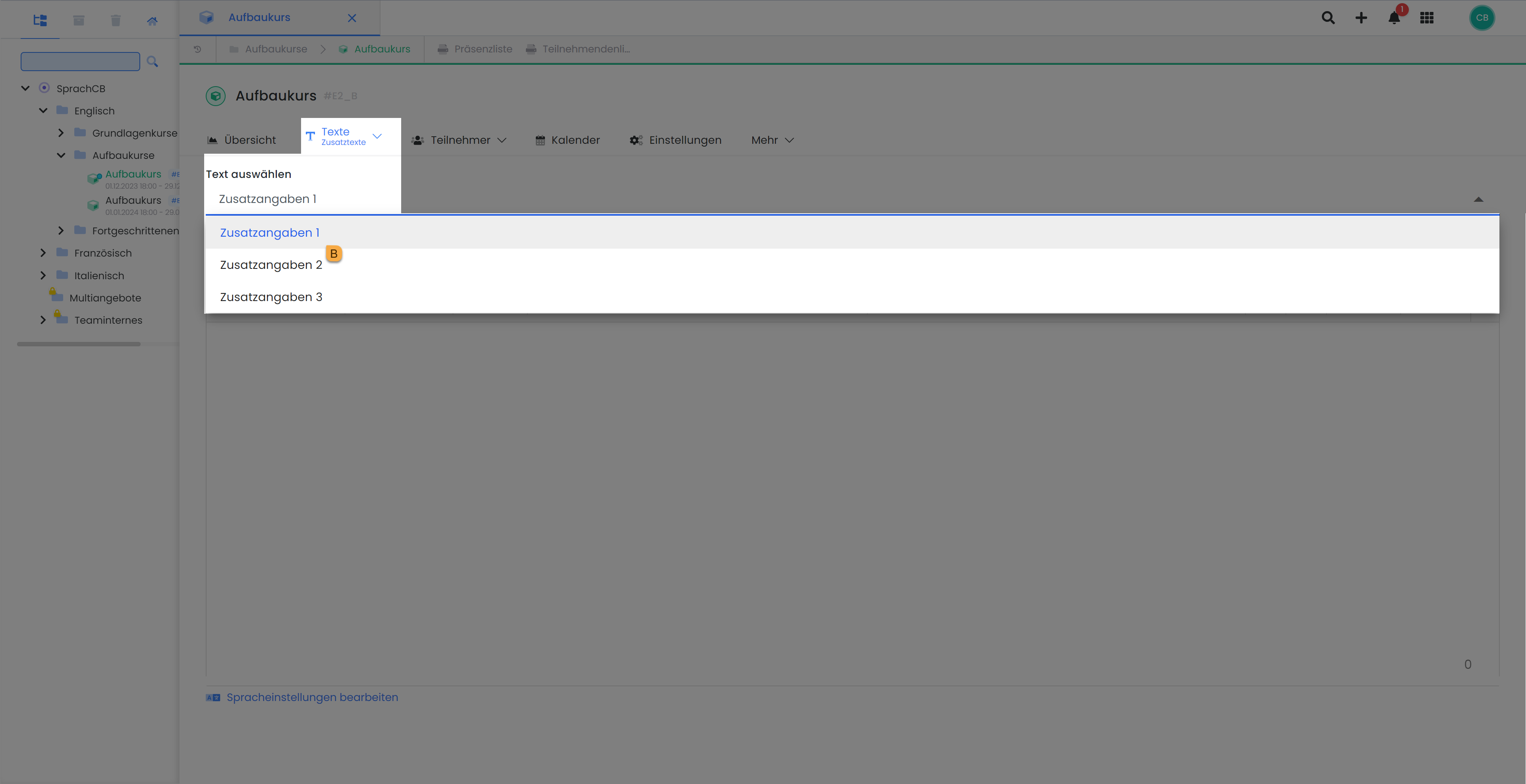
Enter the login credentials for each quote into one of the three available text fields B. You’ll find these fields in the header section of the quote under “Texts” A. Then select the desired text field to enter the credentials.
Integrate Placeholders into the Desired Email Templates
Once your text has been entered in one of the three available additional text fields, you can display it in a variety of email templates using the corresponding placeholder. These include the booking confirmation, the reminder email, the ICS file, and your own email templates. To do this, insert the corresponding placeholder C (e.g., ##OfferConfirmationText1## for additional text 1) at the desired location in the respective email template.
This enables the automatic output of specific information from the additional text in emails, regardless of the template type.
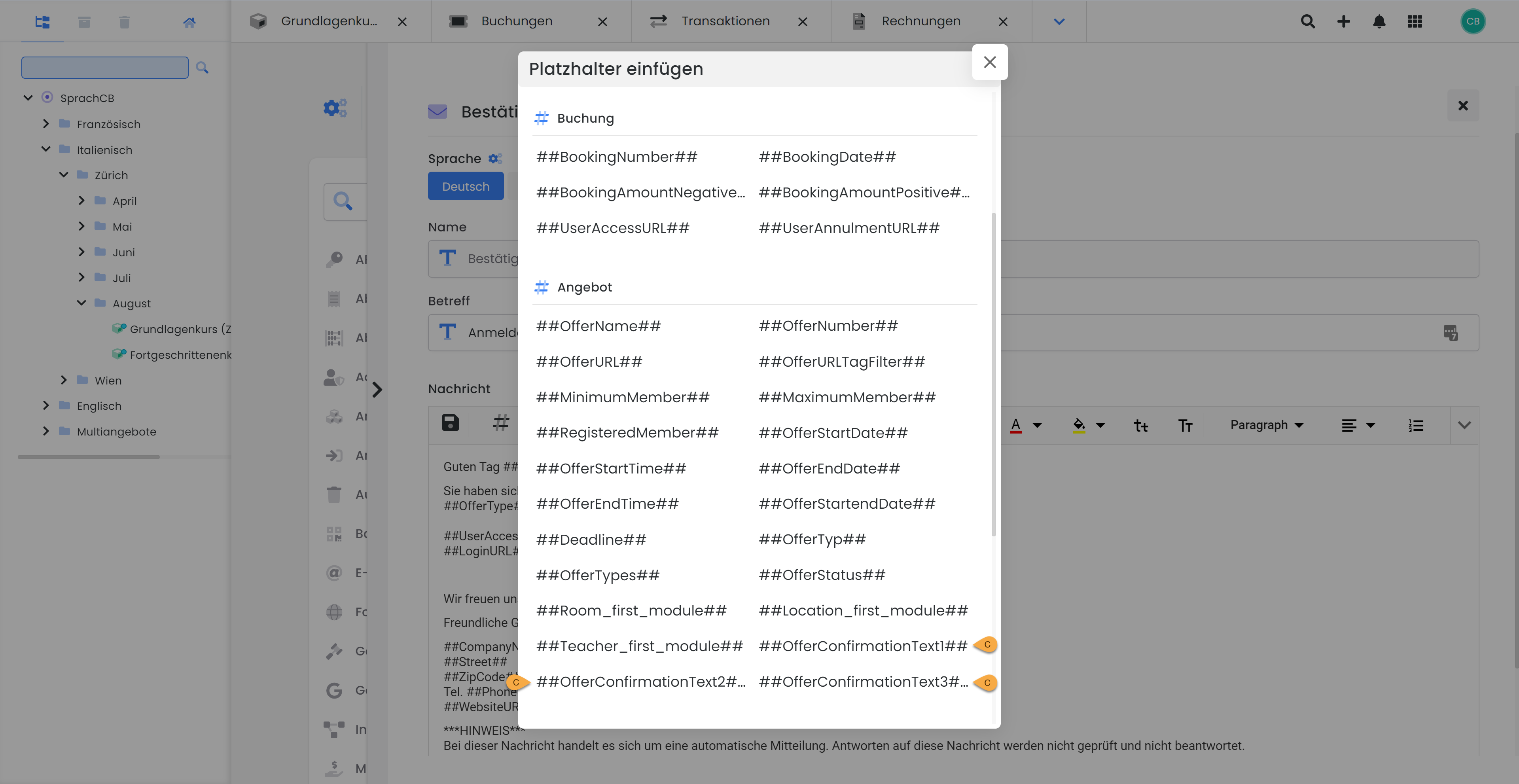
From now on, when this email is sent, the text you have stored in this additional text field for the respective offer will always be displayed. Naturally, you can also integrate other content such as text, images, promotion codes, or links to course materials.
Tip: Dedicated Use of Additional Texts
We recommend assigning a specific purpose to each additional text and using it consistently for similar content. For example, always store the access link to the e-learning platform in the same additional text to ensure it is reliably sent with the desired emails.
Related Guides
Keywords for this guide
Teams ¦ Zoom ¦ GoToMeeting ¦ Skype ¦ Credentials ¦ Login ¦ edudip ¦ eLearning