
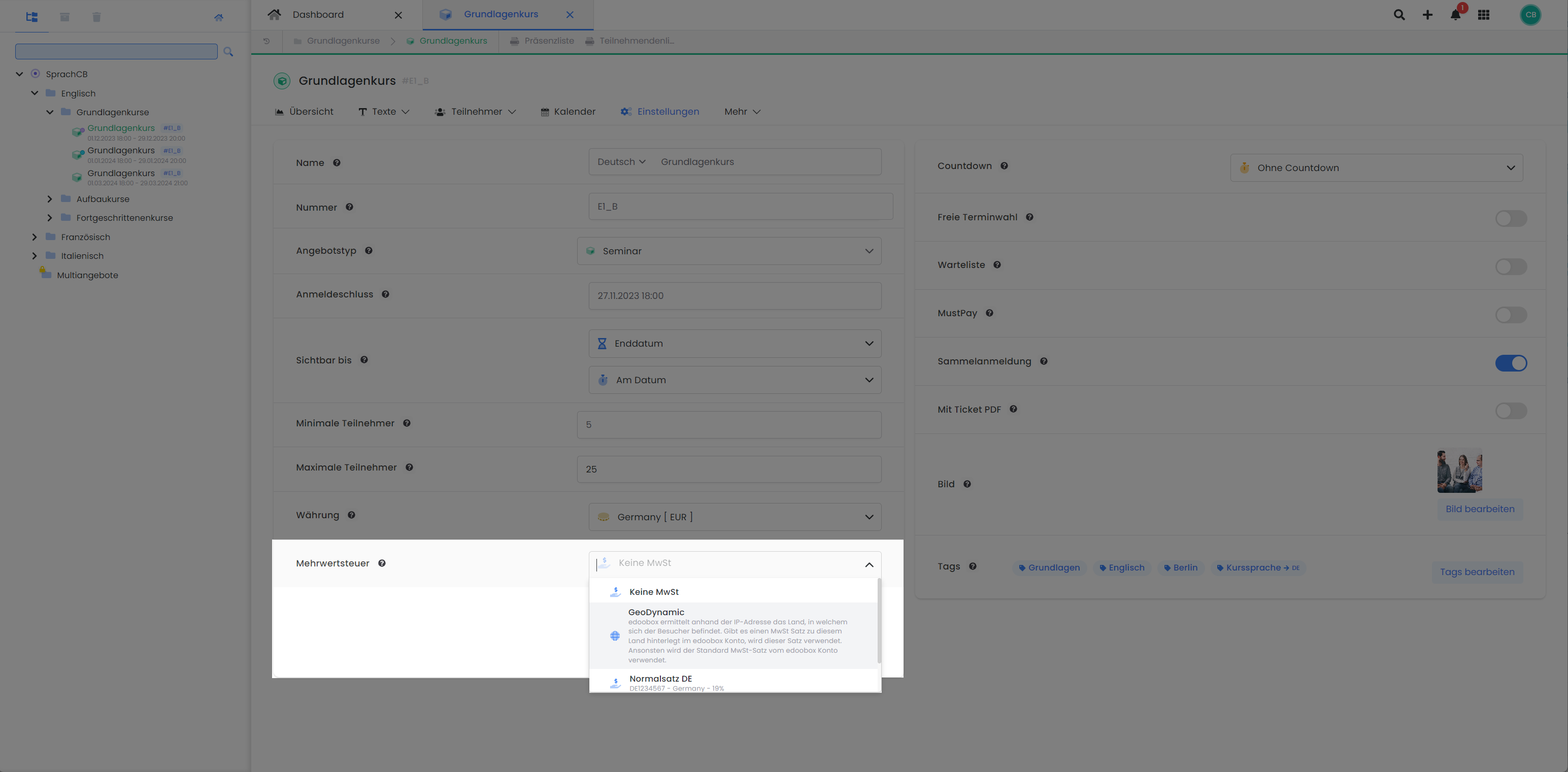
For offers where you anticipate bookings from various countries and thus require different VAT rates, edoobox provides the GeoDynamic VAT feature. This functionality enables the system to determine the booking person's country and automatically apply the relevant VAT rate. This ensures that the correct VAT rate is consistently applied to the total booking amount and accurately reported according to your settings.
How GeoDynamic VAT Works
edoobox uses the booking person's IP address to identify the country from which the booking originates. If a specific VAT rate for that country is stored in your edoobox account, it will be applied automatically. Otherwise, the default VAT rate of the edoobox account will be used. You have the option to specify for each offer whether a fixed VAT rate or the GeoDynamic VAT option should be utilized.
Overriding the Automatically Determined Country
If the standard data field Country is active in the registration form, the booking person can select a country, and the location determined by the IP address will be overridden. If a VAT rate exists for the selected country, it will be used; otherwise, the system will revert to the default VAT rate. If multiple VAT rates per country are recorded, edoobox selects the first VAT rate that matches the country. This also applies to backend bookings and group registrations, where the country of the contact person or the main participant is decisive.
Please Note: Changes to Existing Bookings
Please note that if the participant's country is subsequently changed in an existing booking, the VAT rate will not be automatically updated. In such cases, the booking must be canceled and re-created.
Availability of GeoDynamic VAT
The GeoDynamic VAT option becomes available once you have activated at least two different VAT rates from various countries in your edoobox account. You can individually enable this option per offer within the offer settings.
Info: Additional Services
For additional services, you can specify a fixed VAT rate. The GeoDynamic VAT function is not applicable here, and the set VAT rate remains constant regardless of the booking person's country.
Adding VAT Rates
Globally define in your edoobox account which VAT rates should be available and whether they are included in or excluded from the price. Please follow these instructions for this.
Related Guides
Keywords for this guide
Value Added Tax | VAT Rate | GeoDynamic | GeoDynamic VAT | International Bookings | Location-Based | Bookings from Abroad | Sales Tax