
In the edoobox settings, you will find details regarding billing between you and edoobox. Additionally, under Subscription, you can view your current subscription and change it at any time. Under Data Privacy Policy (GDPR), you will find the option to sign it online.
Subscription
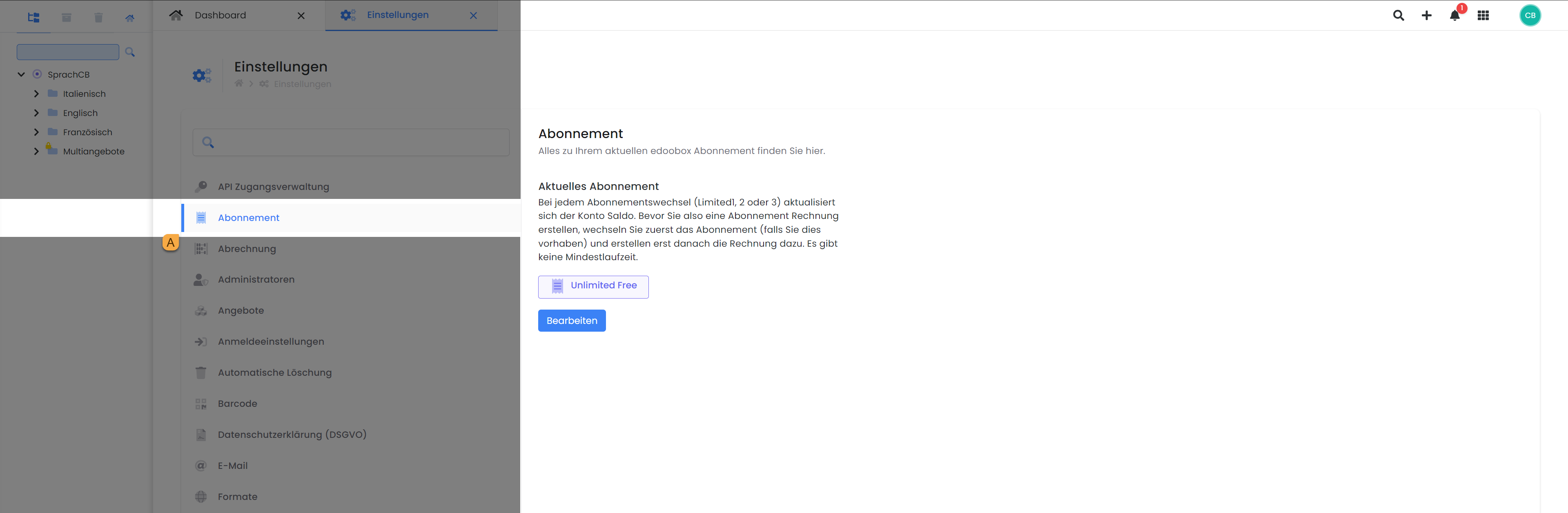
Here you will find details about your current Subscription A, and you can also modify it here under "Edit" if necessary.
Tip: Subscription Overview
Would you like a more detailed overview of all edoobox subscriptions? All subscriptions can be found at: https://v2.docs.edoobox.com/docs/edoobox-abonnemente
Billing
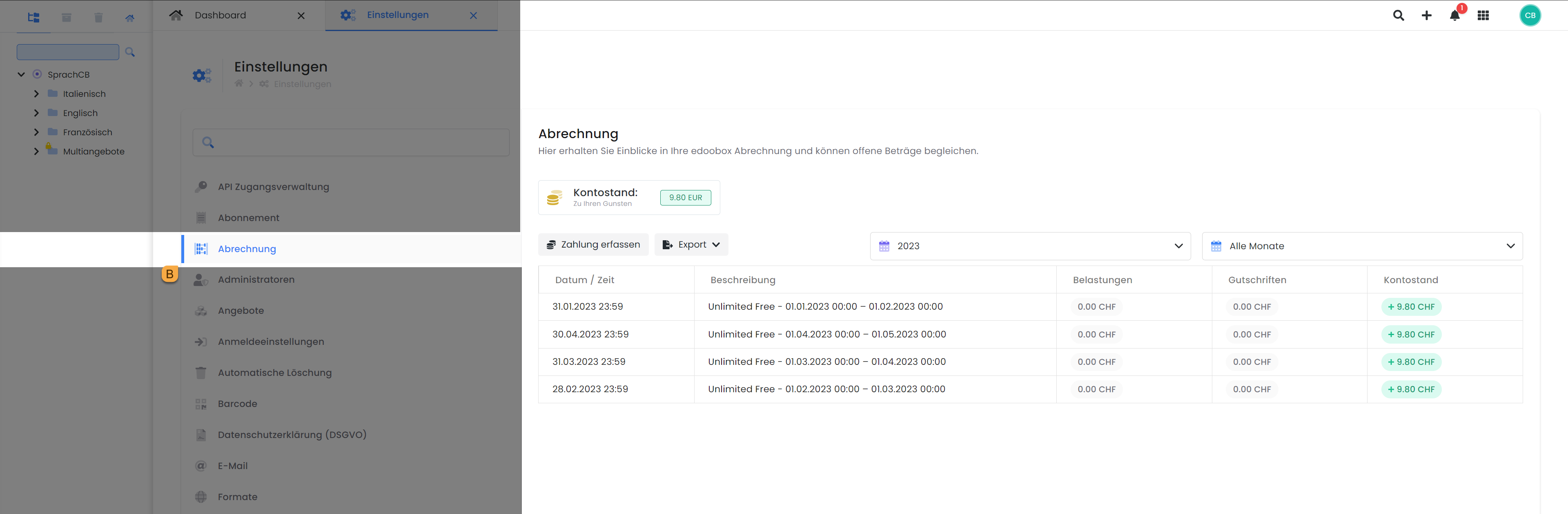
Under Billing B, you have a complete overview of your edoobox account balance, including all debits (subscription costs) and deposits (credits). Additionally, the option to export your billing history as a CSV or Excel file is available.
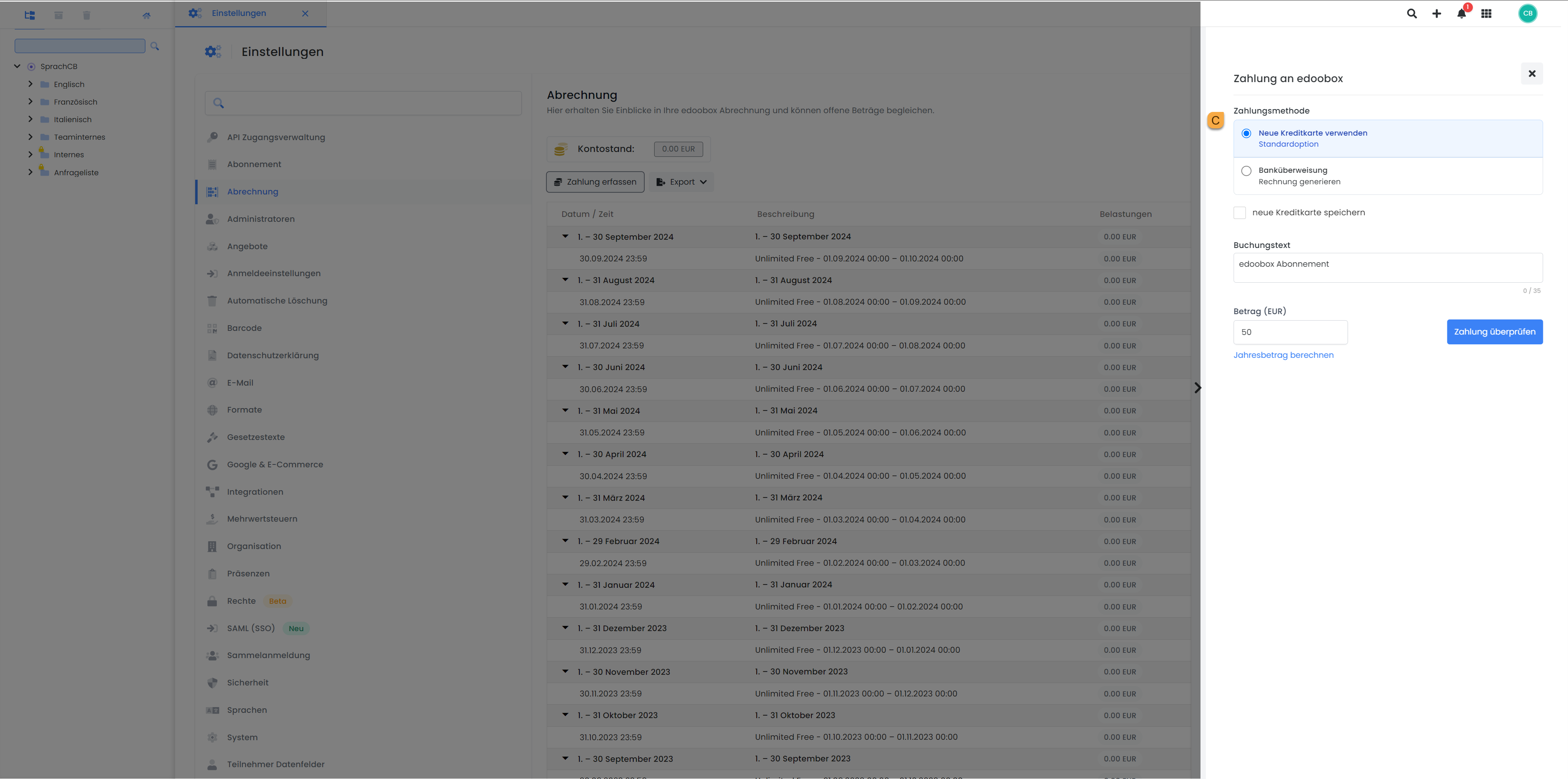
Furthermore, in this section, you can make additional deposits using the «Record Payment» button by selecting the desired amount and payment method C. You have the option to pay with credit card (now including Apple and Google Pay) or via a standard invoice.
Privacy Policy (GDPR)
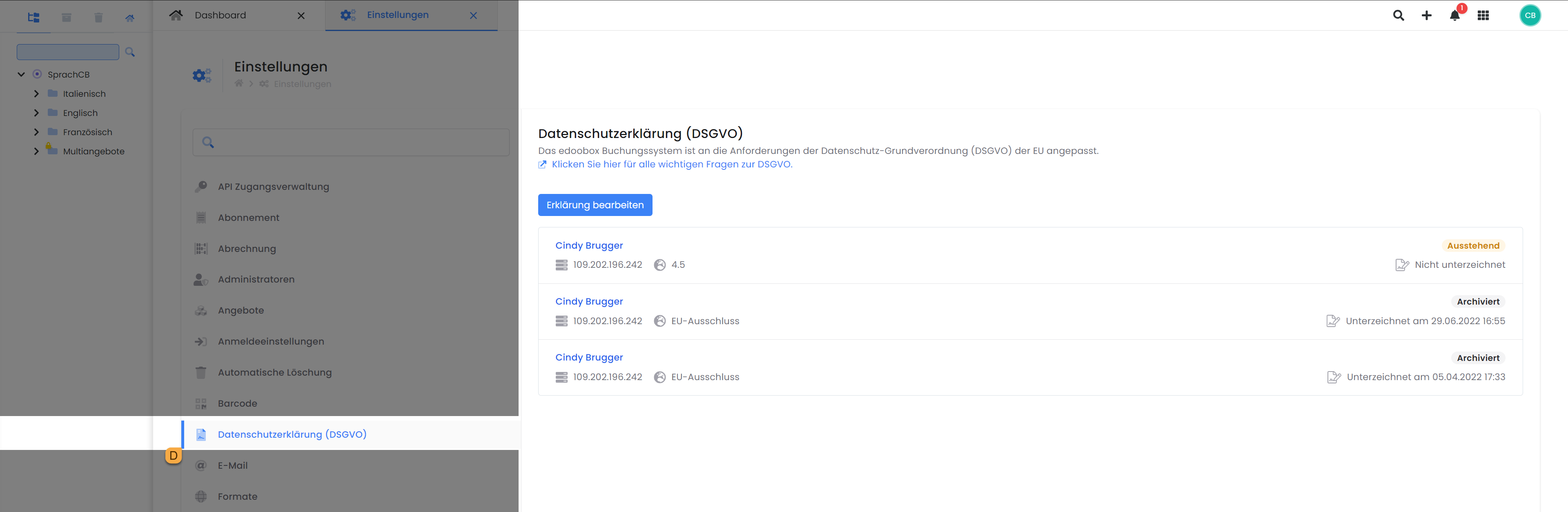
You will also find the Data Processing Agreement for the General Data Protection Regulation here within the edoobox settings. It can be reviewed and signed online directly from this location.
Info: Recommend edoobox
Are you excited about our program and know companies in your network that would also like to benefit from a powerful online booking system?
Thenrefer us todayand receive a bonus deposited directly into your account.
To do so, click the "Refer and Get a Bonus" button
Related Guides
Keywords for this guide
Account ¦ Subscription ¦ Billing ¦ Privacy Policy ¦ Payment Methods