
Activating group registration allows your customers to book up to 150 individuals within a single transaction. This enables a contact or reference person to efficiently register multiple participants during one booking process. The person making the booking can specify whether they will attend the offering as a participant or merely serve as the contact person.
Correspondence for Group Registrations
For group registrations, the designated contact person receives all emails, such as the booking confirmation with the invoice.
The reminder email and attendance confirmation, including the certificate, if sent, are dispatched directly to the individual participants.
Configuration Options
Within the main navigation, under the 'Settings' menu item in the 'Group Registration' section, all fundamental settings for group registration can be configured or modified. Here, you define the maximum number of participants allowed per booking.
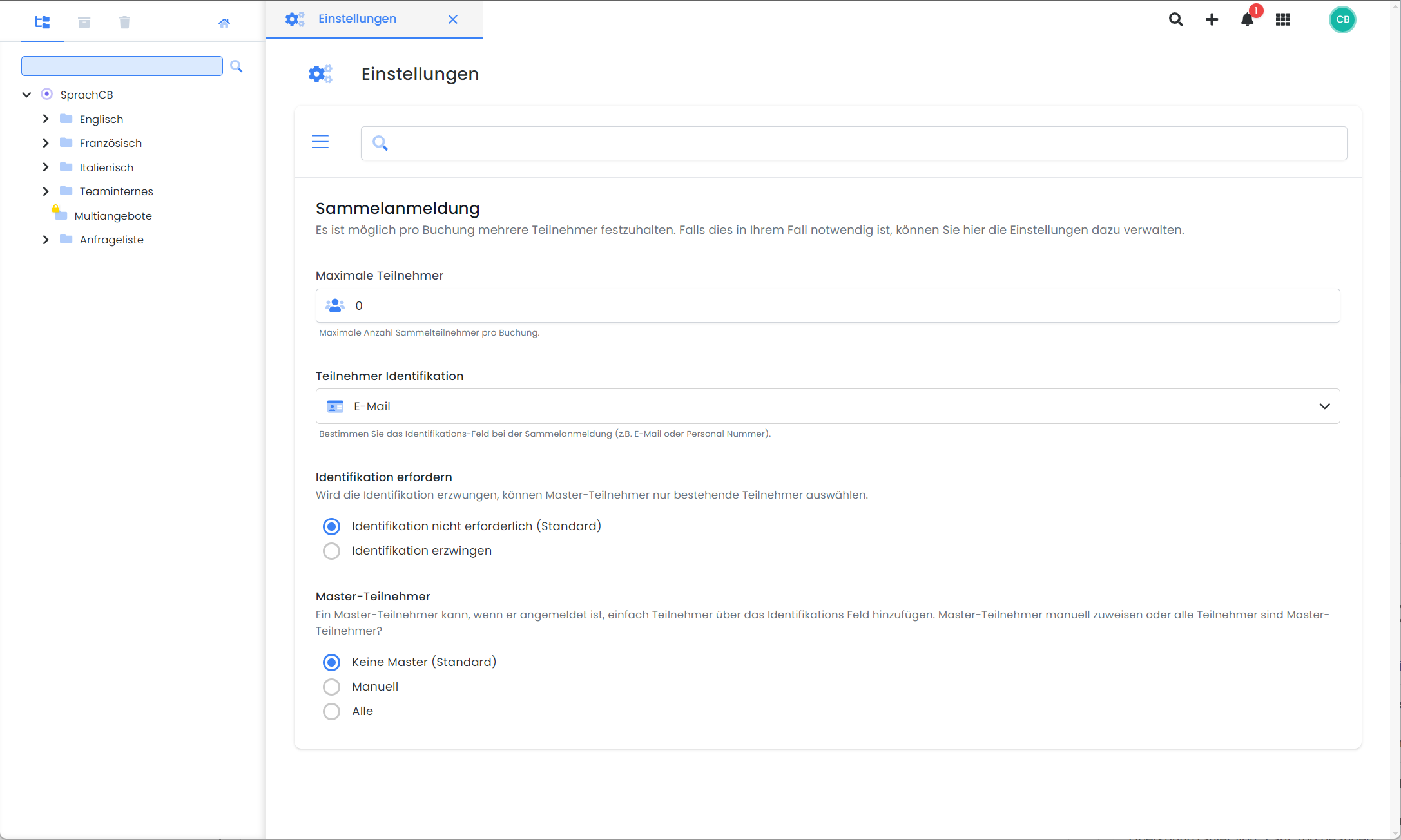
Subsequently, you have the option to individually decide for each specific offering whether group registrations are permitted or not.
Group Registrations by Master Participants
For recurring group registrations initiated by a contact person, edoobox provides a simplified method. The contact person can easily select and add participants from a list using an identification field you have defined.
|
Option |
Description |
|
Manual |
Only participants designated as 'Master' (in participant management) can easily register other participants. |
|
All |
All registered participants can easily register other participants. |
|
No Master |
Simplified registration is not possible. |
To allow master’s program participants to easily add other participants in the course, enable this feature in the course and add the “Login – Sign Up” widget to the “Participant Form” template in the “Design Manager,” ensuring that the “form field” required for identification (selected by you; see the image for group registrations) is also present.
Group Registrations with Identification
Using participant identification, "master participants" can search for existing participants based on a specific field, such as their email address.
The potential participants are listed for selection so they can be added to the booking.
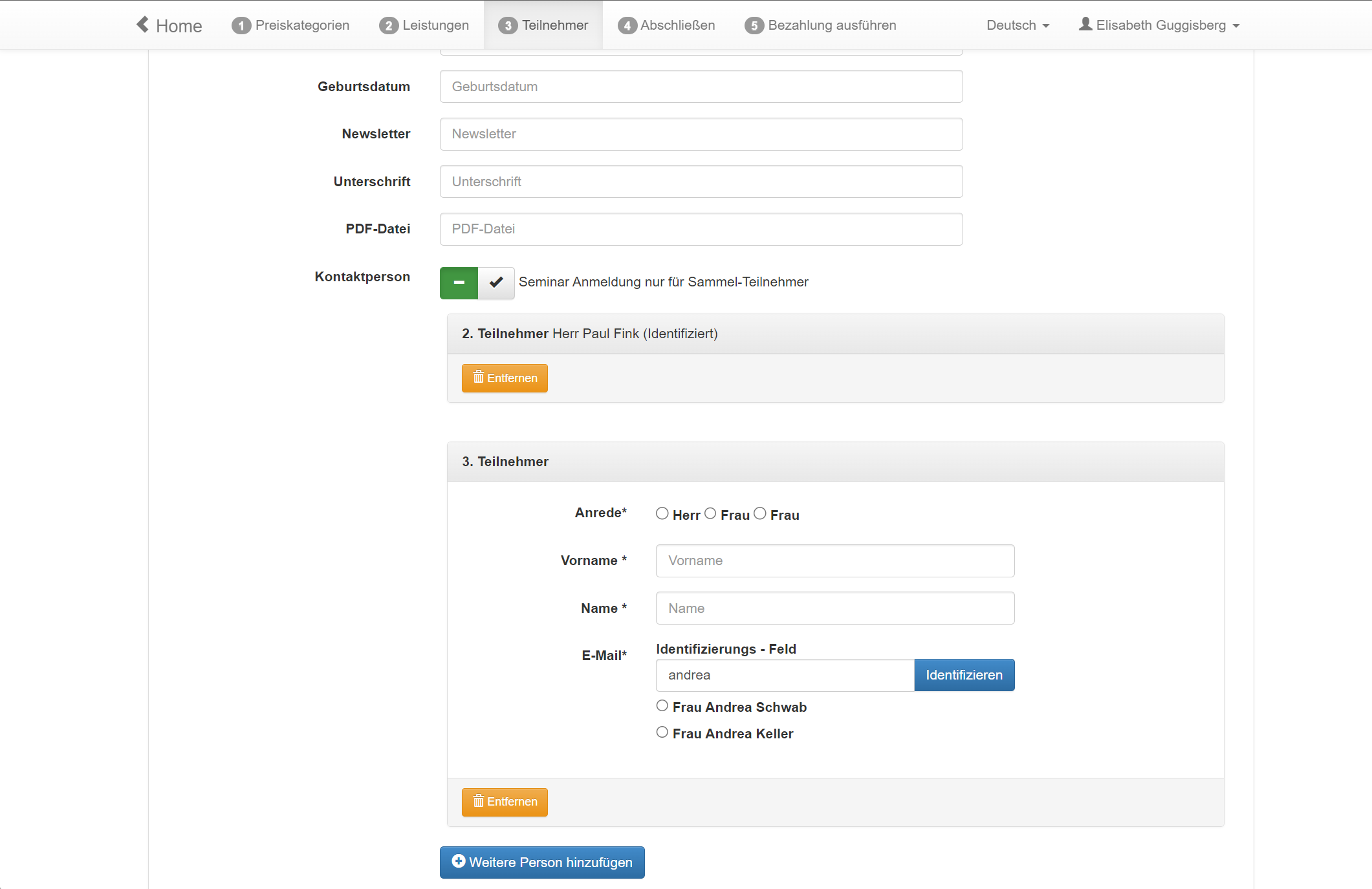
Please Note: Master Participants
The Master Participant function is recommended for internal use. An ideal example is a supervisor being able to add various employees using their email address or personnel number.
Related Guides
Keywords for this guide
Group Booking | Master | Emails | Group Participants