
In your edoobox account, you can top up your credit or settle an outstanding balance at any time – flexibly via credit card or bank transfer. This ensures that all fees are automatically settled and your account remains ready for use at all times. This guide shows you how to record a payment, generate an invoice, and conveniently top up your account via online payment.
Record Payment and Generate Invoice
-
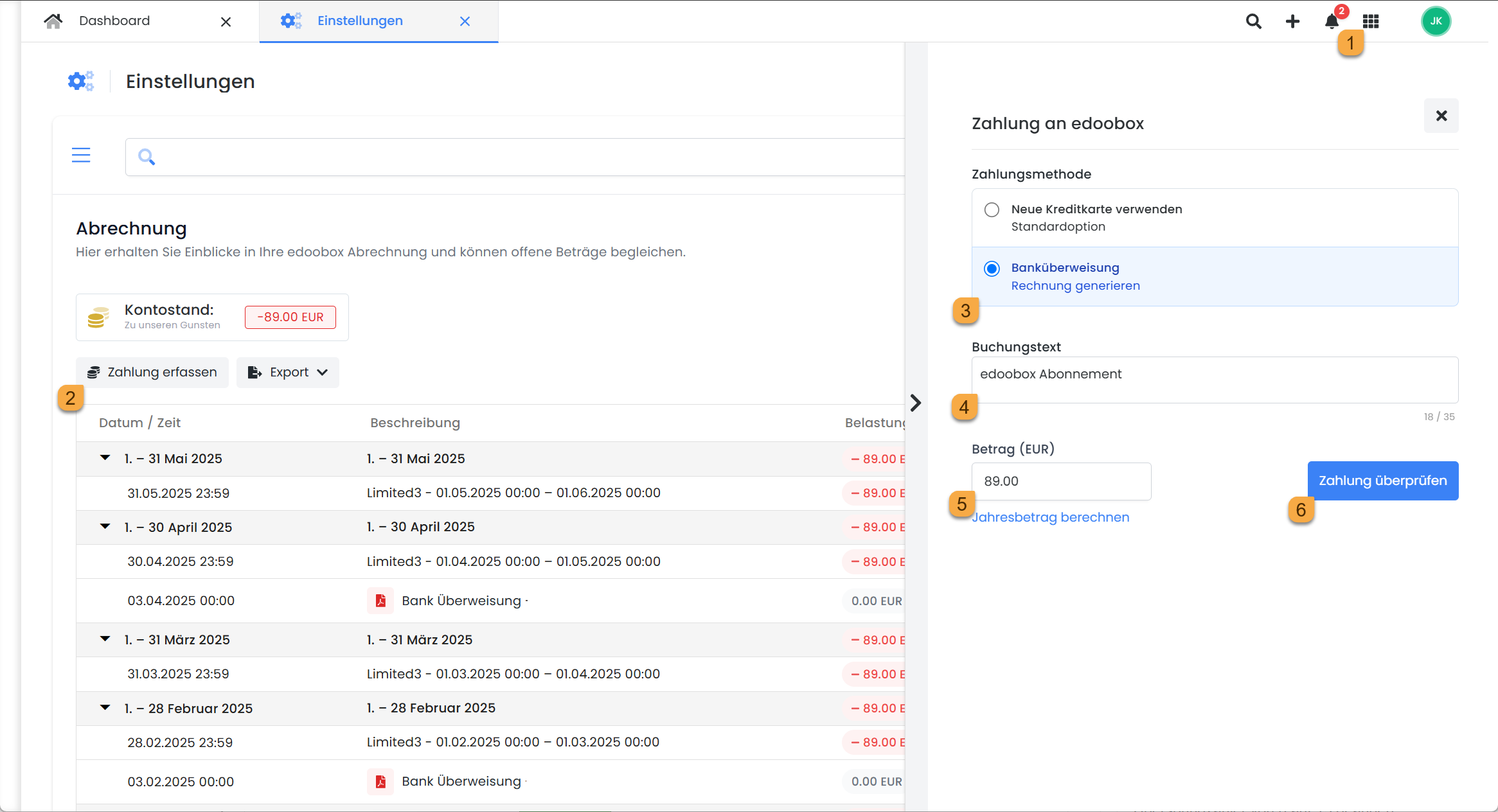
In the app menu, open the 'Billing' section. There, your current balance will be displayed.
-
Click 'Record Payment' to initiate the payment process.
-
Select the desired payment method:
-
MasterCard / Visa
-
Bank Transfer (Generate Invoice)
-
-
You can optionally add a custom booking text.
-
The outstanding balance is automatically suggested but can be manually adjusted, for example, to generate an annual invoice.
-
Click on «Check Payment» – a new window will open where you can:
-
pay directly online
-
or generate and download an invoice
-
A separate invoice is generated for each credit card payment.
The invoices generated by edoobox are created in the standard EUR ZUGFeRD 2.3 format.
Fixed-Price Subscriptions (Limited & Enterprise)
The monthly fee is charged at the end of each month. For added convenience, you can:
-
generate an annual invoice
-
set up a standing order with a unique reference number (which you will receive when creating the invoice)
This avoids the need to generate and transfer invoices monthly.
Please note: Payment by Bank Transfer
When making transfers, always include the reference number of your invoice so that your payment can be automatically allocated to the correct edoobox account.
Business Subscription
With the Business subscription:
-
the fixed fee is charged at the end of the month
-
the booking fee is due immediately after each booking
Ensure sufficient funds in your edoobox account. We recommend a credit in advance to automatically cover booking fees. A payment reminder will be triggered if the balance is negative.
Automatic monthly billing
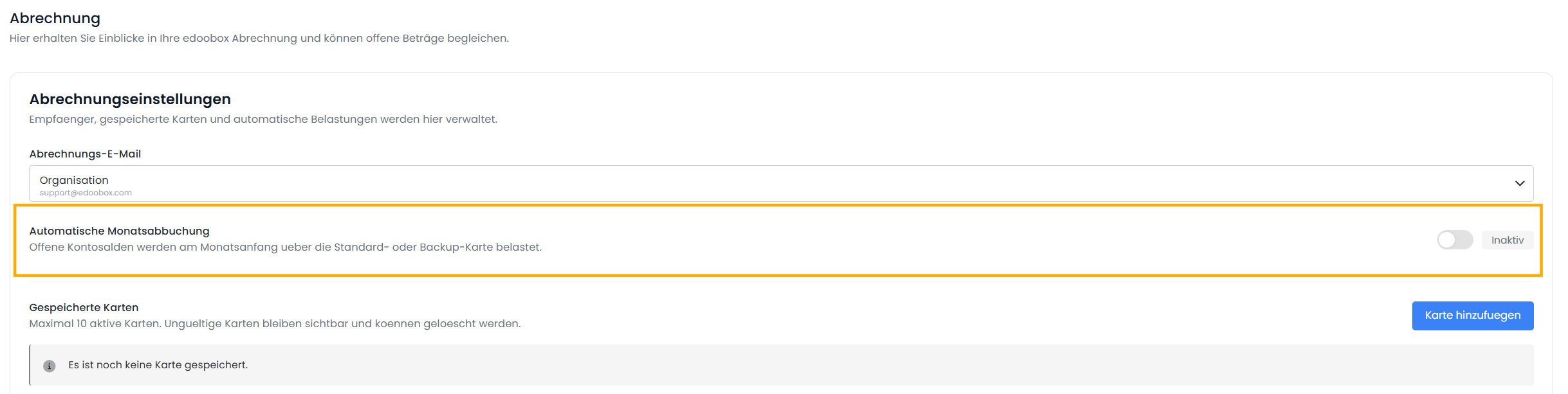
If you want credit card payments to be processed automatically at the end of the month, you can enable the "Automatic Monthly Billing" option in the billing settings. In this case, the payment will be processed automatically at the end of the month.
Important:
If this option is not enabled, billing must be initiated manually.
Invoice email
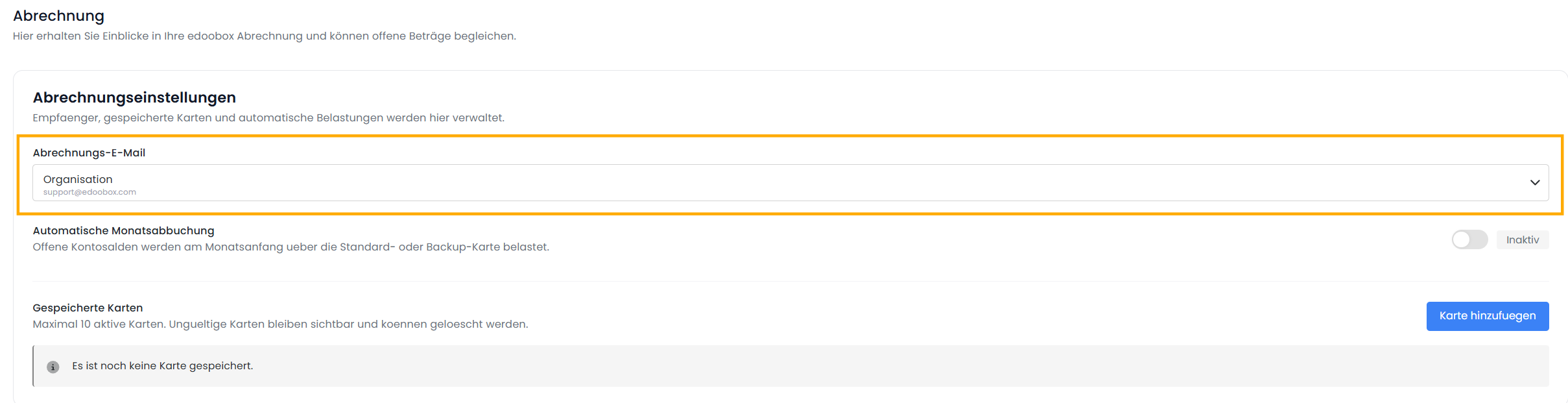
In the billing email, you can specify the email address to which the monthly invoice should be sent.
The following options are available for this:
-
Organization
-
Alternative Billing Address
Selecting the email address for sending invoices
Alternative Billing Address
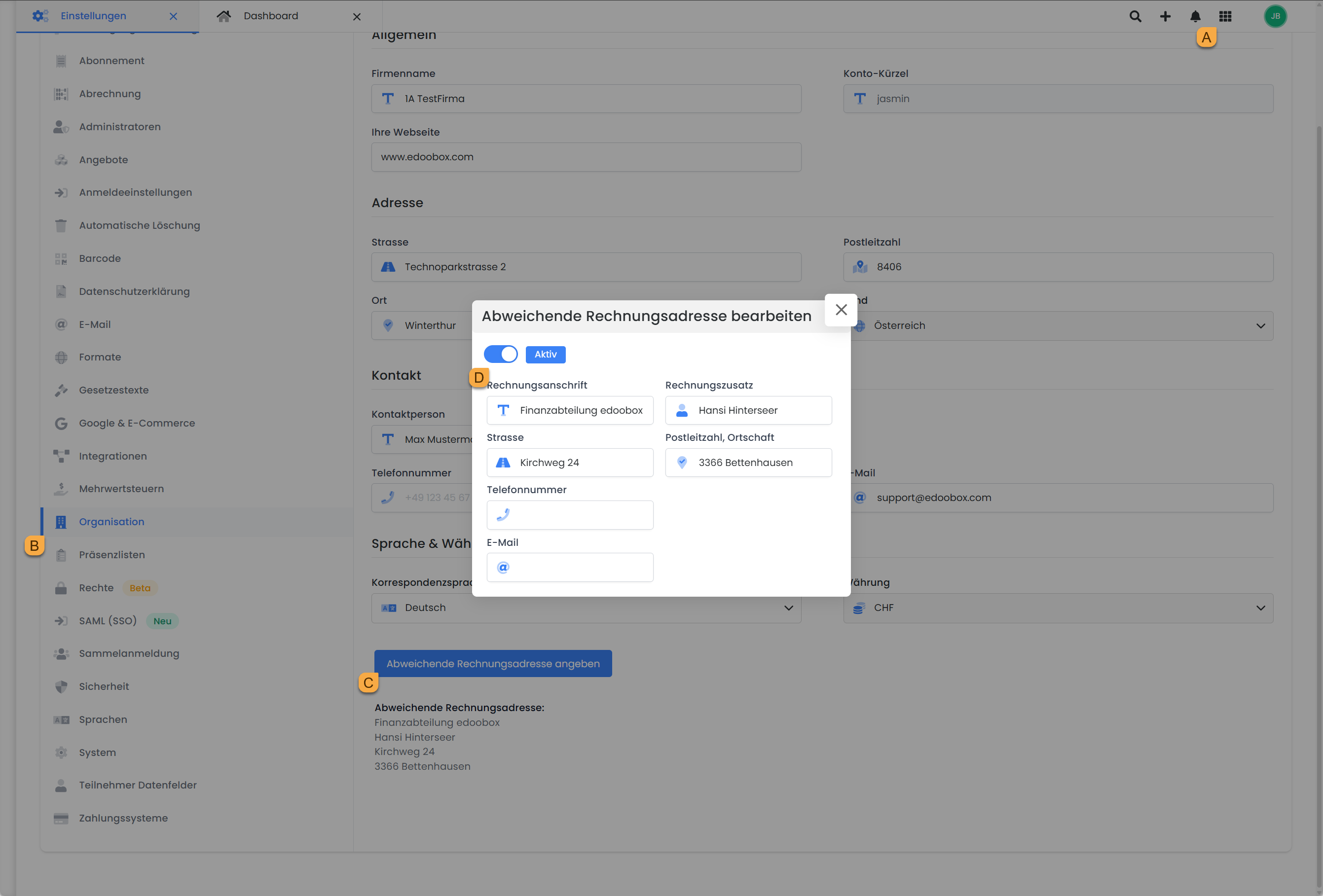
If you would like to specify a different billing address for your edoobox subscription fees, you can enter and activate it in the "Settings" (in the app menu A ) under the "Organization" section B, in the "Specify different billing address" field c.
Credit card payments and monthly billing
VAT Regulations for Your edoobox Subscription Fees
For customers with a company domicile in Switzerland:
Invoices include the statutory Swiss VAT (no reverse-charge application).
For customers with a company domicile outside Switzerland:
-
B2B (with a valid VAT ID):
The subscription fee is billed net, excluding VAT.
The tax liability rests with the recipient of the service (reverse charge procedure). -
B2C (without a valid VAT ID):
VAT is collected and remitted by edoobox in accordance with legal requirements. -
Payment possible in CHF or EUR.
Enterprise Identification Number (UID, Switzerland): CHE-107.413.131
EU VAT Identification Number: EU040013881
Related Guides
Keywords for this guide
Account Balance § Billing § Reminder § Subscription § Limited § Enterprise § Business § Invoices § License § License Fee § Standing Order § Fixed Price § Record Payment