
After a successful booking, edoobox sends your participants multi-use vouchers for your offers along with the booking confirmation.
This means registered participants receive discount vouchers that they can share with acquaintances and friends, or redeem themselves.
Example: New Customer Acquisition
A participant books an offer with you. Thanks to the voucher placeholder in the additional information, this person receives a voucher with the confirmation email, which they can share with friends and acquaintances or even on social media. These individuals can also register for an offer and receive a monetary or percentage discount (depending on the voucher settings).
Example: Promote Follow-up Offers to Existing Customers
Offer a voucher code for a second booking after course completion or immediately after booking, e.g., a discount on the advanced course after completing the basic course.
Create a Viral Marketing Offer
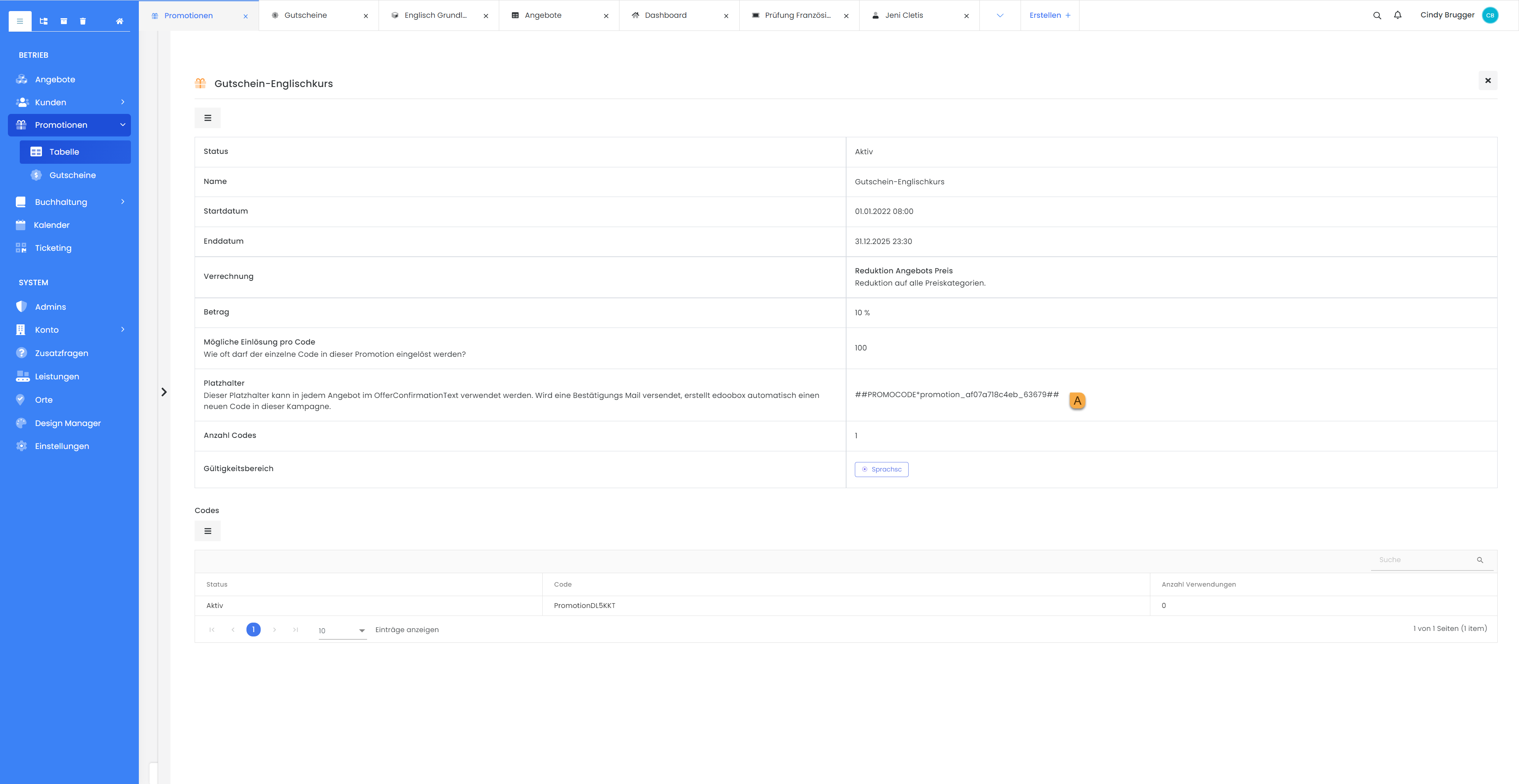
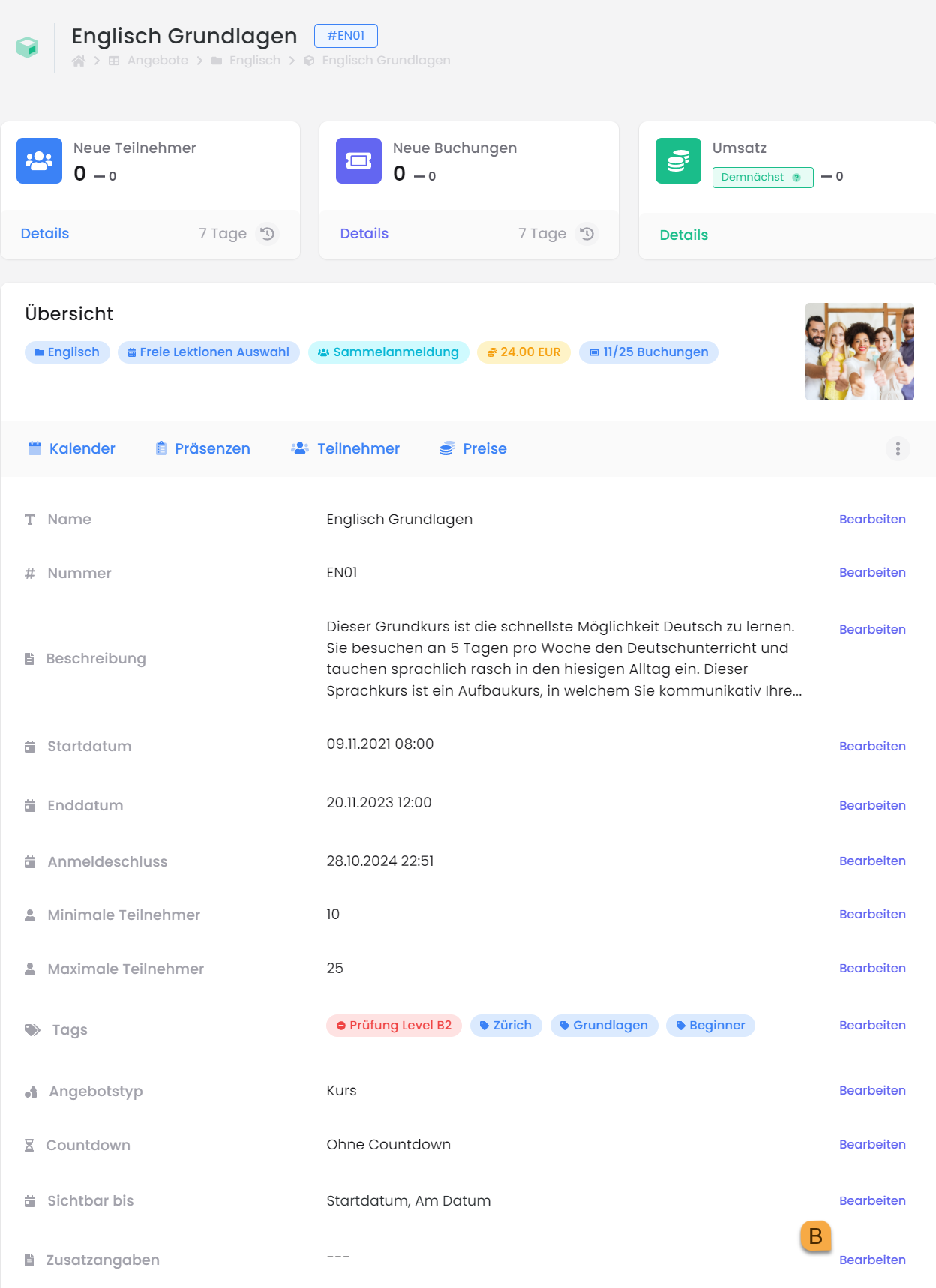
Create a new“Promotional Campaign”with multi-use codes/vouchers A (withzerocodes/vouchers to be generated), insert the “Voucher Placeholder” into the“Additional Details” Bsectionof an offer, and customize it with appropriate text.
Insert Placeholder in the Email Template Confirmation Email
To include the additional information in the confirmation email, you must insert the placeholder "##OfferConfirmationText1##" into the "Confirmation Email" template.
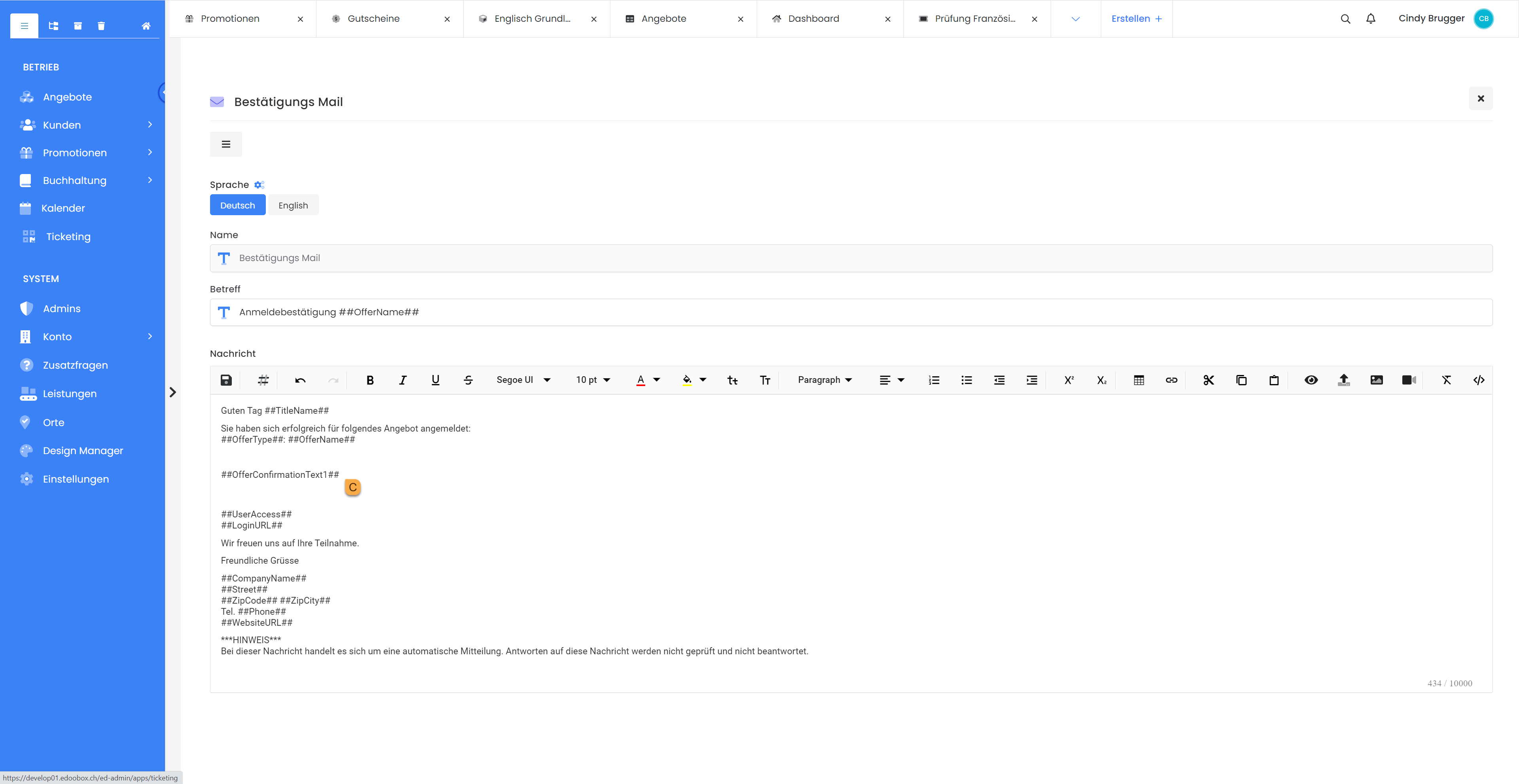
This approach allows you to create customized confirmation emails tailored to your offers. The additional information can include text, images, links, and placeholders for promotion codes.
With each booking, a multi-use code/voucher will now be delivered to the booking participant, for example, with the booking confirmation. This code/voucher can be shared and redeemed multiple times.
Related Guides
Keywords for this guide
Voucher § Marketing § Revenue § Promotion § Promote §