
With the Tag Filter Widget in the Design Manager, you can specifically filter and display offers on your website by tags – an ideal way to present content clearly and user-friendly. The prerequisite for this is that you have already used tags in your offers.
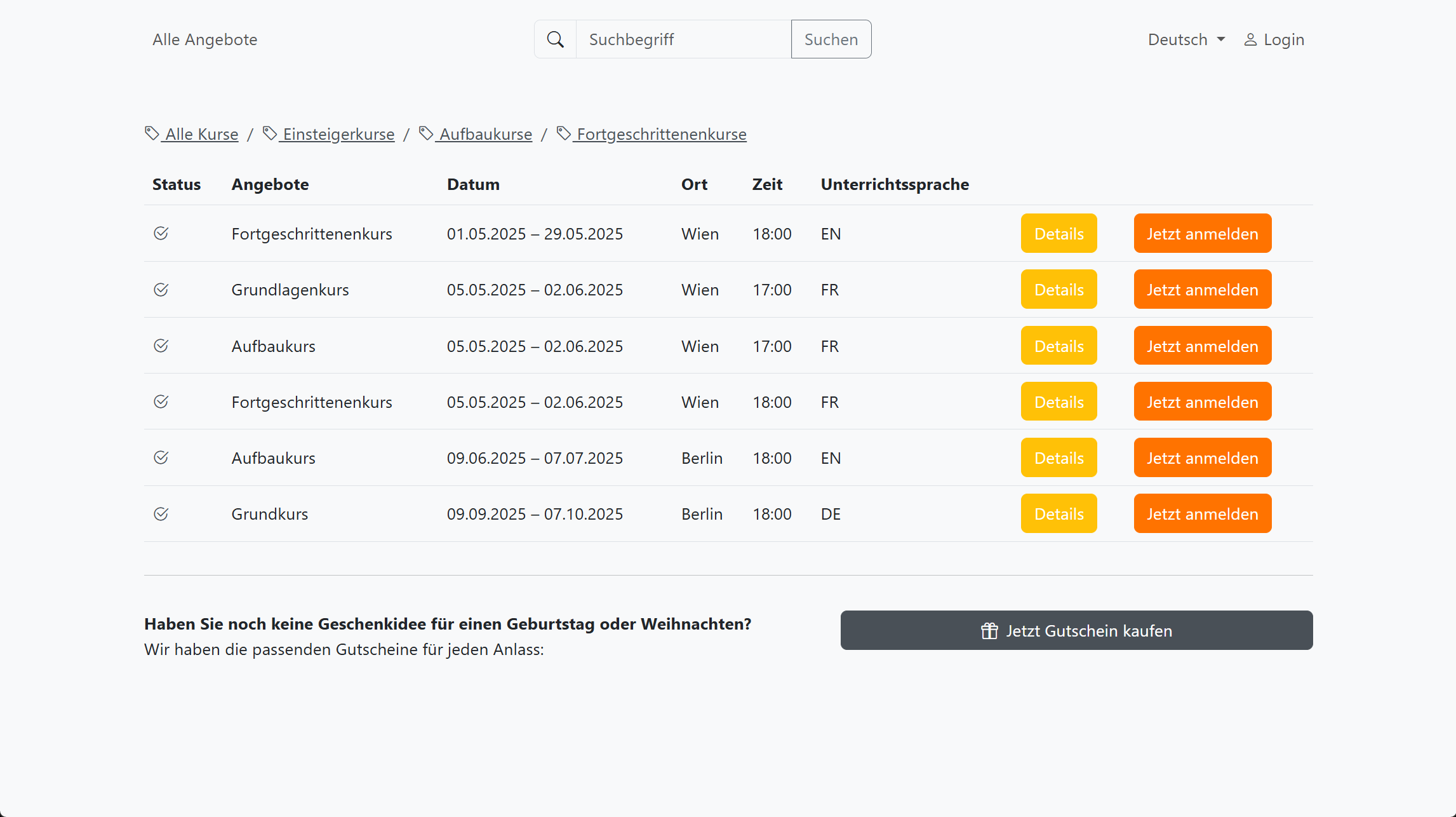
Define Tags to Display in the Design Manager
The Tag Filter Widget can be found in the 'Offers Overview' template and can be placed via drag-and-drop at the desired position in the design. Clicking the 'Gear icon in the widget' will display the following window, where you can define the tags to be shown.
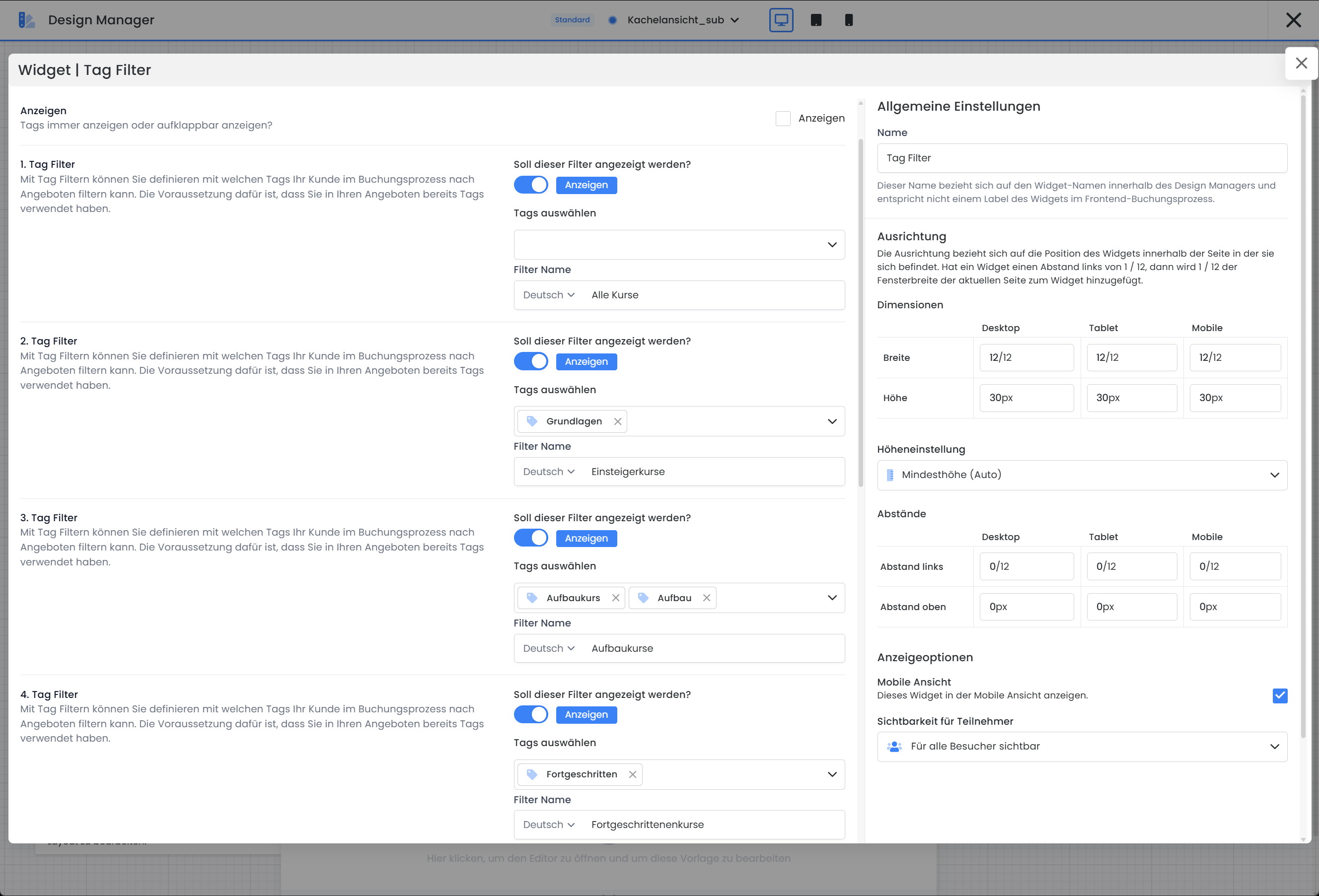
Tip: Configure the First Tag Filter Without a Tag
To provide a user-friendly option for quickly clearing all filters, we recommend leaving the first tag filter untagged. This allows the booking person to view all offers again.
Related Guides
Keywords for this guide
Tags ¦ Tagging ¦ Design Manager ¦ Filtering ¦ Sorting