
New EU laws require adouble opt-inprocess for some registrations and bookings. In particular, signing up to receive a newsletter requires a double opt-in process.
Definition: Double opt-in
The Double-Opt-In process is a method used in email marketing to confirm a person's consent to use their email address. After registration, a confirmation email is sent to the provided address, prompting the person to confirm their registration by clicking a confirmation link. This serves to uniquely verify the recipient's identity and ensure that the email address is used correctly and with the owner's consent. The Double-Opt-In process is particularly crucial for ensuring the legally compliant sending of emails, where promotional content is only sent to those who have explicitly consented.
Booking or registering for an offering (course, seminar, event) is not specifically mentioned in the law. You can decide for yourself whether you want to use one of the three double opt-in options offered by edoobox.
A double opt-in process also helps prevent fake bookings or registrations.
-
Double-Opt-In Option 1: Email Verification
-
Double-Opt-In Option 2: Phone Verification
-
Double-Opt-In Option 3: Email Verification plus Phone Verification
Please note: Account Balance
Your edoobox account balance must exceed EUR 10.00 (to cover costs incurred by verification, such as SMS and phone charges).
Email Verification – Double-Opt-In Option 1
Navigate to the desired participant form in the Design Manager. Open the settings for the email field (see image below).
Select the "Email Format" field setting A.
And enable "Email Code Validation" B.
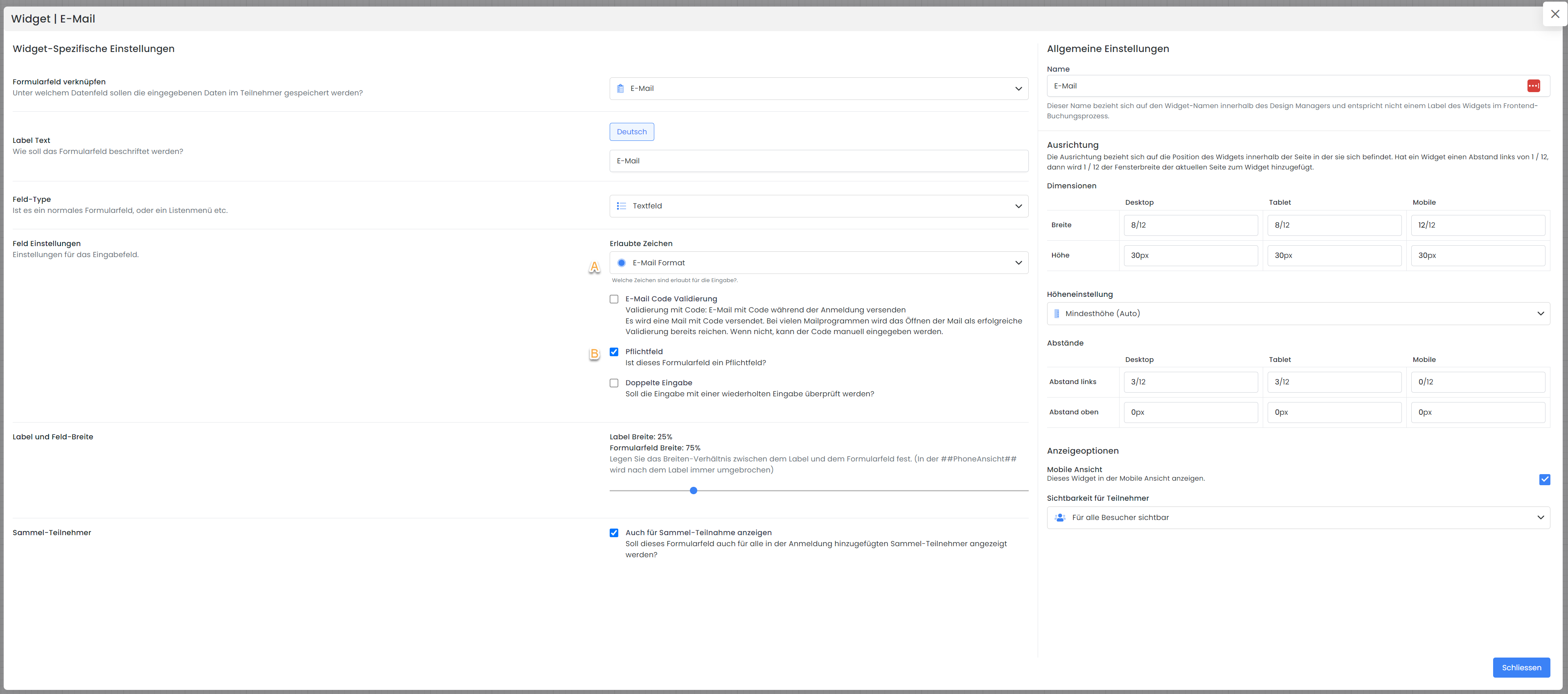
During the booking/registration process, an email containing a code will now be sent to the entered email address. For many email clients, simply opening this email will suffice for successful validation.
If not, the code can be manually entered into the provided field. If edoobox does not recognize the code as correct (i.e., it is missing or incorrect), the booking/registration cannot be completed.
Phone Verification – Double-Opt-In Option 2
In the Design Manager, navigate to the desired participant form. Open the settings for the phone number field (see image below).
Select the "Phone Number Format" field setting C.
And enable phone number validation (this is enabled automatically).
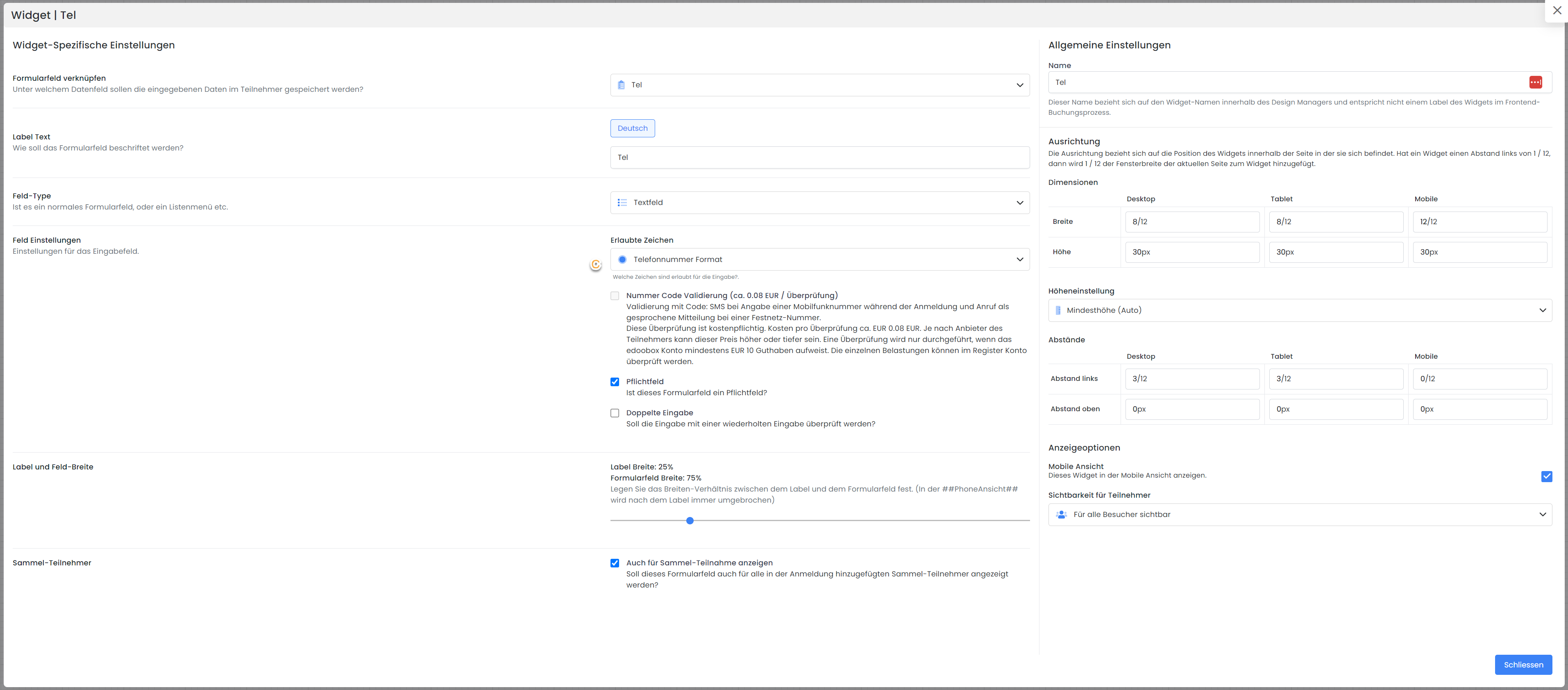
During the booking/registration process, an SMS containing a code will now be sent to the registered phone number. If the device is not SMS-capable, the code will be read aloud. If edoobox does not recognize the sent code as correct (i.e., it is missing or incorrect), the booking/registration cannot be completed.
Info: Internal Validation Process in edoobox
The number entered by the participant is converted into an E.164 formatted number. If this is not possible, the number is recognized as invalid. If a local number is entered, edoobox uses the country code from the registration; if this cannot be determined, the country from the system settings is used.
This verification is subject to a fee. The cost per verification is approximately EUR 0.08. Depending on the participant's access provider, this price may be higher or lower. A verification is only performed if the edoobox account has a balance of at least EUR 10.00. Individual charges can be reviewed in the Account tab.
Info: Newsletter
Utilize the Double-Opt-In process when signing up for the newsletter. To export your participants to a newsletter mailing system, we have created documentation on Participant Export to a Newsletter Mailing System.
Related Guides
Keywords for this guide
Double-Opt-In ¦ Newsletter ¦ Verification