
If you have important documents that you wish to automatically include as attachments with a specific email, edoobox allows you to add up to five custom (static) PDF attachments per email template and per active language. These PDF attachments can be integrated into both system templates and your own custom templates. This enables you to send your General Terms and Conditions (GTC) or other important documents directly with your emails.
Attaching PDFs to Email Templates
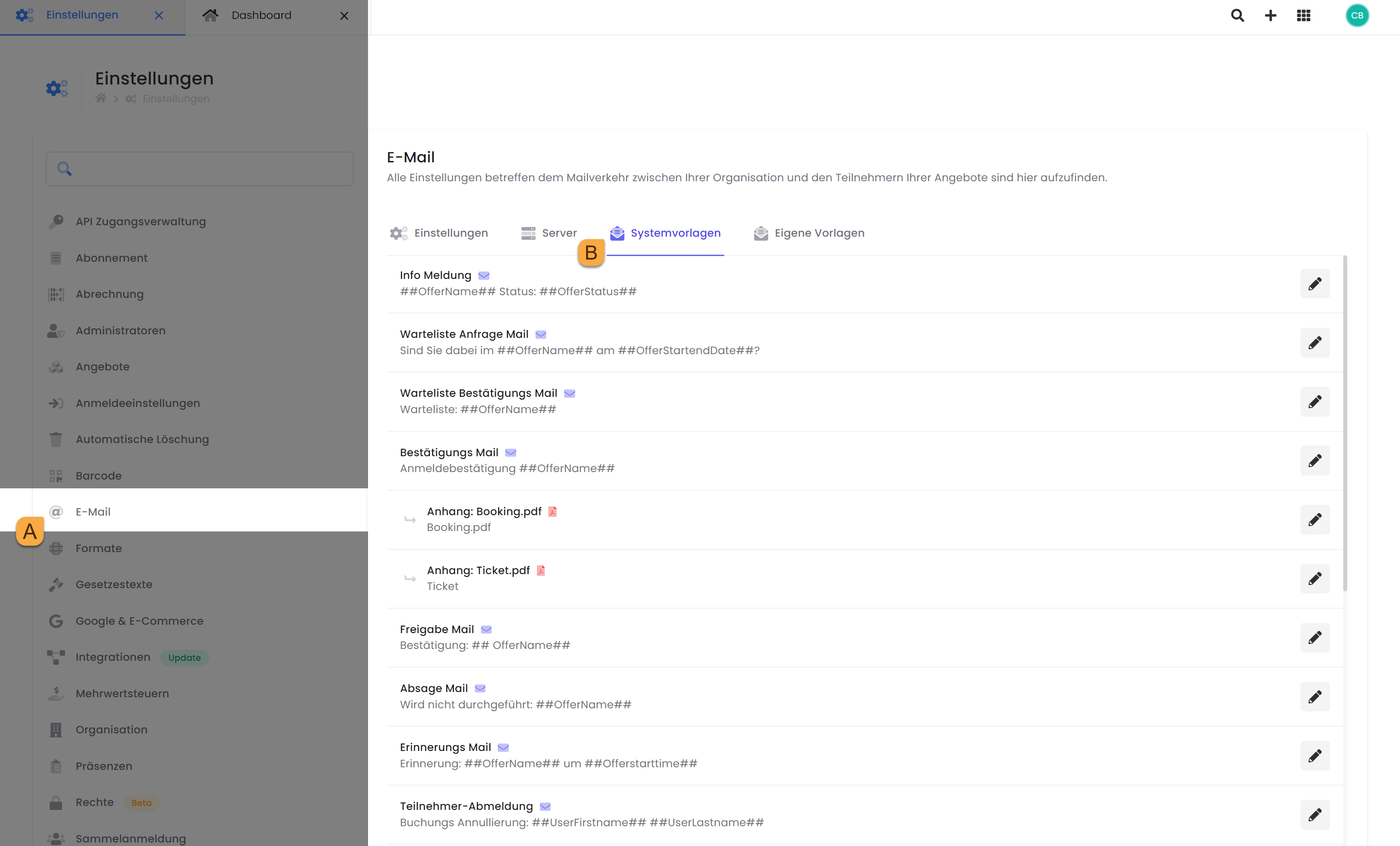
To attach a PDF file to an email template, navigate via the app menu to the "Settings" in edoobox. In the settings, open the "Email" tab A and click on the System Templates B (or Custom Templates). From there, select the desired template to which you wish to attach the PDF.
Once the desired template has been opened in the new window, select the paperclip icon C and upload the desired PDFs.
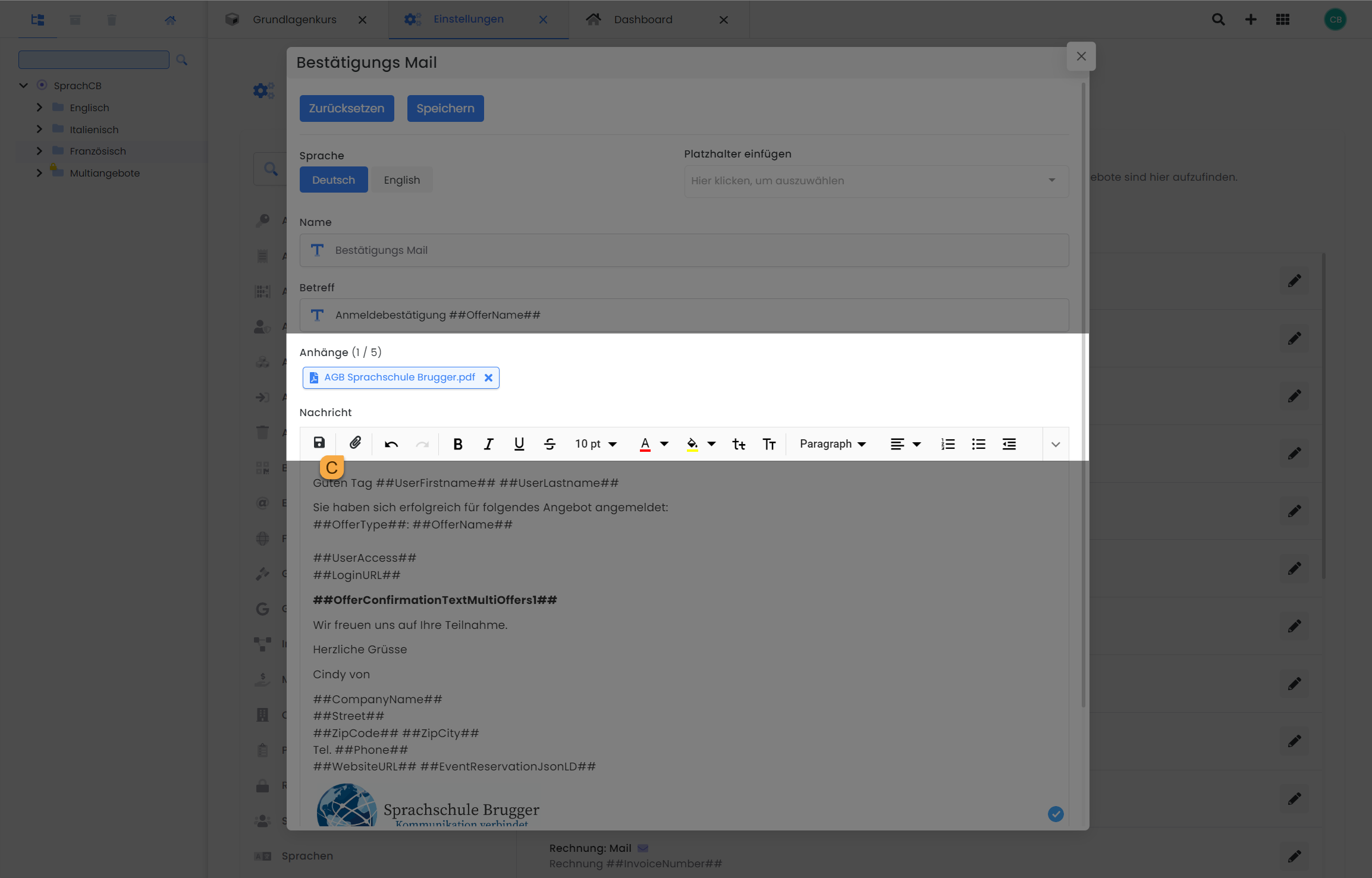
Info: Custom PDF as an Attachment to an Email Template
-
A maximum of 5 PDFs can be attached per email template and per language.
-
Only PDF files are permitted; other formats are not supported.
-
Each attached PDF file has a maximum size limit of 1.5 MB.
-
The PDF file is sent with every dispatch of the email template and cannot be configured individually per offer. Therefore, it is recommended to attach only static PDFs, such as general terms and conditions. Dynamic PDFs can still be inserted as links, for example, via the additional text blocks in email templates.
Tip: Make Phone Numbers Clickable in PDFs
Damit eine Telefonnummer in einem PDF direkt angewählt werden kann, verwende folgenden Link-Typ: <a href="tel:+41.434346591">Tel +41 43 434 65 91</a>
Using a PDF Template for edoobox PDFs
Do you have a template you wish to use as a background for your edoobox PDFs (Booking.pdf, Certificate.pdf, (Cancellation) Invoice.pdf, Ticket.pdf)? You can upload a separate file for each individual edoobox PDF in all active languages to quickly ensure a consistent appearance for your PDF attachments. Utilize your company's templates and upload them to your edoobox PDFs with just a few clicks to align them with your corporate design.
The button for attaching the PDF file is also located in the corresponding edoobox PDF and displays the Adobe PDF icon.
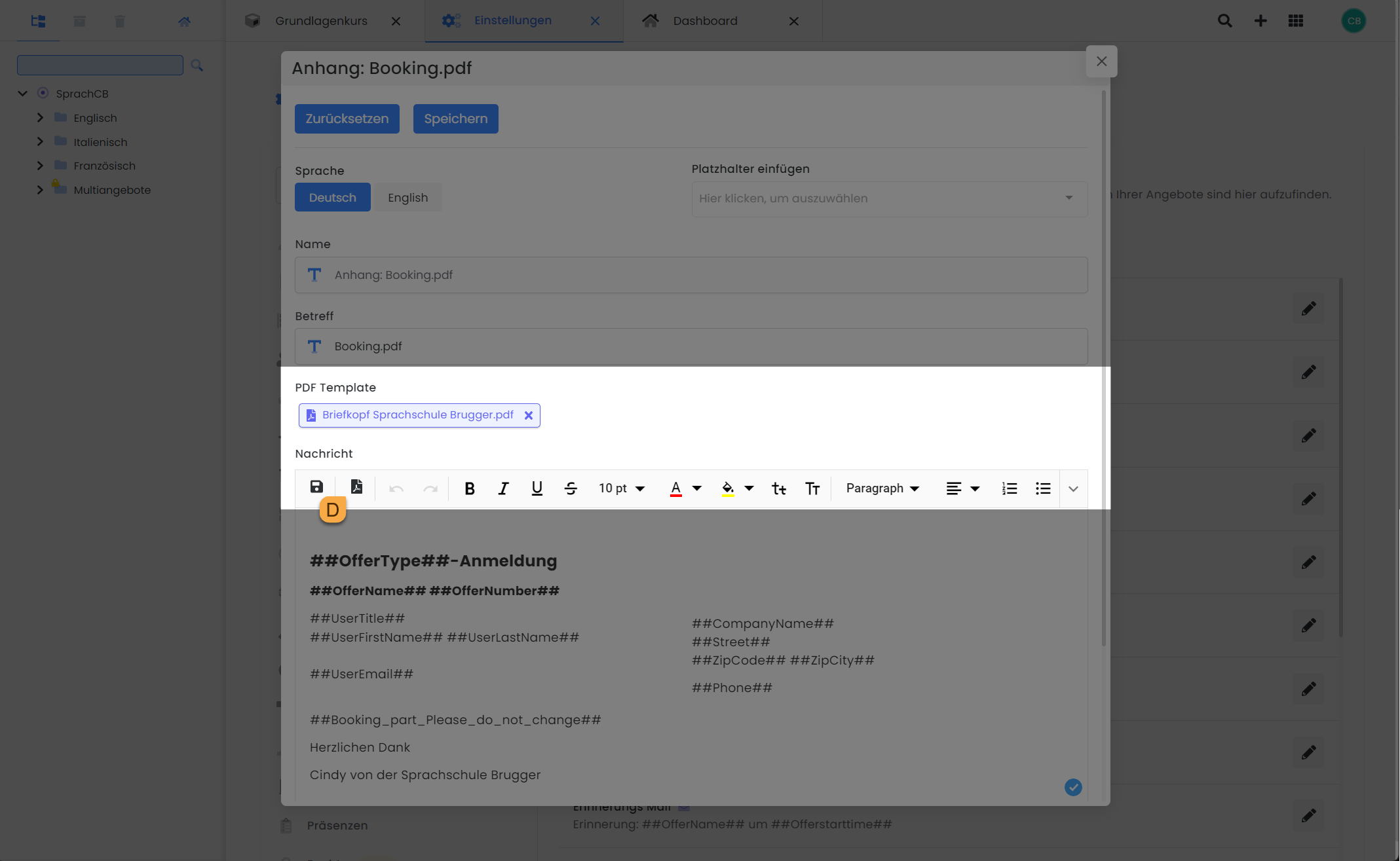
Info: PDF Templates as Background for an edoobox PDF
-
One file can be uploaded per edoobox PDF and per language.
-
Only PDF/A files are permitted; other formats are not supported.
-
The maximum file size is 1.0 MB.
-
The single-page template is used for all pages of the edoobox PDF.
Related Guides
Keywords for this guide
PDF ¦ Attachments ¦ Template ¦ System Templates ¦ Email