
The edoobox email system is intended as a simple starting point or as a failover solution if your own system goes down; however, we recommend using Office 365, MailJet, or your own SMTP server, where you can configure your own settings.
Configure SMTP Email Server in edoobox
You have the option to configure an SMTP (Simple Mail Transfer Protocol) in edoobox for your organization and for each administrator. All automatically sent emails will then be dispatched via the organization's SMTP, using your email address as the sender.
What are the benefits?
-
More emails can be sent per day via your own email provider, as the daily sending limit is typically higher than that of the noreply@edoobox.email email address.
-
Your participants receive a personalized email from you, rather than from a noreply email address.
-
Your sending reputation does not have to be shared with other companies, as is the case when using noreply@edoobox.email.
Please Note: Microsoft 365
If you would like to connect a Microsoft 365 Work or School account, please follow these instructions: Connect Microsoft for email
Personal Microsoft 365 accounts cannot be used to send email via .
Establish SMTP Connection
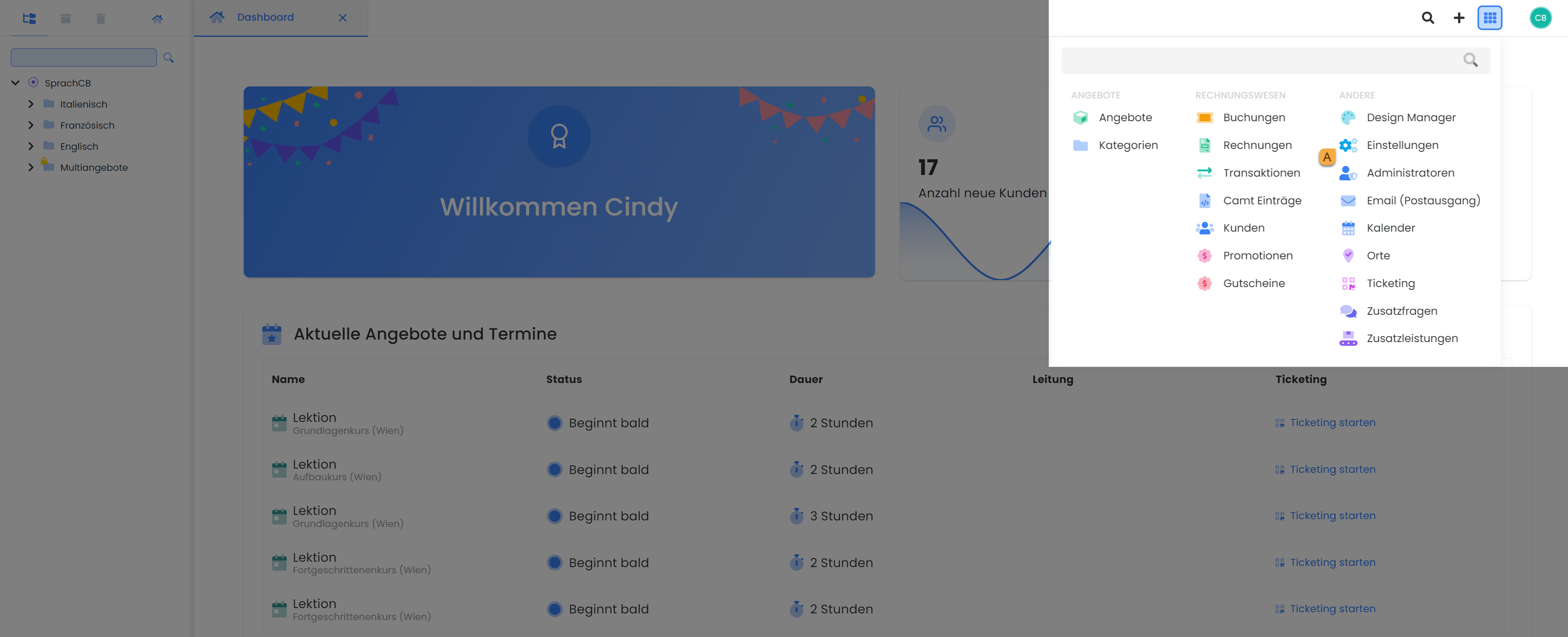
Navigate to the global settings A in your edoobox account.
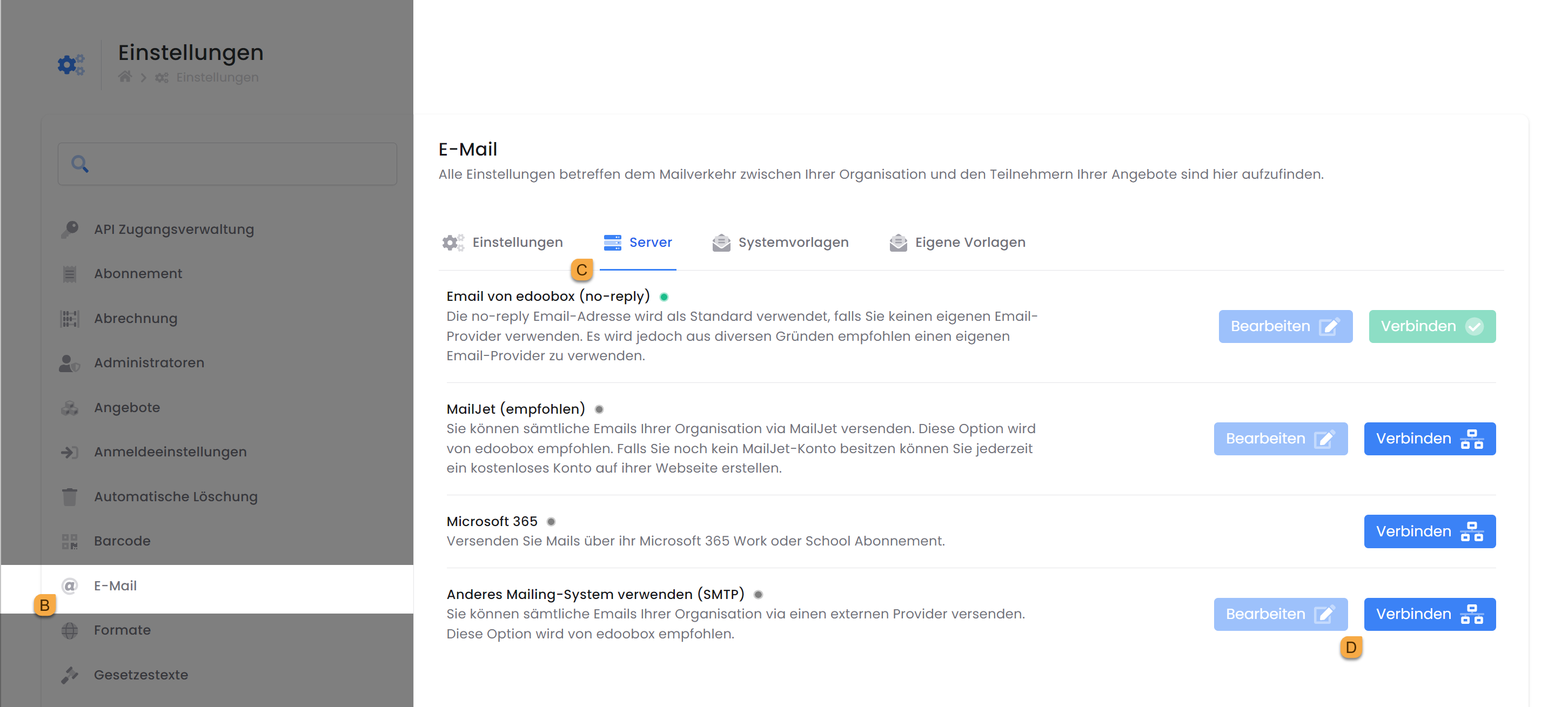
Under "Email" B, go to the "Server" tab C and click "Connect" D next to " Use a different email system (SMTP) ".
The username E isoften the same as the email address.
Thepassword F may contain special characters.
The defaultSMTP port is 25. Check which port your provider has set for SMTP. If encryption is enabled, the port will be different.
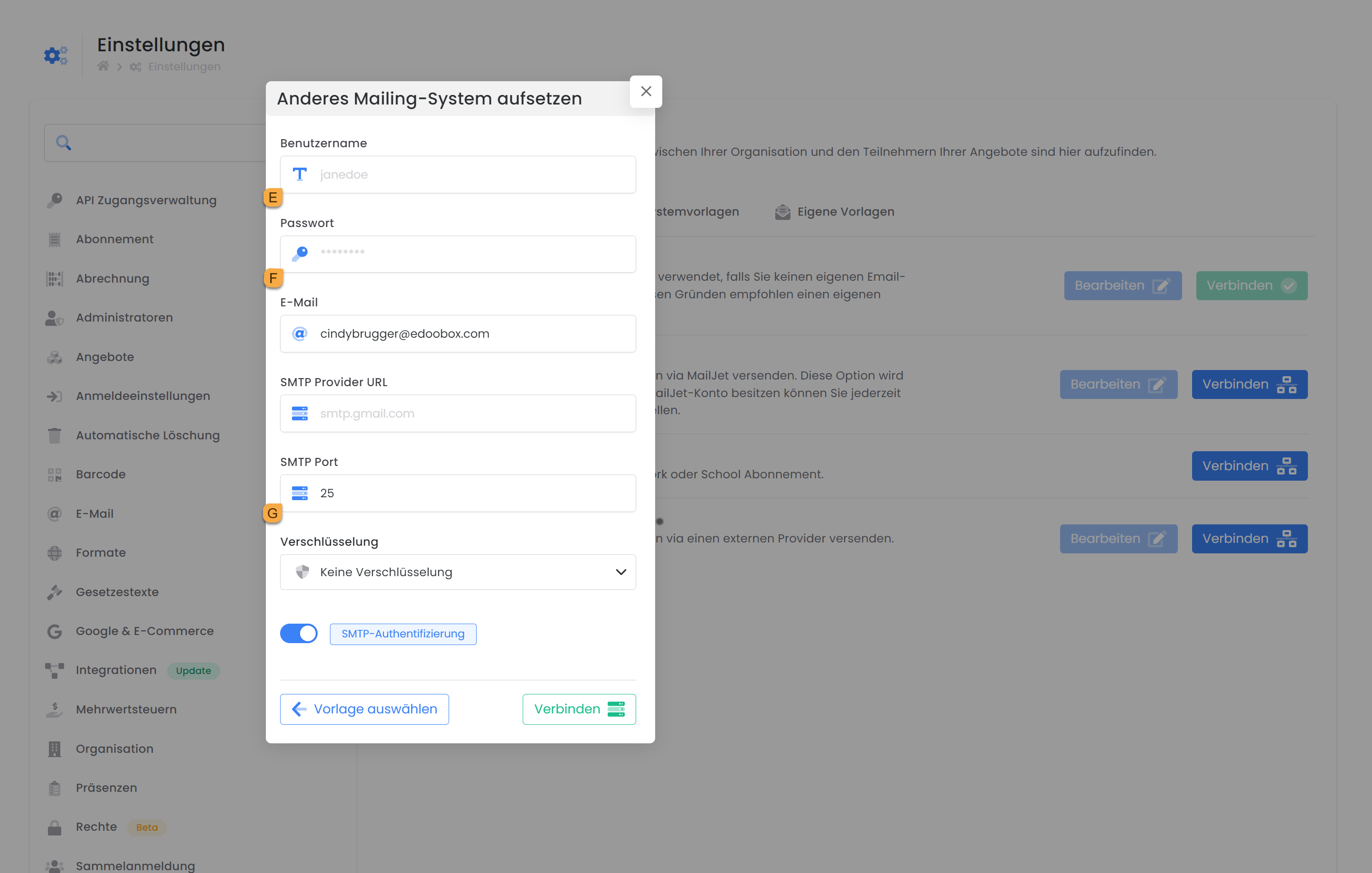
Then click "Connect" and immediately send emails using your personal email address.
Information on SMTP Connection
-
edoobox can establish up to 5 connections to the SMTP per minute.
-
Up to 20 emails can be transferred to the SMTP per connection.
-
Sending 300 emails typically takes 3 minutes but can extend up to 15 minutes.
Tip: Firewall
If you have an active firewall on your server, we recommend adding the edoobox IP address (IP: 178.209.55.12).
Important Considerations
Connection Testing
edoobox does not return detailed error messages and is limited to 10 attempts per 30 minutes.
Enabling the SMTP Option
Some email providers require the SMTP option to be enabled for email delivery via a third-party tool.
Daily Limit
Check the daily email sending limit set by your provider. Every email provider has a predefined limit.
Note: Free Email Providers
Free email providers like Gmail are generally not suitable for sending a large volume of emails. Furthermore, it is not possible to build a sender reputation with such email providers.
Tip: Sending Emails via Mailjet
If your provider reaches its limits, we recommend using Mailjet for email delivery. Mailjet allows you to send a large volume of emails using your sender address: Mailjet Guide
Advantage: For every email sent via Mailjet, its status is visible, i.e., whether it reached the recipient, was opened, or was rejected by the receiving server as a bounce (spam). When sending larger volumes of emails, they are dispatched in batches.
Gmail / G-Suite Integration
If a connection to Gmail cannot be established, please check the following points:
-
Attempt to establish the connection by entering the app password. This may need to be set in addition to your regular password: https://support.google.com/accounts/answer/185833?hl=de
-
If you are using G-Suite: Verify the security settings to ensure that a connection can be established via the app password.
-
If you do not wish to use Mailjet, are using G-Suite, have correctly configured the security settings, and entering the app password does not work: Please create a new G-Suite demo account with an app password and send us these demo credentials via support@edoobox.com so we can test the connection setup.
Failover Option
If edoobox is unable to send emails via your outgoing mail server during normal operation on the second attempt within 30 minutes , the SMTP will be deactivated, and emails will be sent via noreply@edoobox.email. You will receive an email informing you that your SMTP has been deactivated.
To ensure participants can still reply to noreply@edoobox.email , a header containing information is automatically included with each email. This header is recognized by 98% of all mail systems and contains the email address that you have configured as the organization's email address in your edoobox account.
Related Guides
Keywords for this guide
Mail § Email § Settings § SMTP § Alternative to MailJet § Cloud Mailing