
Booking confirmations are automatically dispatched for bookings made through edoobox. Additional information regarding participant bookings is available here.
Manually Sending Booking Confirmations
You may wish to manually send the booking confirmation to a participant after making an alteration to an existing booking or after creating a new booking as an administrator.
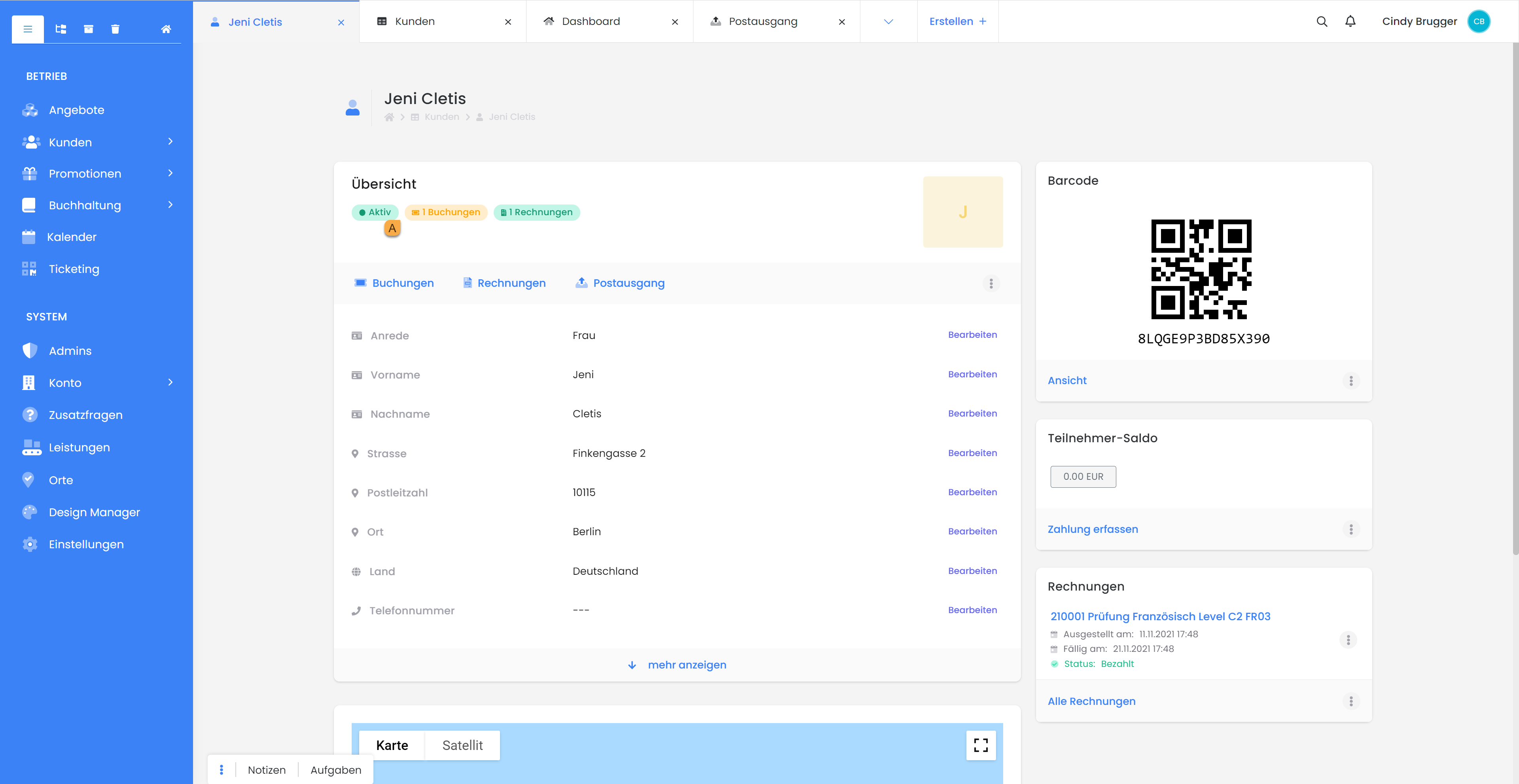
Open the desired participant, then the "Reservation" A, and click the "Send Reservation Confirmation" button B.
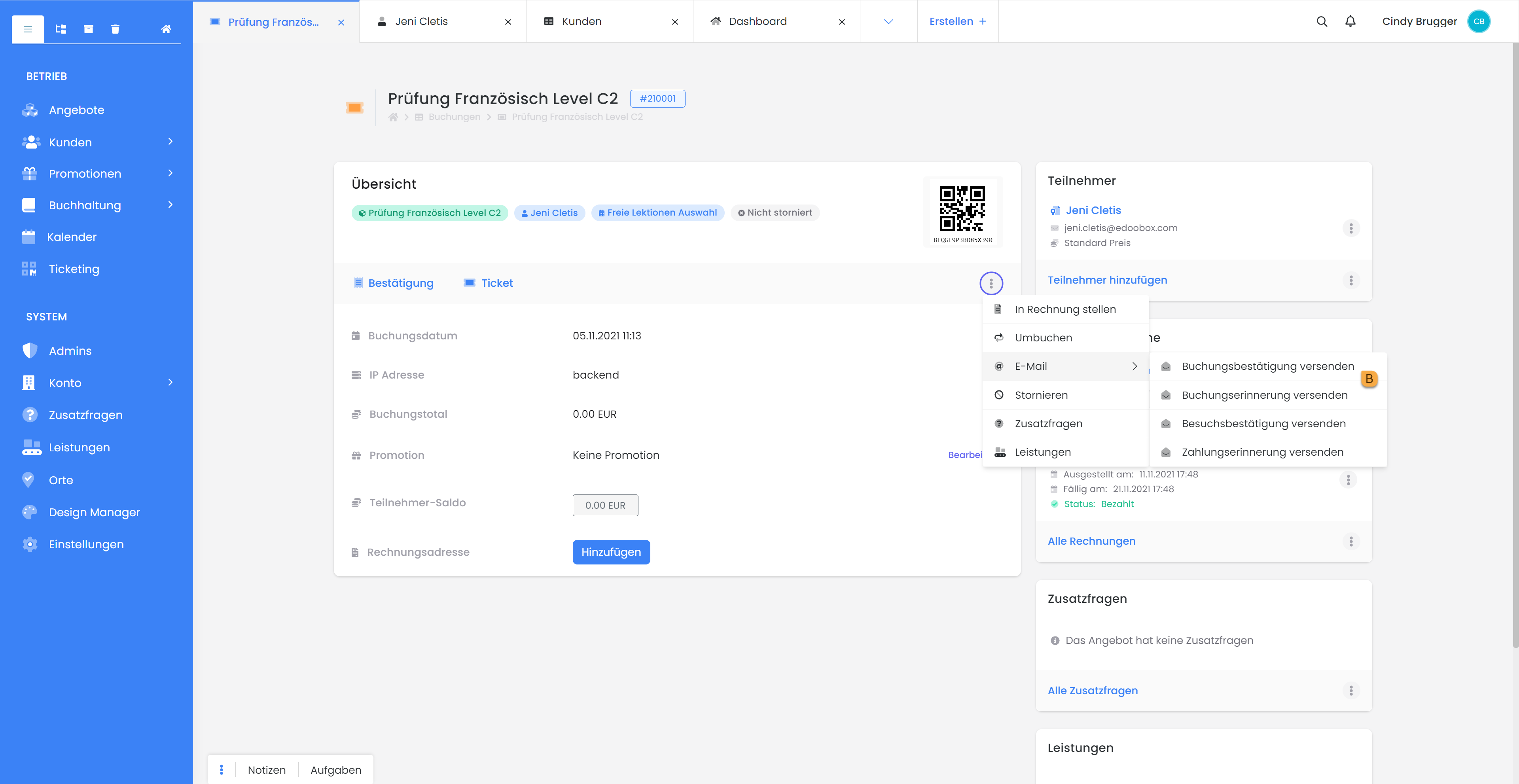
The participant will now receive the booking confirmation email. Depending on your settings, this may include:a booking PDF, an invoice PDF, and a ticket PDF. You can choose whether you also want to include the invoice. For a group booking, the master receives all booking confirmations in a single email. If you would like to send the booking confirmation to another person, you can do so by selecting “Send booking confirmation via separate email.”
Administrator Bookings
When a booking is processed directly by an administrator in the backend (e.g., for telephone registrations), the system can be configured to dispatch a booking confirmation (including Booking PDF, Invoice PDF, and Ticket PDF) in the same manner as if the booking were initiated by the participant. To send an invoice when manually adding participants, the invoice must first be generated manually, and subsequently, the dispatch of the booking confirmation must be triggered.
Related Guides
Keywords for this guide
Booking Confirmation ¦ Backend Booking ¦ Confirmation ¦ Participant