
Discover the versatile possibilities of voucher sales in the edoobox Design Manager! Simply place the widget on the Offers Overview page or in the Offer Details. Define whether the promo code should reduce the total amount or only the offer price. After creation, you can edit vouchers like promotion campaigns. Within the widget, you can even specify whether the price of an offer should be issued as a voucher when participants click the voucher button. edoobox handles the complete gift voucher management – for simple, flexible, and efficient offer promotions!
Add Vouchers
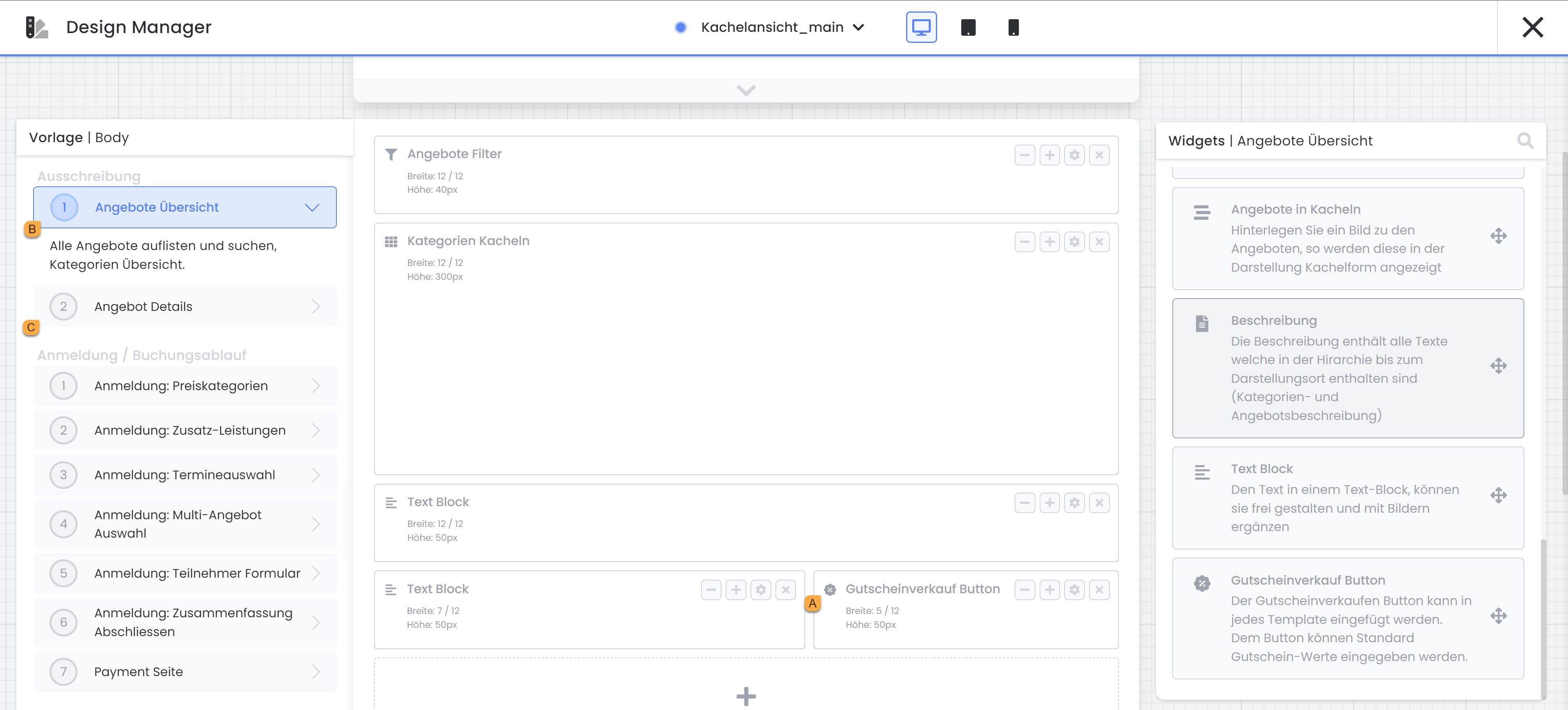
Easily integrate the Coupon Sales Button Widget A into the Design Manager and place it either in the Offers Overview B template or the Offer Details B template . Double-click to open the corresponding settings. Here, you can specify exactly whether the promo code should reduce the total booking amount or just the offer price (excluding additional services).
For even more customization options: If you insert the widget into the Offer Details template, you have the additional option to offer the price of an offer as a voucher – a possibility not available when integrating it into the Offers Overview template. Delve into the intricacies of voucher management and design your offers according to your preferences.
Sold Vouchers
A purchased voucher code is only generated and delivered after successful payment. For vouchers to be paid immediately, at least one payment system should be active. If the function Allow manual invoice creation is active in the payment system settings, the booking person can also generate an invoice for themselves. No automatic invoice is sent; the generated invoice appears exclusively on the completion page and can be downloaded by the booking person. If a payment is made to this invoice in your account, you must manually record it in your edoobox account for the code to be generated and sent.
In the main navigation, open the «Vouchers» menu item. All sold voucher codes are visible in the table contained therein. Here you have the option to see if a voucher has already been redeemed, or you can deactivate codes if necessary (e.g., because it was refunded).
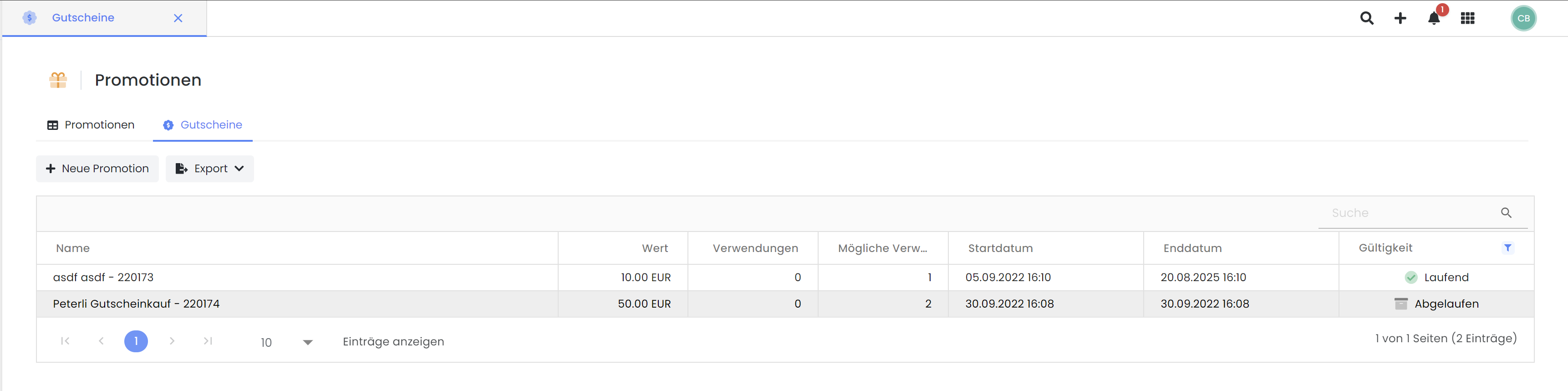
Verkaufte Gutscheine, welche noch nicht bezahlt sind, erscheinen in der Statistik als Wartelistebuchungen.
Taxation of Vouchers
When a voucher is sold via the «Voucher Sale Button» , it is taxed at the time of purchase with the configured VAT rate. If specified, the VAT rate from the offer containing the voucher sale button (Template: Offer Details) is applied. If the voucher is purchased at the category level (Template: Offer Overview), the standard VAT rate from the account is used.
Design Vouchers
To customize the appearance of sold gift vouchers, you can make the desired adjustments in the corresponding email template Voucher Sale. By adding images, logos, text, etc., you can design the look of your voucher according to your specifications."
Related Guides
Keywords for this guide
Voucher ¦ Gift Card ¦ Value Voucher ¦ Voucher Sale