
Promotional campaigns and vouchers help increase the visibility of your offers.
edoobox offers diverse options for creating vouchers/promotions.
-
Percentage Vouchers (discount, price-reducing voucher)
-
Fixed-amount Vouchers (price-reducing voucher with or without a minimum booking value)
-
Code Vouchers (redeemable once or multiple times)
-
Gift Vouchers for online purchase (with a unique code)
-
Voucher for viral marketing (price-reducing voucher)
Vouchers can be time-limited and valid for individual offers or all offers within a category. For redeemed vouchers, it is evident which booking they were used for. The edoobox voucher system allows you to track who used a voucher and for what purpose. You have the option to create numbered and unnumbered vouchers. Individual vouchers or entire campaigns can be stopped or deactivated at any time.
Tip: Promote Your Codes
You can, for example, send promo codes in offer-specific emails by using placeholders in the additional text blocks. More information can be found here.
Campaign Export
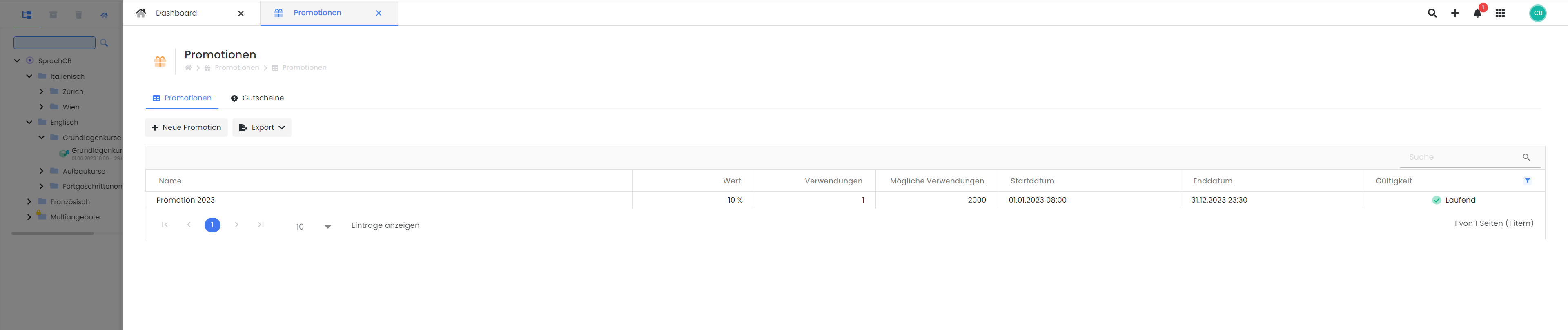
In the table listing all created promotional campaigns, you can filter by validity. By clicking the filter icon (a) in the column header of the "Validity" column, you can choose to display current, expired, or planned promotions. Here, too, you can reorder the columns in the table to suit your needs. Use the search field to the right of the table to find a specific promotion by entering its name.
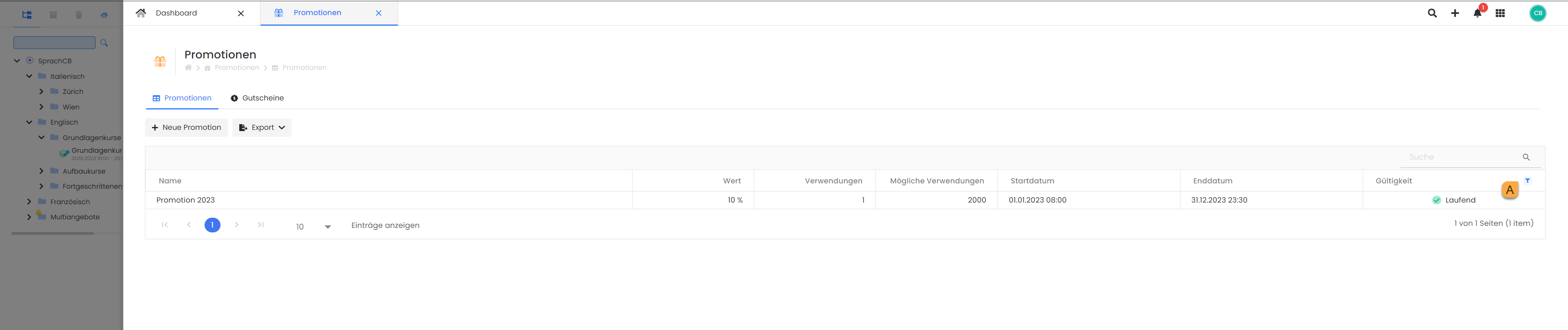
The following information is included in this export:
-
Name
-
Value
-
Usage
-
Possible Uses
-
Start Date
-
End Date
-
Validity
Promotion Codes
Double-click the row to open the desired promotion. In the lower part of the opened window, all promotional codes associated with this promotion are displayed. Here too, you can filter for a specific code using the search field. By clicking the 'Export' button B, you can choose the format in which you wish to export the corresponding codes.
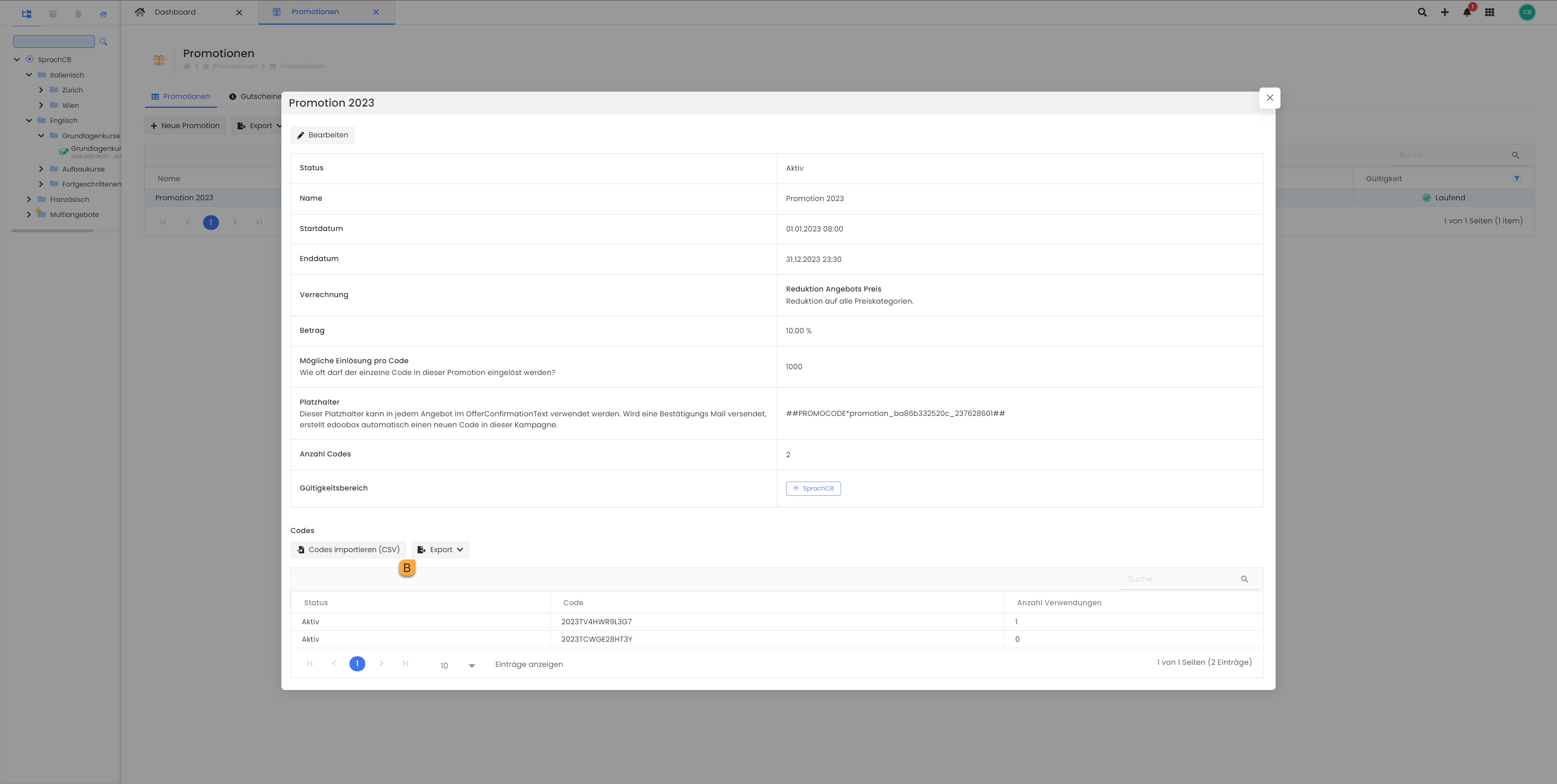
Three formats (CSV, Excel, and PDF) are available for both exports.
Utilize promotional campaigns to offer discounts when multiple lessons are booked.
-
Promotional Campaign Name: 5-Lesson Subscription
-
Validity: Applicable only to the specific offer
-
Offer Price Reduction: 1 Lesson = 30,- | 5 Lessons = 129,- | Reduction = 21,-
-
For redemptions: Enter 1000 or more
-
Minimum Booking Value: Set to 150,- (30x 5)
-
Set codes to 1 and select the code text «5erAbo»
You can now include this code in the offer description for participants to use.
Related Guides
Keywords for this guide
Voucher § Gift Card § Value Voucher § Percentage Vouchers § Code Vouchers § Marketing