
In the context of invoicing and accounting, the reference types SCOR and QRR are available in the invoice settings. These are used for structured referencing of invoices and enable automated matching of incoming payments as well as a clear analysis of billing data.
Basic requirements for the QR reference
In order for the automated QR reference to be generated and processed correctly, two requirements must be met: First, a special QR-IBAN must be stored in the payment systems. This is usually different from your standard IBAN and is required so that the QR payment section can be used on the invoice. Second, an invoice layout must be used that places the payment section with the QR code at the bottom of the invoice, such as the edoobox standard layout.
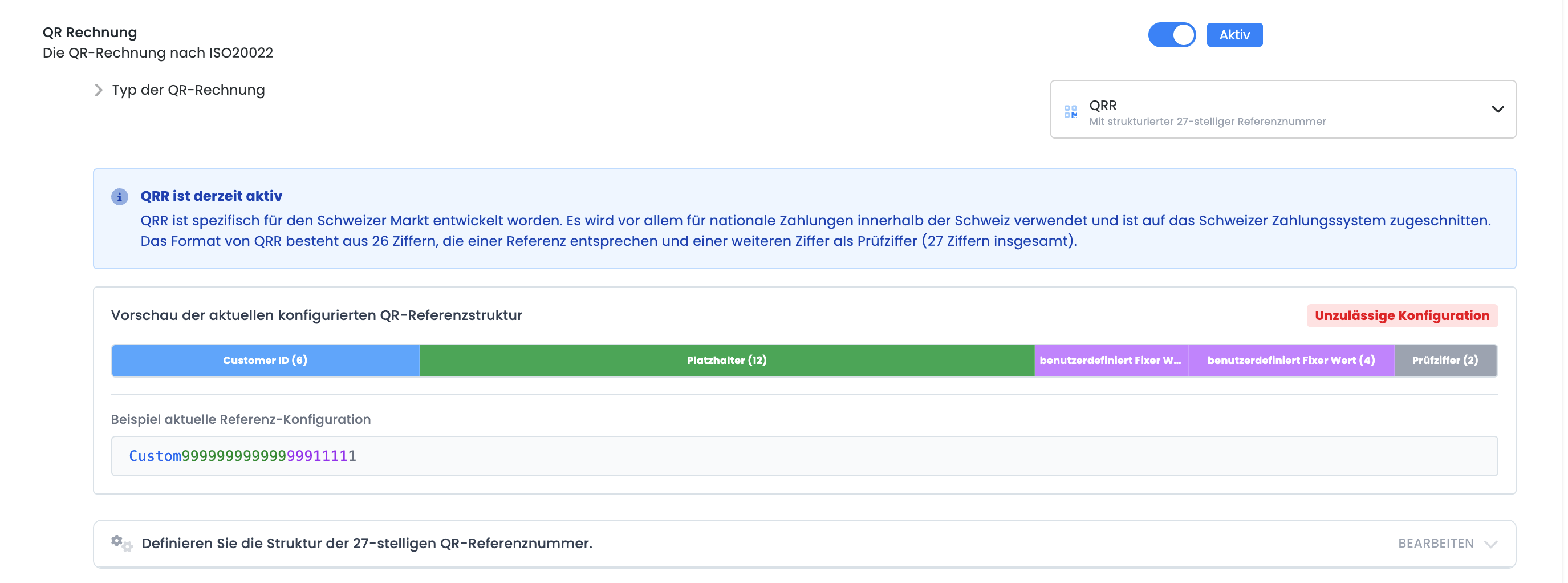
Configuration in the QR Reference Editor
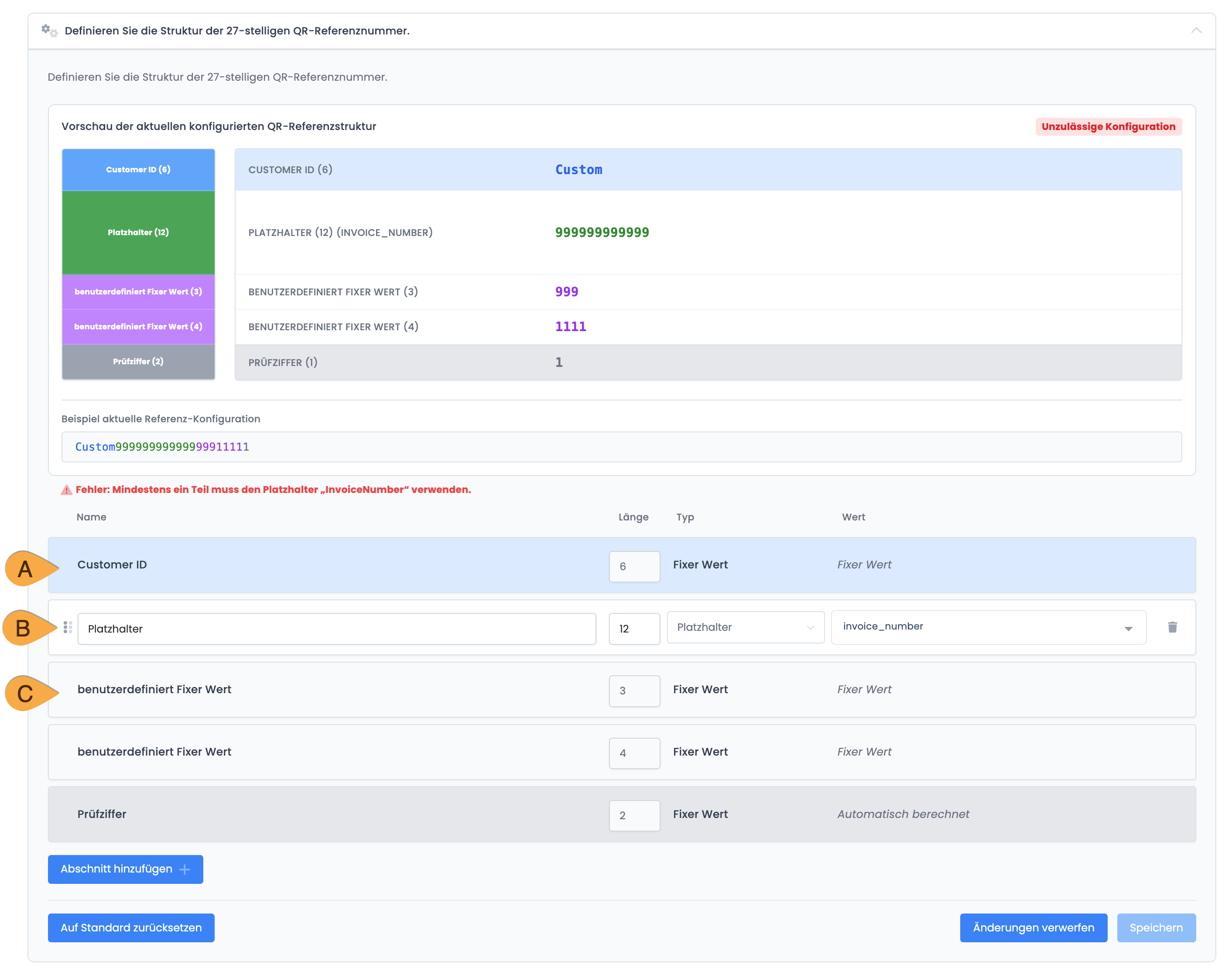
The QR reference is configured in the payment systems under the "QR Reference" section using an integrated editor. You can choose between the "Core" and "QR" reference types. The reference number has a modular structure and consists of a fixed system prefix, supplementary user-defined sections A, and an automatically calculated check digit. Using “Add Section,” you can define fixed values C or dynamic placeholders, whereby the placeholder “Invoice Number” must be included to ensure a unique assignment.
Please note: Do not use special characters in QRR invoice numbers
When using the QRR reference, the invoice number must consist solely of numbers. Special characters or letters are not supported and will prevent the generation of a valid QRR reference and, consequently, a QR code.
Important Notes: Invoice Numbering Logic
The QR reference must consist of exactly 27 characters. At least one segment must contain the placeholder “Invoice Number” to ensure that each reference is unique.
If this requirement is not met, the configuration is marked as invalid and cannot be saved, as shown in the screenshot.
Tip: Automatic application
Once successfully set up, the QR payment code will be automatically generated and correctly applied to every new invoice. In this case, manual assignment of incoming payments is no longer necessary.
Related Guides
Keywords for this guide
QR Invoices ¦ Invoices ¦ PDF Invoice ¦ QRR ¦ SCOR ¦ QR Reference