
3D Secure (3DS) is a protocol employed to combat fraud by enhancing the security of online credit card payments. The Strong Customer Authentication (SCA) regulation in Europe mandates the use of 3DS for card payments.
Stripe offers three standard rules to dynamically request 3DS. You can configure these 3DS Radar rules in your Stripe Dashboard. The following screenshot illustrates the Radar rules that prompt additional authentication from your customers when the card issuer requires 3DS:
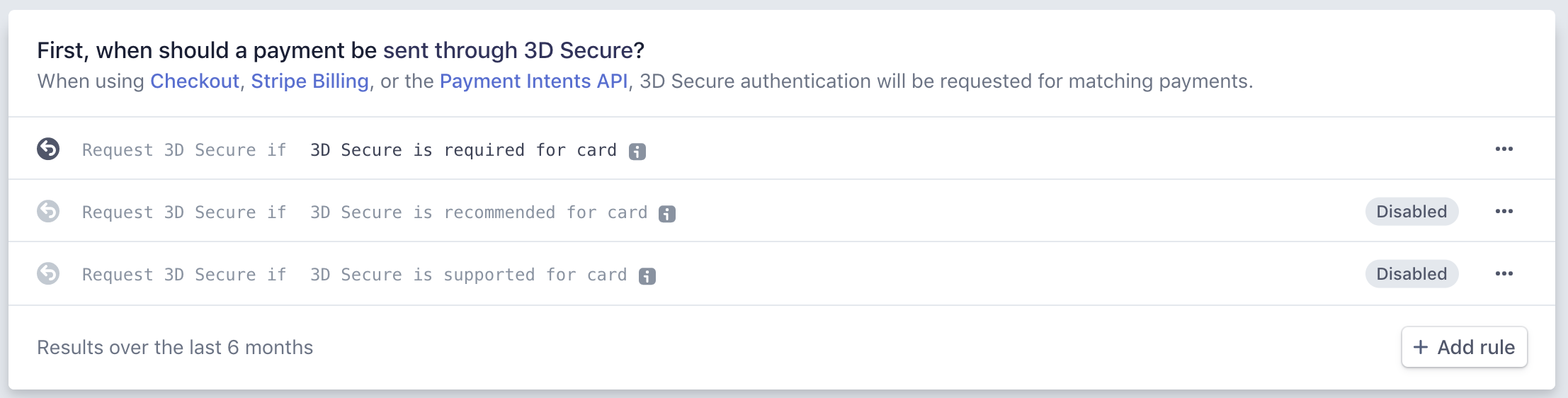
The first rule is enabled by default. You can enable and disable all Radar rules. If you have Radar for Fraud Teams, you can add custom 3DS rules using Stripe Rules. This will cause Radar to require 3DS authentication for payments that match these additional rules.
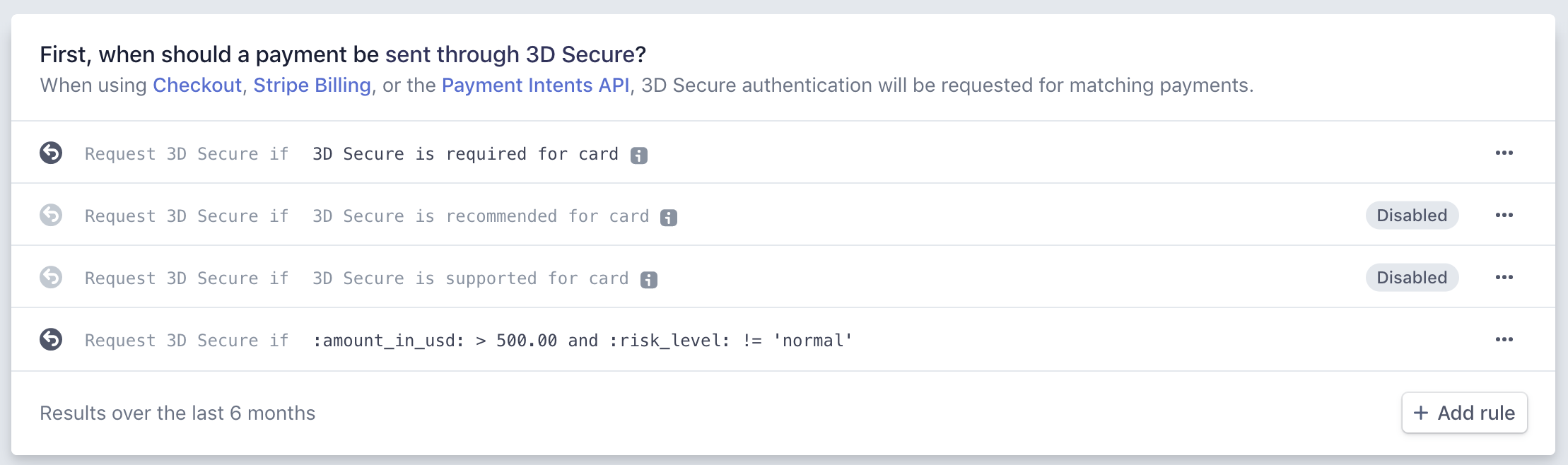
Example: Custom Radar Rule
A custom Radar rule has been activated here, requiring 3DS authentication for payment attempts where the amount exceeds $500 (USD) and the risk level is not classified as normal.
All information is sourced directly from Stripe. For further details, please visit the Stripe website: Card Authentication and 3D Secure
Related Guides
Keywords for this guide
Stripe ¦ Credit Card ¦ 3D Secure ¦ SCA