
In edoobox, you can easily enable PayPal as a payment system. Payments via credit cards and direct debit are supported through PayPal. If you wish to utilize this and have not yet created a PayPal account, you can do so at Paypal.com. Subsequently, you will only need to register the associated email address within edoobox.
PayPal Terms
The terms vary based on the country, the volume and type of transactions, and the revenue generated, ranging from 1.5% + € 0.35 to 3.4% + €/CHF 0.55.
Fee Policy / Further Information
Characteristics and Specific Information
PayPal can be easily integrated into edoobox by simply entering the email address associated with your PayPal account.
PayPal is a major, globally recognized platform that provides support and written information, including in German.
The General Terms and Conditions are contingent upon the country in which your organization is domiciled.
Below are links to PayPal's documentation and the page for support inquiries.
Potential Issues in Conjunction with the Countdown Setting in edoobox
In your PayPal account, disable all options that could lead to delayed transfers. (e.g., only allow credit card payments).
-
If PayPal transmits the payment confirmation with a delay (exceeding 10 minutes), edoobox will have already dispatched a payment link to the booking individual, despite the payment having been initiated within PayPal.
-
If a countdown is active for this offer and PayPal only dispatches the payment confirmation after the countdown has elapsed, the booking will have already expired.
-
The PayPal account must be verified. (Upon account creation, you will receive a confirmation email from PayPal).
-
The currency used in edoobox must also be configured as an accepted currency within the PayPal account (Payments will not function otherwise).
Issues with Individual PayPal Payments:
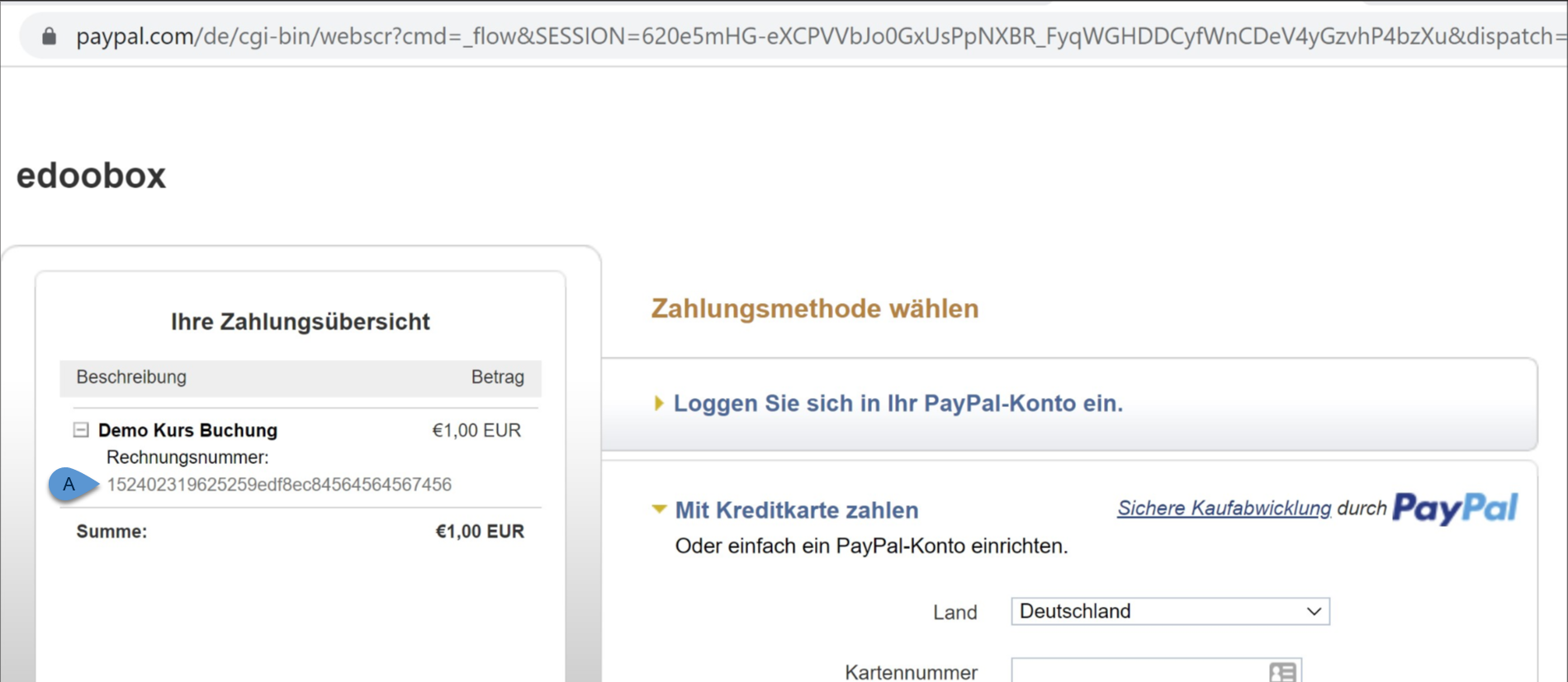
If a customer reports that a PayPal payment is not going through, you can contact PayPal customer service (https://www.paypal.com/de/smarthelp/contact-us ) using transaction number A to inquire about the reason for the cancellation or rejection.
Information: Payment Systems
Here you will find additional payment systems for participant payments within edoobox.
How do I process a full or partial refund?
You can refund any payment received within 180 days of the transaction date.
-
First, edit or cancel the booking within the edoobox booking system.
-
Subsequently, select the transaction you wish to refund from the participant's account. If you are not already logged into PayPal, you will need to sign in with your PayPal account credentials.
-
If you are not automatically redirected to the transaction, access the Activities A page.
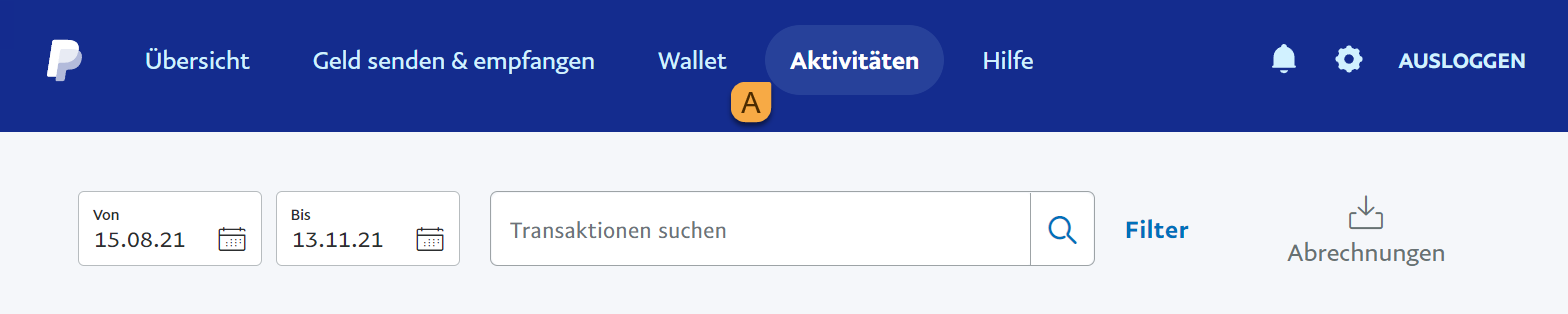
Activities
-
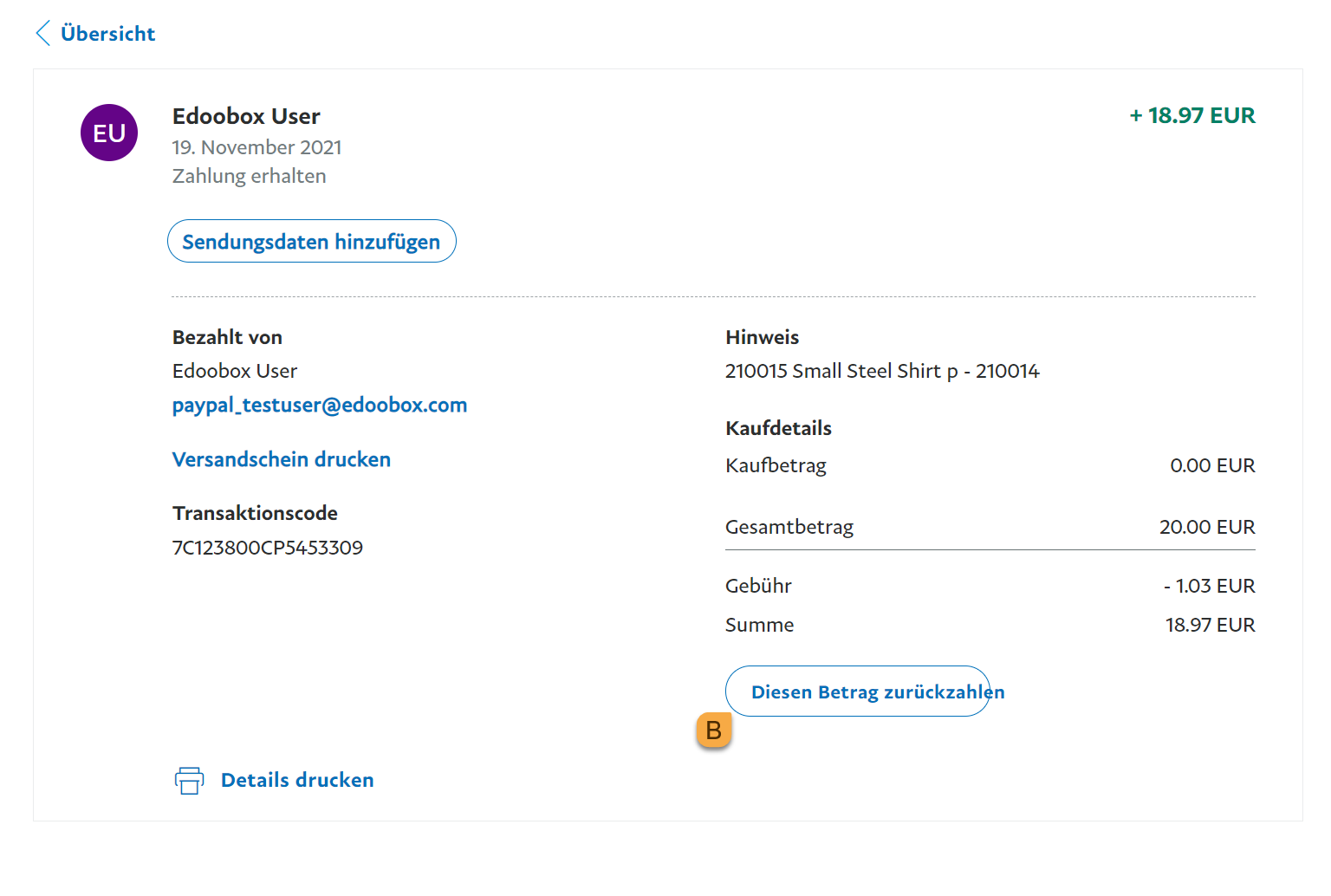
Select the transaction for which you want to send a refund, and then click "Send Refund" B.
-
Enter the desired amount for the refund and click "Continue".
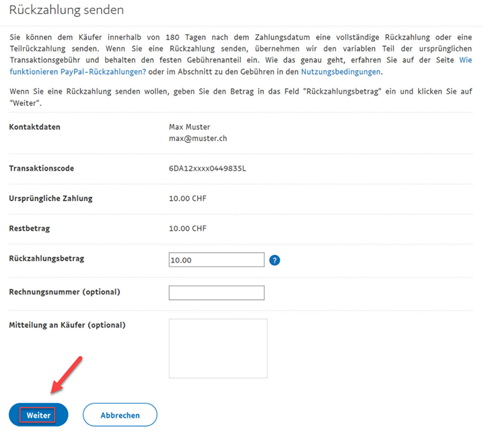
-
Review your details and then click 'Send Refund'.
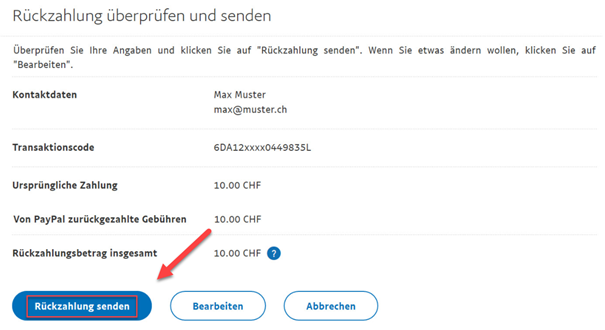
-
The refund has been processed, and the recipient will receive an email notification.

Tip: PSD2
Information regarding PSD2 can be found here https://developer.paypal.com/docs/psd2-compliance/strong-customer-authentication
Info: PayPal PLUS
The account connection to edoobox also functions with a PayPal PLUS account.
Related Guides
Keywords for this guide
PayPal ¦ Pay Pal ¦ Payment ¦ Payment System ¦ PayPal Plus