
If you wish to inform your customers about the locations where your offers are held, you can register the respective venues and rooms in edoobox and link them to your offer dates. Venue management and information on the utilization of individual venues can be accessed via the App menu in the 'Locations' section.
Venue Management
In the venue table, an unlimited number of locations and rooms can be registered, which can then be selected as venues for offer dates. Clicking the 'New Location' button opens a form where relevant information for a location can be entered. If the address is precisely provided, a Google Map is automatically generated, which can be displayed during the booking process on your website. Any number of rooms can be created per location to inform participants about the exact meeting point for an event.
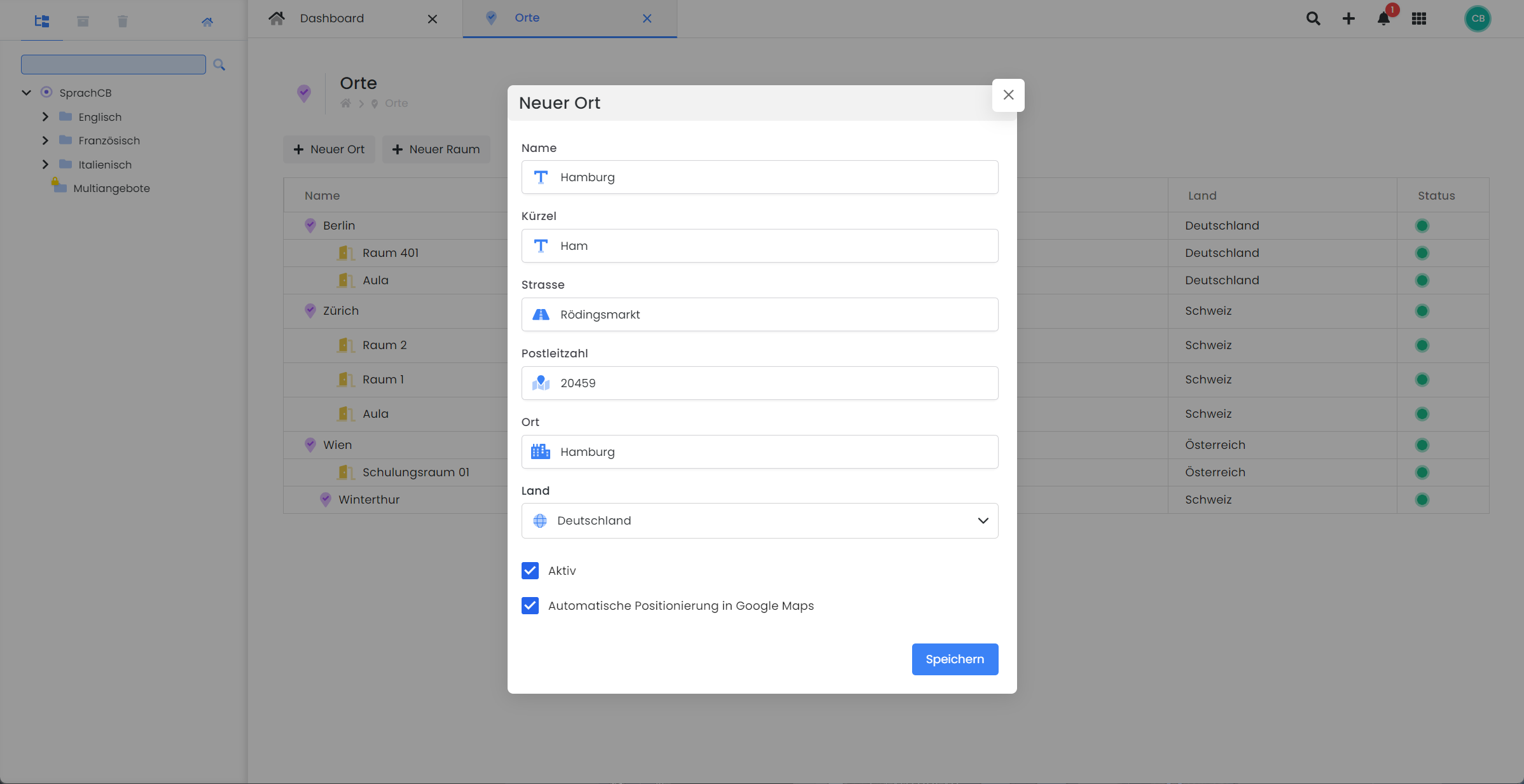
Utilization of Individual Venues and Rooms
The utilization of individual venues and rooms can be viewed by clicking on the desired venue or room. After opening the selected location, click on 'Utilization'. Various calendar views are then available, allowing you to review and export the utilization data.
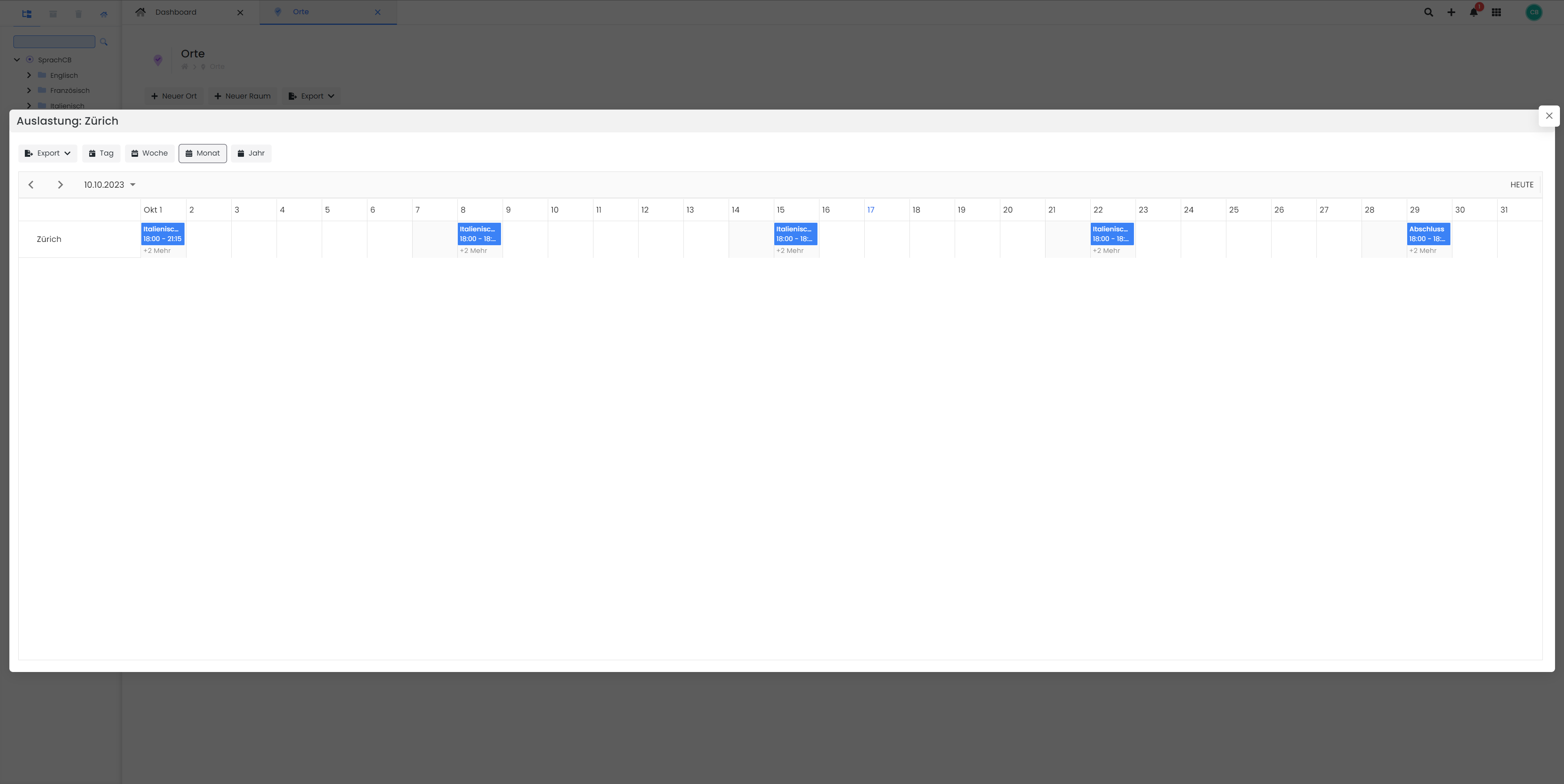
Related Guides
Keywords for this guide
Location § Place § Location § Venue § Room