
The Multi-Session feature allows you to open multiple edoobox accounts simultaneously in a single view and easily switch between them. Changes are saved in real-time, enabling you to work even more efficiently.
Open multiple edoobox accounts in the same browser window
If you use multiple edoobox accounts, you can conveniently manage them in the same browser window. Here's how to add an additional account:
-
Add Account: In the top toolbar, click on your Admin and select the «Add Account» option from the dropdown menu.
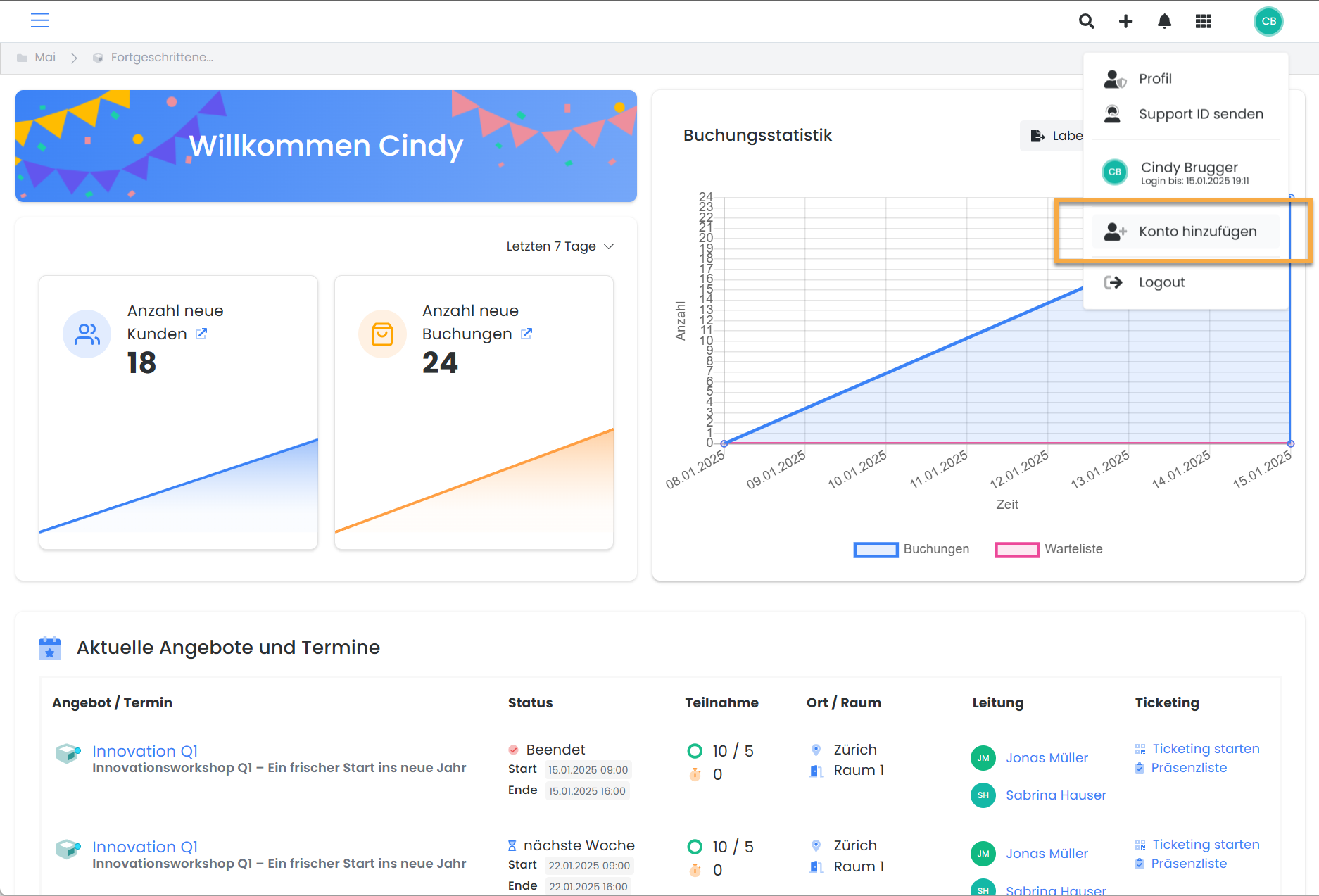
-
Log In: On the login page that appears, log in with the credentials of the additional edoobox account.
-
Account Overview: After logging in, all connected edoobox accounts will be displayed under your name in the top toolbar.
You can now flexibly switch between accounts and continue working seamlessly.
Related Guides
Keywords for this guide
Multi-Session § Manager § Speakers § Account