
edoobox can be easily integrated into a WordPress website. Two options are available for integration. Firstly, you can use the edoobox Plugin, which enables seamless integration into your WordPress environment. Secondly, edoobox can be embedded into your WordPress pages via an iFrame.
Integration via iFrame
In the WordPress navigation, under the menu item «Pages», select the appropriate page where you want to embed the edoobox iFrame, or create a new page.
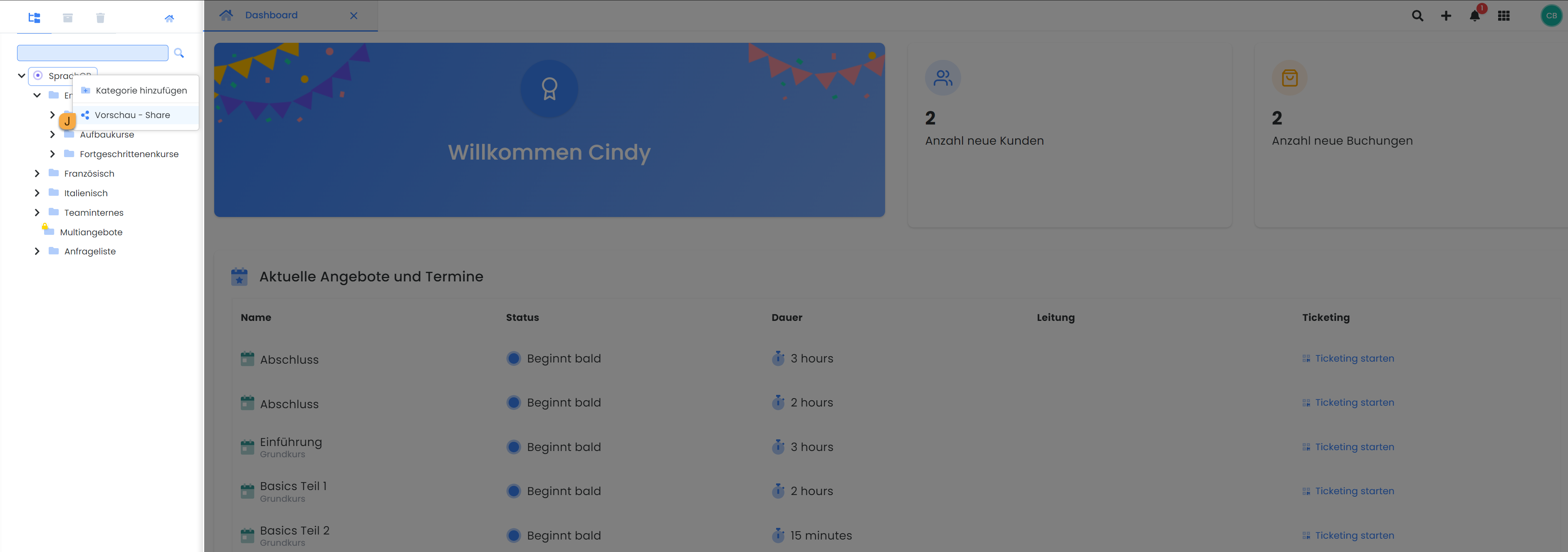
Next, generate the iFrame code by right-clicking on the main directory (account shortcode) or the desired category and selecting «Preview - Share» J.
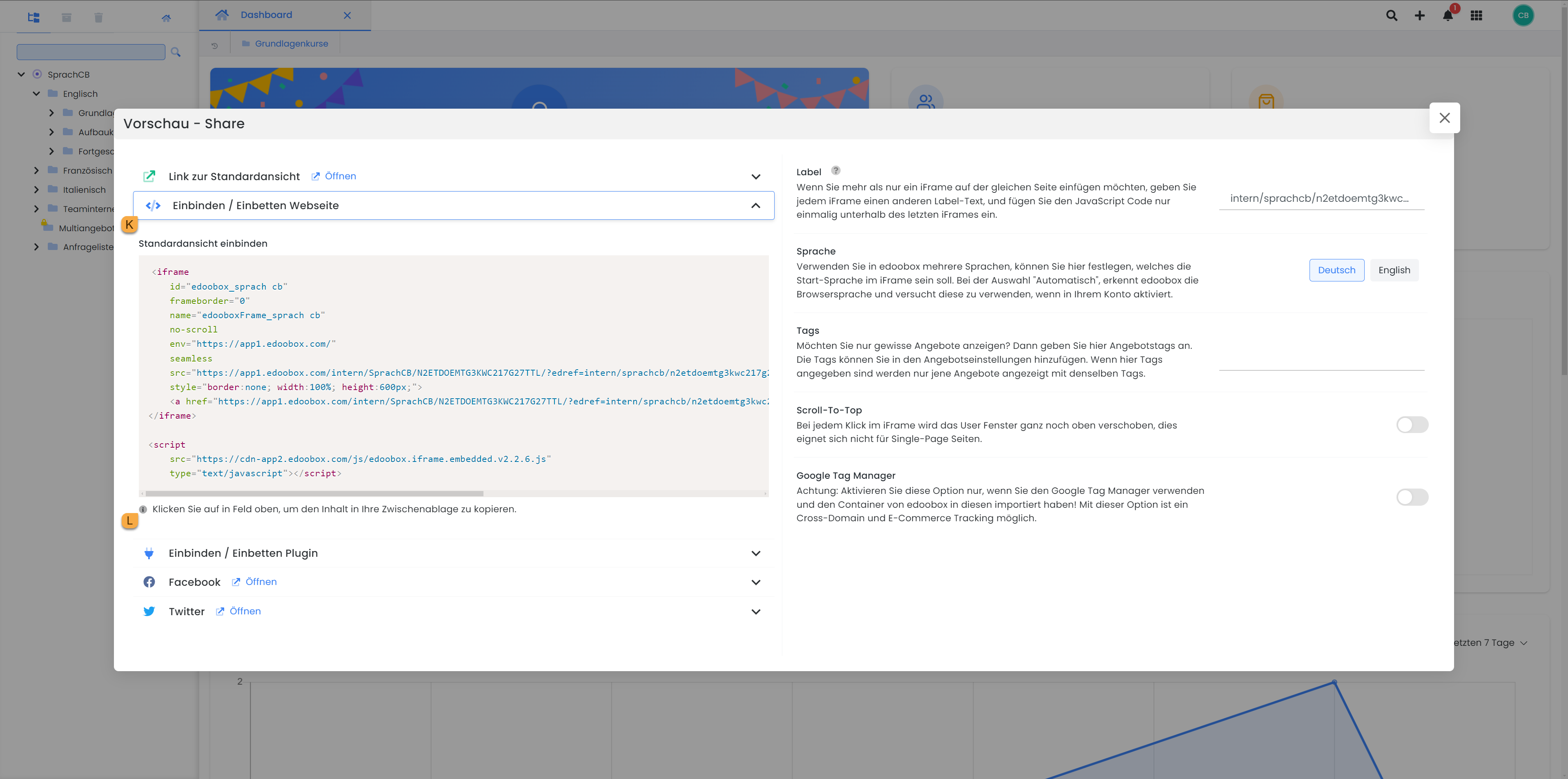
Open "Embed Website" K and click once on the iFrame code L to copy it.
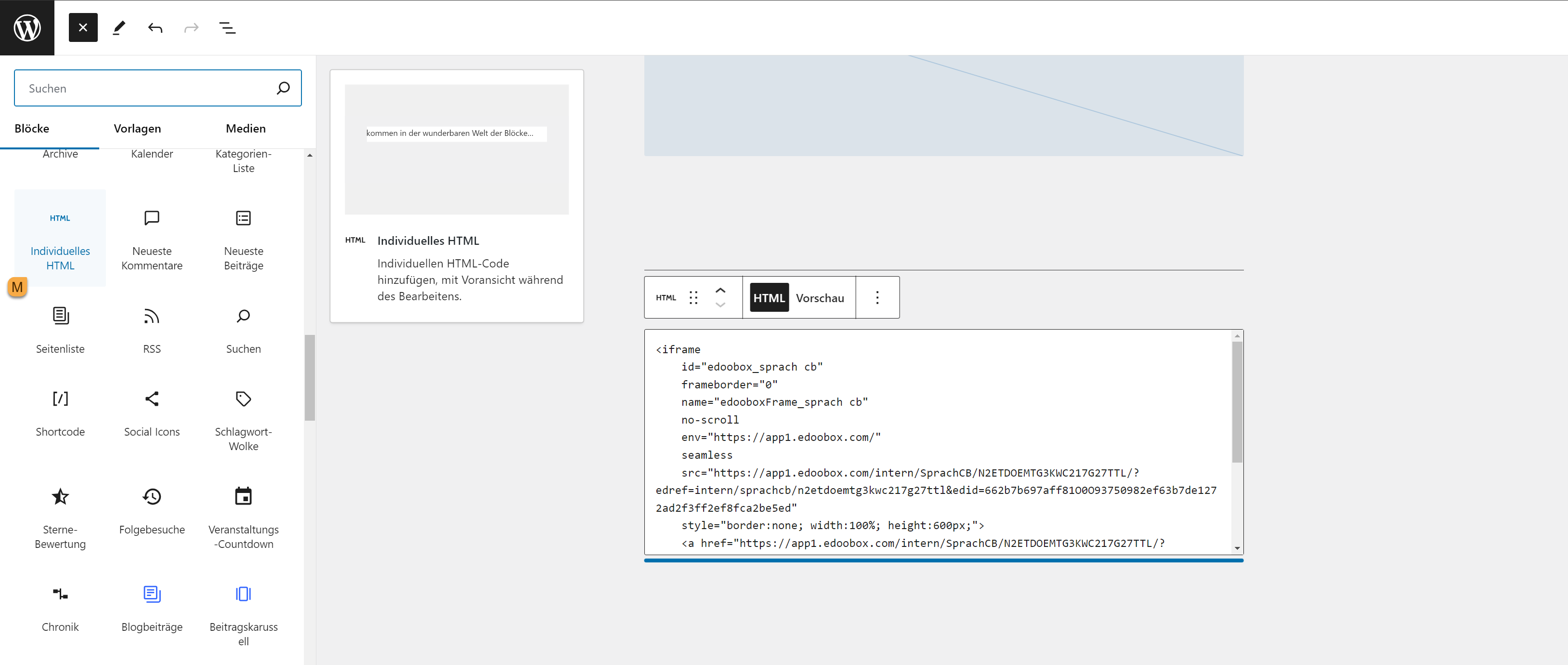
Return to your WordPress page where the offerings are to be displayed. In the WordPress editor, click the plus symbol (+) to add a new block. From the list of available blocks, select the «Custom HTML» M block. In the text field that appears, paste the iFrame code you wish to use for displaying your offerings.
You can now optionally insert suitable text before and/or after the code and modify its presentation.
Related Guides
-
Integration with the WordPress Plugin
Keywords for this guide
WordPress ¦ iFrame ¦ Embedding ¦ Preview - Share ¦ iFrame Code