
The edoobox iFrame can be seamlessly integrated into a Joomla website.
Joomla Settings
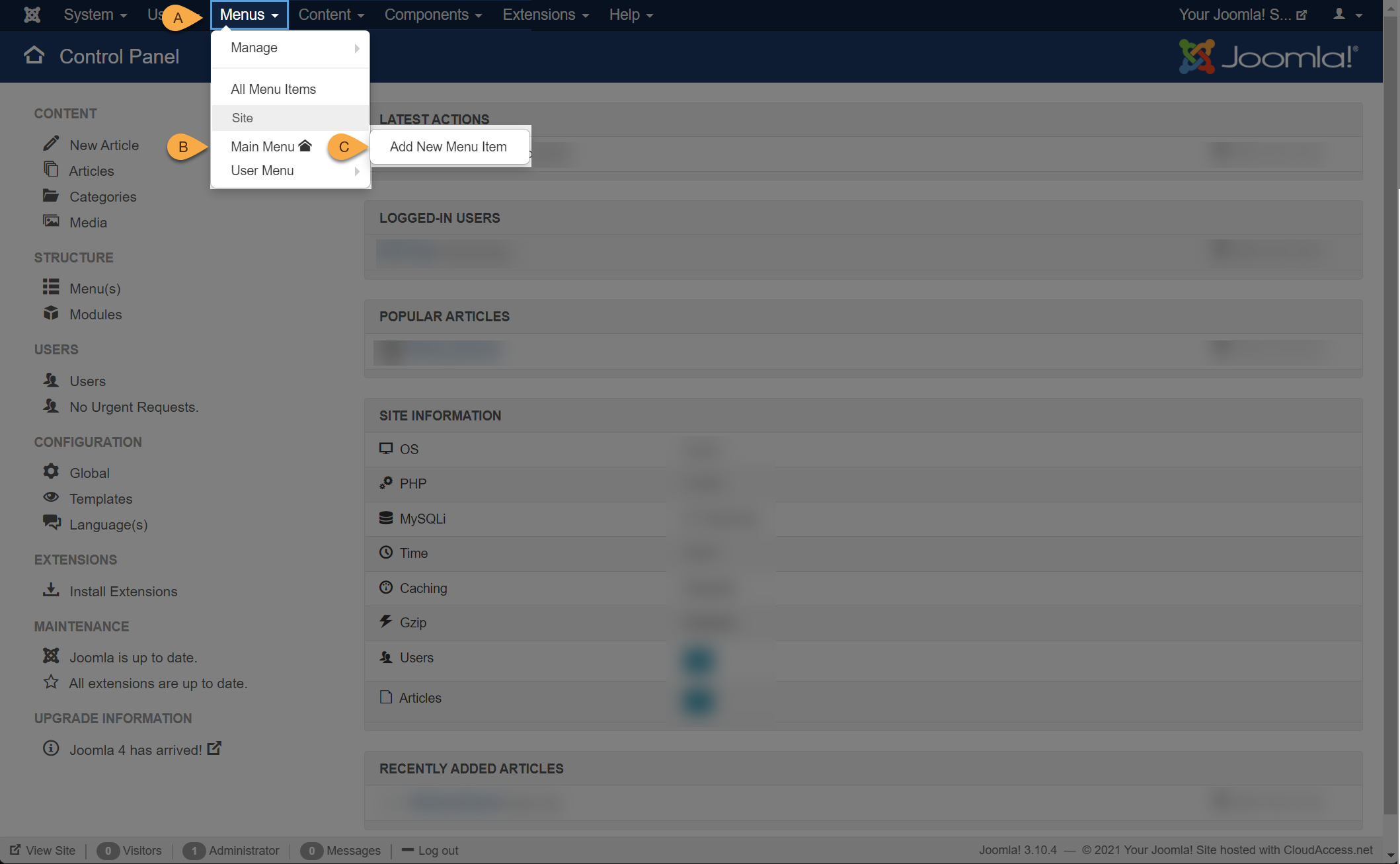
1. In the menu bar, click on the 'Menus' menu item. Then, navigate to 'New Menu Item' via the 'Main Menu' and click it.
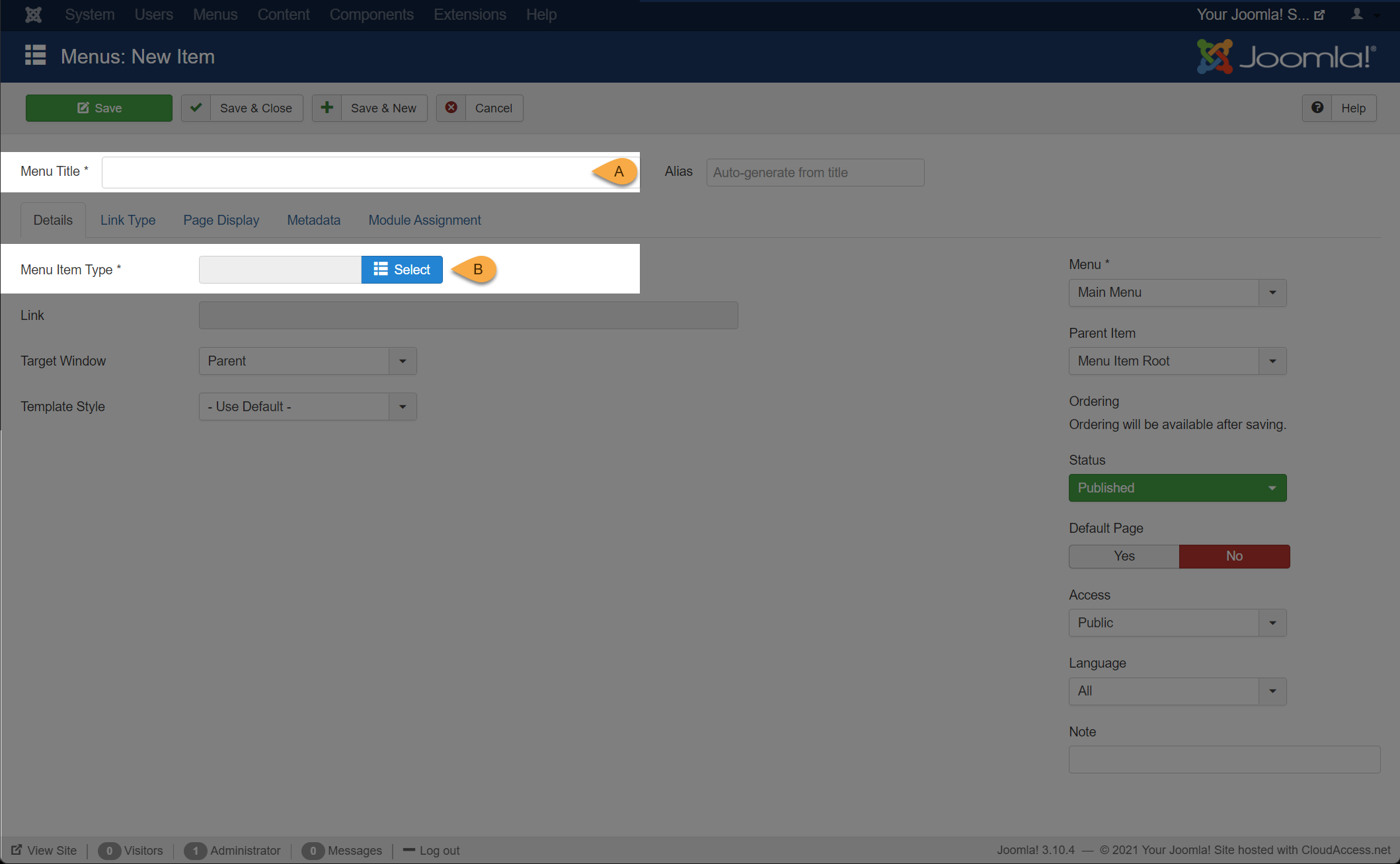
2. Enter an appropriate menu title and click the 'Select' button.
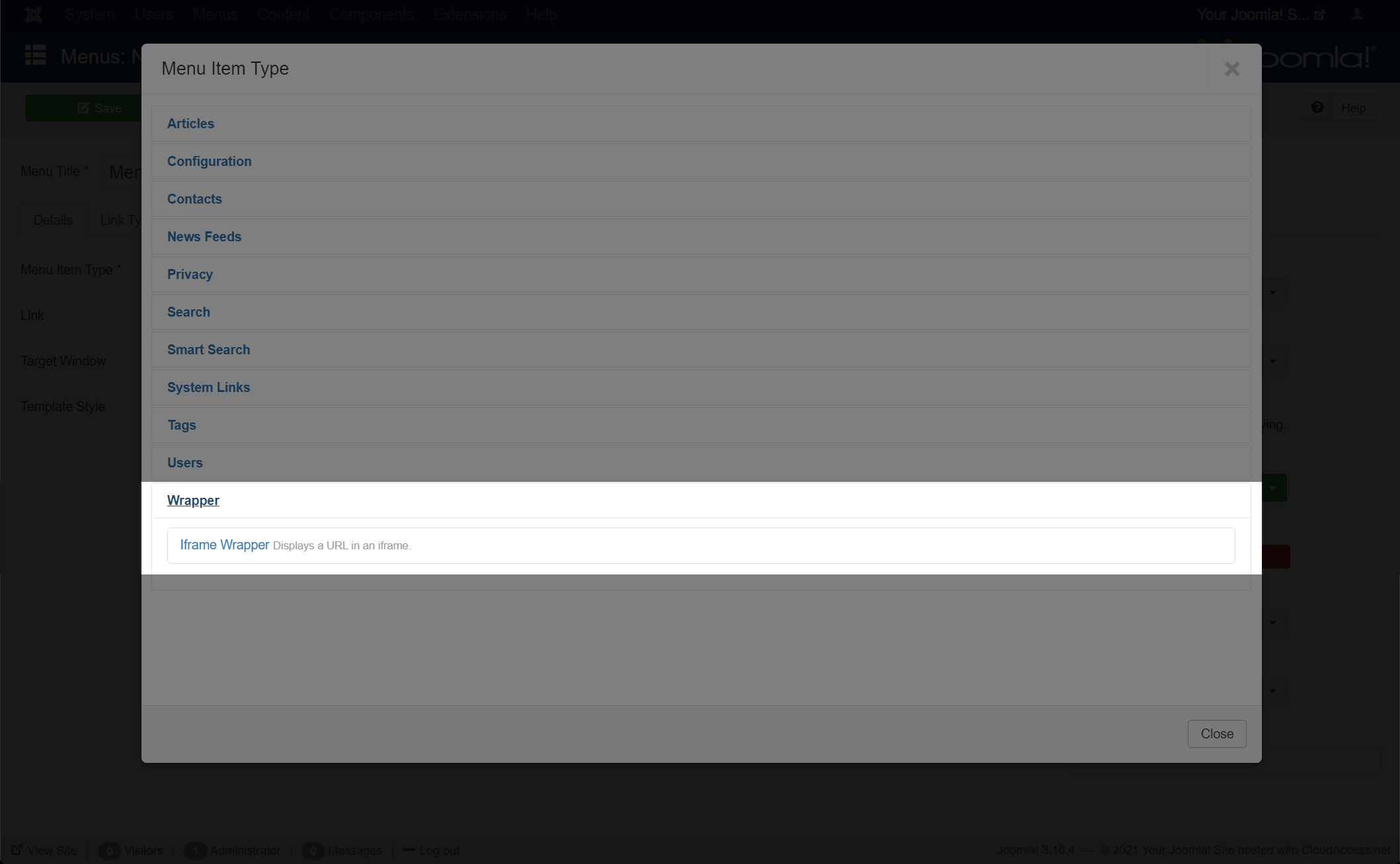
3. Click on 'Wrapper' and select 'Iframe Wrapper'.
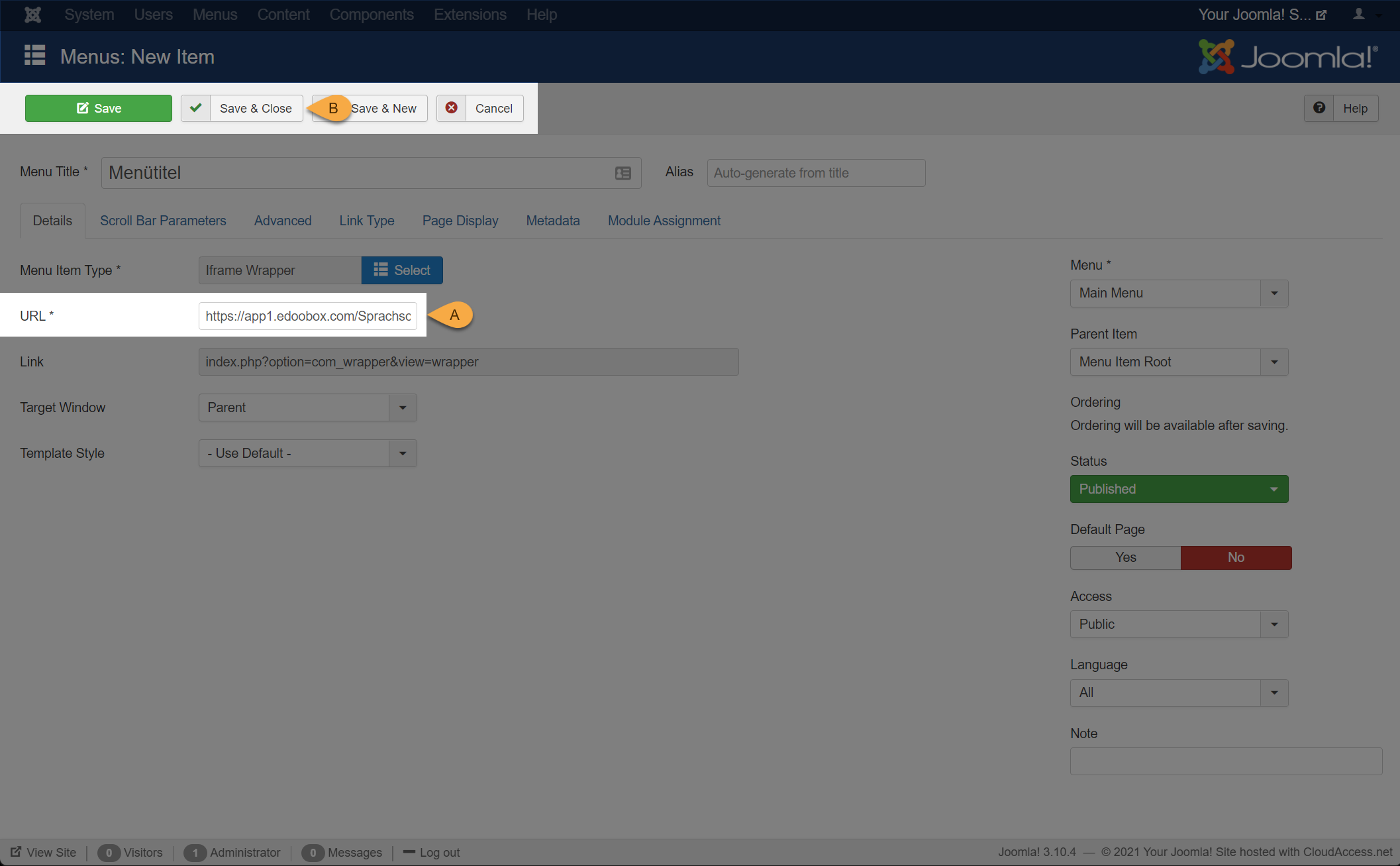
4. Link the iFrame with edoobox by specifying the web address as: https://app2.edoobox.com/SHORTCODE – replace SHORTCODE with your own edoobox account shortcode. Afterwards, you can click on «Save & Close». Your iFrame is now online.
Tip: Populate iFrame with Offers
To evaluate your iFrame, it is beneficial to have published offers, as the iFrame will otherwise remain empty. To do this, set one or more offers to the Published status.