
The edoobox Check-in App simplifies the entire attendance tracking process—ideal for trainers, front office managers, and administrators.
Discover how edoobox’s mobile solution can help you manage events, courses, or seminars more quickly, flexibly, and efficiently.
Your Benefits:
-
Swipe Check-in: Mark participants as present with a swipe gesture.
-
Fast Ticket Scanning: Automated management of the attendance list.
-
All Appointments at a Glance: Including participant status.
-
Walk-in Management: On-site registration via QR code to complete an existing booking.
-
Calendar Synchronization: Link appointments directly with your device's calendar.
-
Customizable: Over 30 languages, Dark Mode, and convenience features.
📲 Download the edoobox admission app now:


Start Screen - Overview
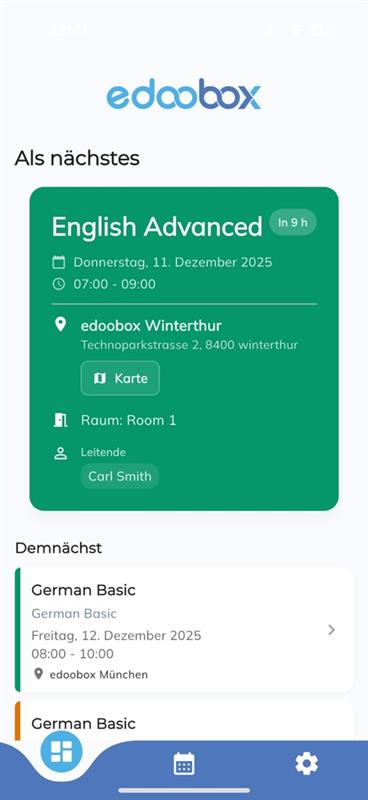
Upon launching the app, you will see a clear overview of all upcoming appointments:
-
Direct access to location, trainer, and room
-
Sorted by date and easy to navigate
The app consists of three sections:
-
Overview
-
Calendar
-
Settings
Calendar
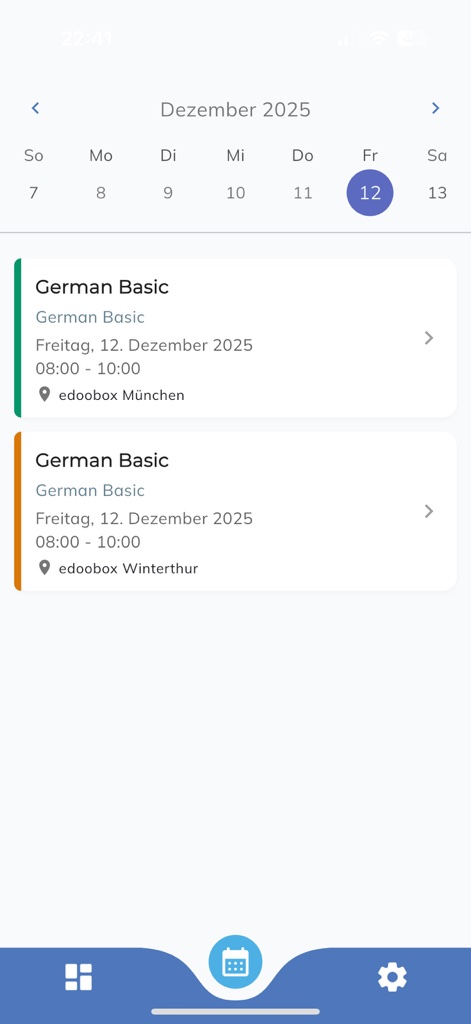
In the calendar, you can view all appointments in chronological order.
With a single click, you can jump directly to the detailed appointment view (see Section 2).
Ideal for instructors managing multiple courses daily.
Appointment View
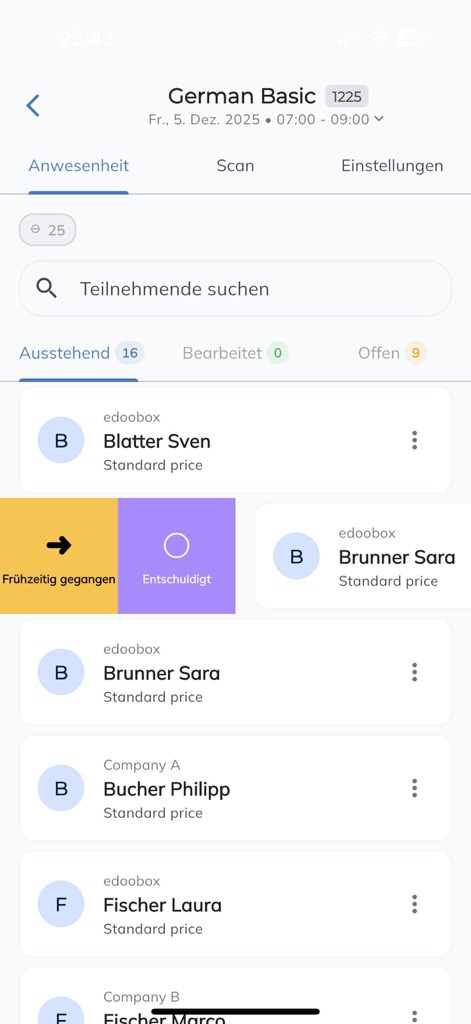
Select an appointment to access all tools for rapid attendance management:
Manage Participant Status:
With an intuitive swipe gesture, you can mark participants as present, absent, late, or another status.
Search for people directly, filter by category, and stay on top of things at all times.
Ticket Scan:
Within the Scan tab, you can process tickets at the entrance, and the app will automatically assign the corresponding attendance status.
Walk-in / QR Code Management:
Participants without a complete registration will be displayed separately.
You can immediately display a QR code to the participant so they can complete their registration on-site.
This feature is described in detail in the guide "Bulk Registration Without Specifying Participant Data."
Settings
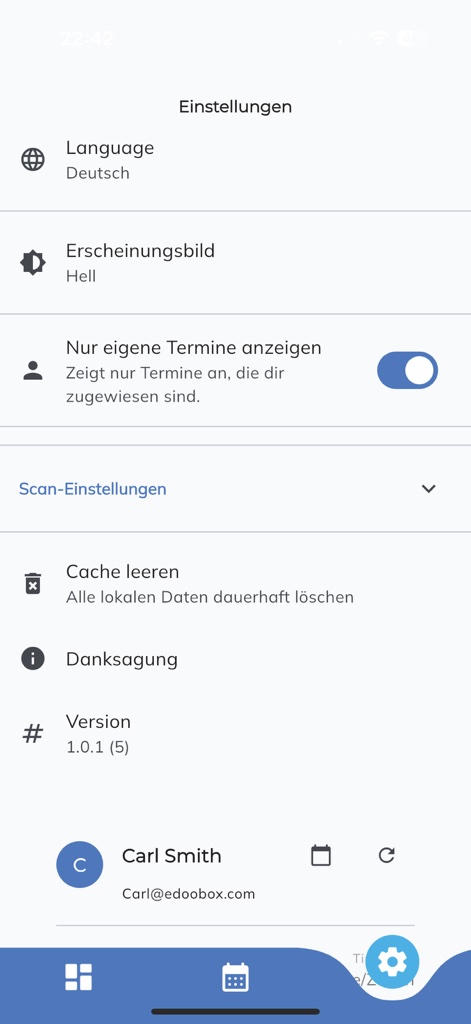
Within the settings, you can fully personalize the app:
-
Language: Choose from over 30 languages
-
Display: Toggle between Normal Mode and Dark Mode
-
Scan Settings: Define the status assigned during scanning
-
Calendar Synchronization: Integration with the device calendar
Related Guides
Keywords for this guide
Admission App ¦ iOS App ¦ Android App ¦ Attendance ¦ Attendance List ¦ Participants ¦ Certificate ¦ Attendance Confirmation ¦ Admission Scanner ¦ Scanning ¦ Cell Phone ¦ Mobile Phone